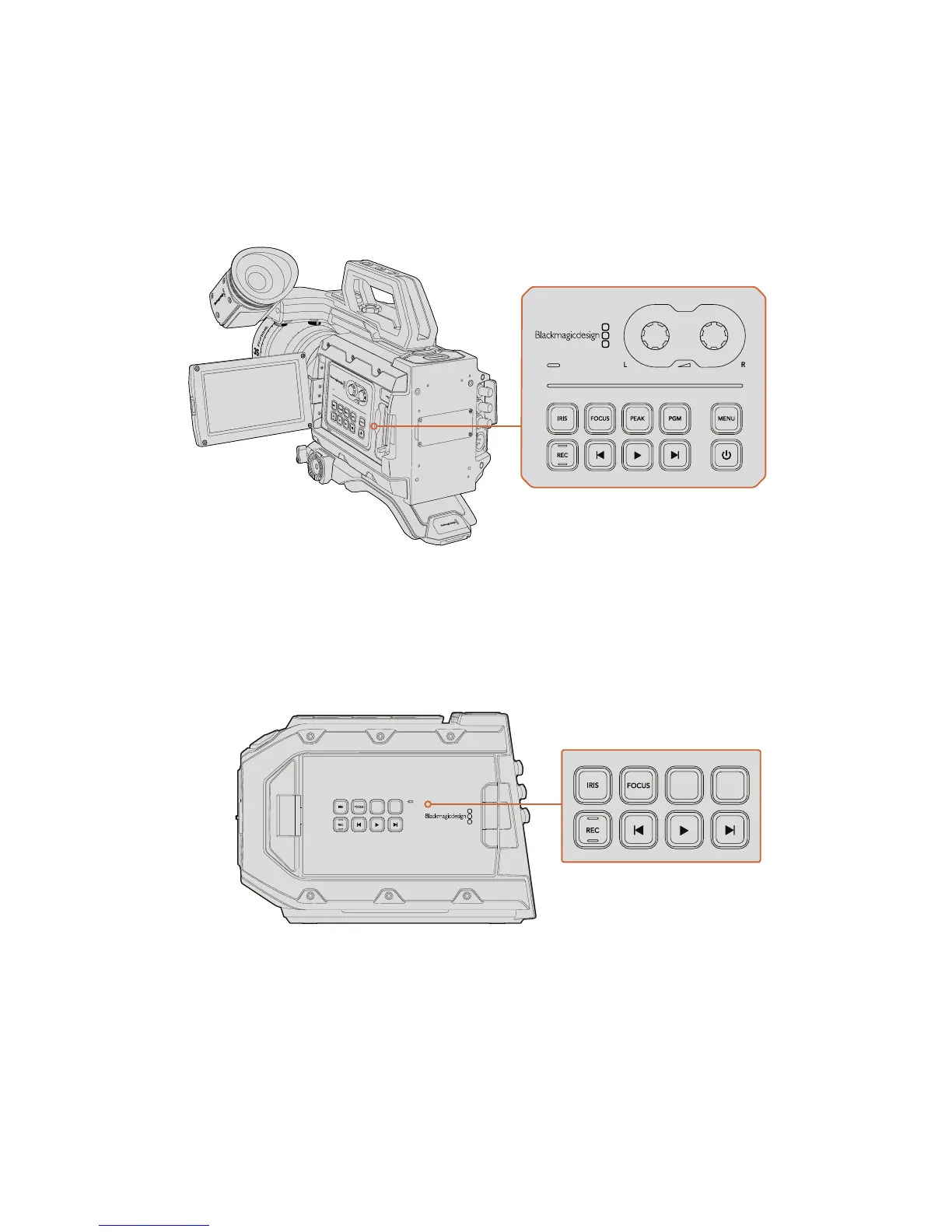
URSA Mini Controls
Your Blackmagic URSA Mini has a control panel on the left side, behind the fold out monitor and
contains all the buttons and adjustment knobs you need to change settings and control audio
levels. You can monitor your audio levels using the audio meters on the LCD touchscreen.
Adjust camera settings using the inside control panel buttons and touchscreen
Control Buttons
In addition to the inside control panel, your Blackmagic URSA Mini has control buttons on the
outside of the LCD and on the side handle. The iris, focus, record and playback buttons all
perform the same function.
The outside panel buttons let you record and play back clips, turn focus
peaking on or off, switch between the program and camera view on the LCD,
plus adjust the iris and auto focus when using compatible EF lenses
Iris
The ‘Iris’ button activates the automatic aperture setting on compatible lenses. When
using video dynamic range settings, a single press of the iris button will set an average
exposure based on the highlights or shadows in your shot. When using film dynamic
range settings, pressing the iris button sets your exposure to the brightest highlight in
your shot.
IRIS
REC
FOCUS
PEAK
DISP
MENU










 To Next Page