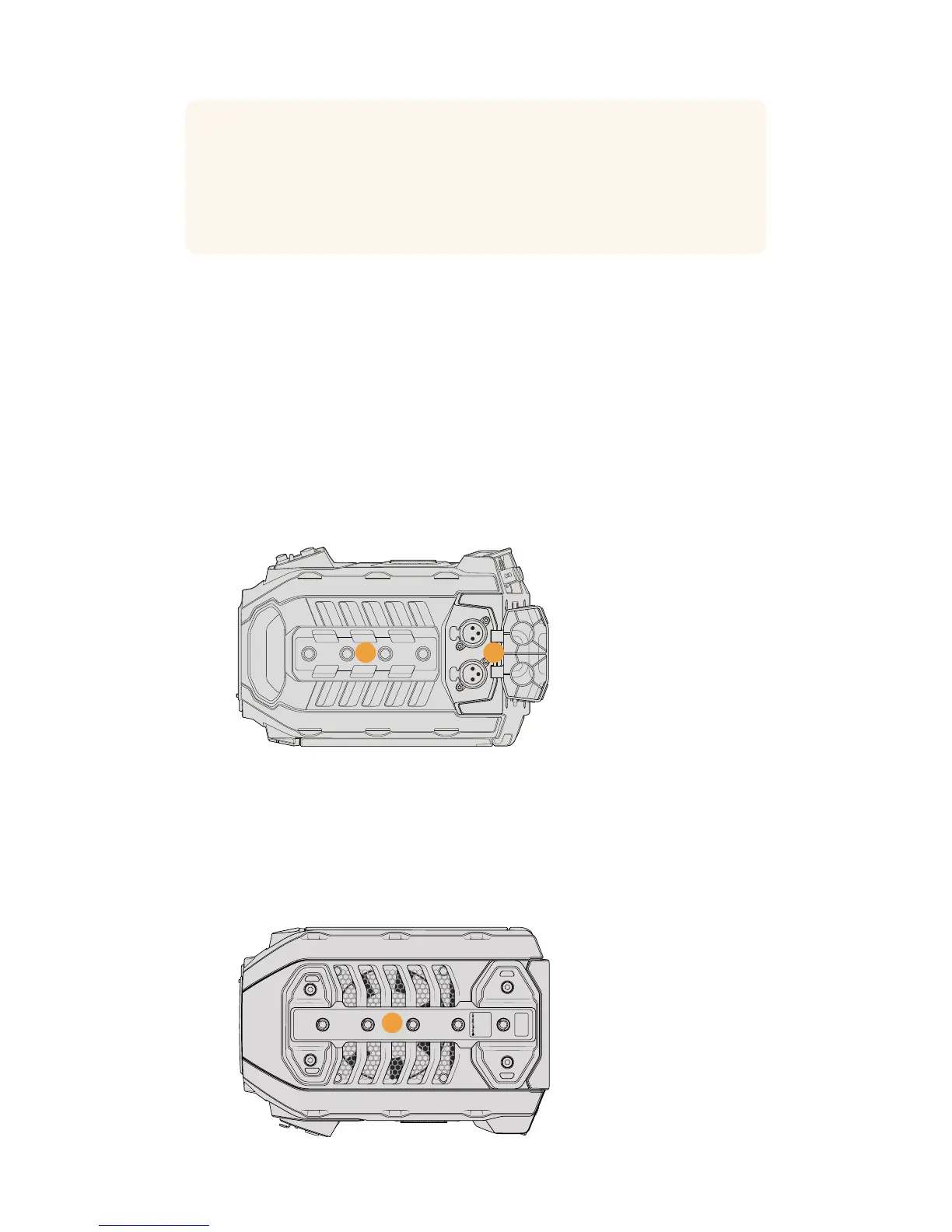
Top Panel
31 1/4 Inch Mounting Points
Your camera’s top panel contains 4 strong mounting points for attaching the top handle
andaccessories.
32 XLR Audio In
Use the balanced XLR inputs to plug in external analog audio from professional
equipment such as audio mixers, PA systems or external microphones. The XLR
connectors supply 48V phantom power so you can use microphones that aren’t self
powered. To enable phantom power select ‘inputs’ on the ‘audio input’ setting, plus
‘mic low’ or ‘mic high’ on the audio ‘input levels’ settings. Scroll the menu to reveal the
‘phantom power’ setting and select ‘on’. To disable phantom power, select ‘off’. Phantom
power is active only when external audio inputs are selected in the audio settings.
External analog audio can be plugged into the
balanced XLR connectors on the top panel
Underside
33 1/4 Inch Mounting Points
The 5 mounting points on the underside are used for attaching tripod heads,
theoptional URSA Mini shoulder mount kit and other accessories.
TIP When using URSA Mini or URSA Mini Pro 4.6K's 3.5mm jack for talkback, a very
affordable option is using an iPhone or Android compatible headset. These typically
feature inline button that can be used to mute and unmute their microphone. If you
would like to use a broadcast headset without this inline switch you can configure your
URSA Mini or URSA Mini Pro 4.6K's function buttons to offer the same functionality.
Seethe 'setup settings' section of this manual for more information.
PUSHPUSH
3231
Blackmagic URSA Mini
33
53Introduction to URSA Mini










 To Next Page