Settings
Dashboard
Pressing the ‘menu’ control button on your URSA Mini will bring up your camera's dashboard.
This is a tabbed menu containing the settings not available from your URSA Mini's head up
display. Settings are divided by function into ‘record,’ ‘monitor,’ ‘audio,’ ‘setup,’ ‘presets,’ and
‘LUTS’ tabs. Some tabs, such as ‘record,’ ‘monitor,’ and ‘setup’ contain multiple pages. You can
cycle between these pages by tapping the arrows on the left and right of the settings screen,
orswiping left or right as you would on a smartphone or tablet.
Tap the 'record,' 'monitor,' 'audio,' 'setup,' 'presets,' and 'LUTS'
headings to move between your URSA Mini's dashboard tabs
Record Settings
The ‘record’ tab allows you to set your video format, codec, and resolution, as well as other
settings which affect the footage saved by your URSA Mini, such as preferred card and detail
sharpening. This menu has three pages, which you can cycle through by tapping the arrows at
the edge of your camera’s touchscreen, or swiping left or right.
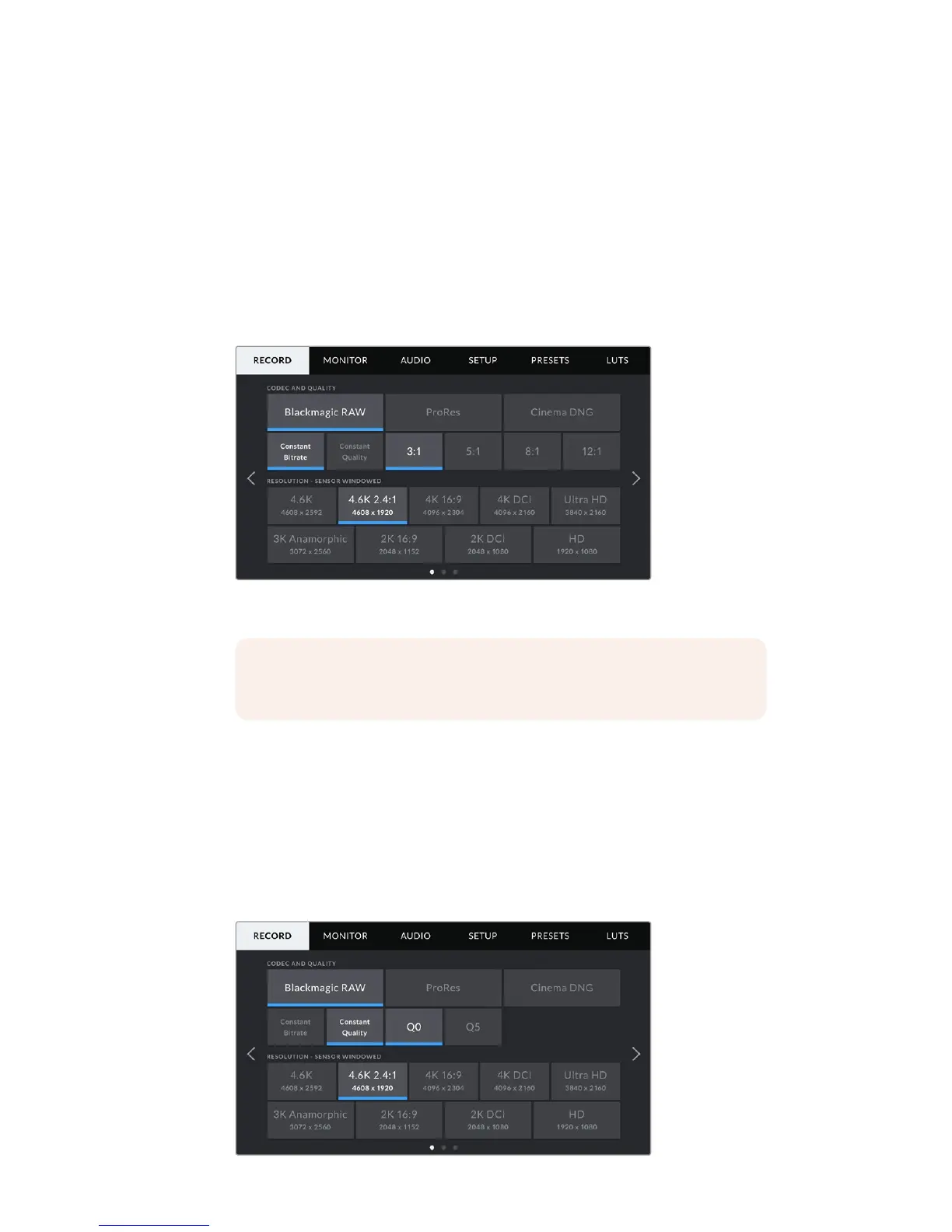
Record Settings 1
The first page of the 'record' settings tab contains the following settings.
NOTE On URSA Mini Pro 4.6K, the camera dashboard times out after one
minute of inactivity, returning you to the heads up display.
90Settings










 To Next Page