Entering Metadata
Metadata is information saved inside your clip, such as take numbers, camera settings and
other identifying details. This is extremely useful when sorting and processing footage in
postproduction. For example, take and shot and scene numbers are essential organizational
tools, while lens information can be used to automatically remove distortion or better match
VFXassets to plates.
Your Blackmagic URSA Mini automatically saves some metadata to each clip, such as camera
settings, timecode, date and time. You can use your camera’s slate to add many
additional details.
The Slate
Blackmagic URSA Mini
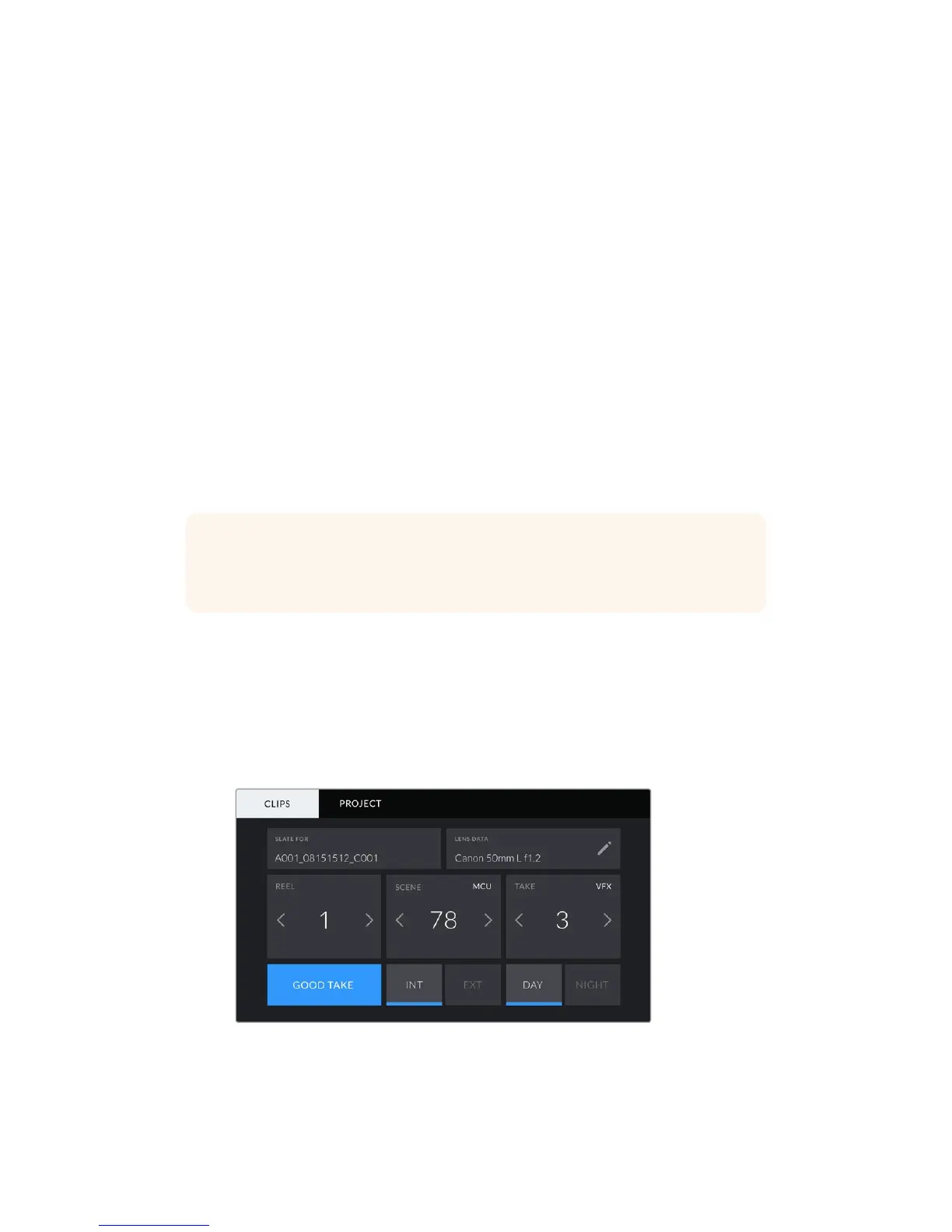
Swiping left or right on your URSA Mini’s touchscreen will bring up the slate.
The slate is divided into two tabs, ‘clips’ and ‘project.’ The ‘clip’ tab contains information that
may vary clip by clip, while ‘project’ is where you enter details common between clips, such as
the project name, director, and camera and operator ID.
‘Clip’ metadata
Changes made to clip metadata work slightly differently in ‘standby’ mode, when your
URSAMini is ready to record, and ‘playback’ mode, when you’re reviewing footage you’ve
already shot. In ‘standby,’ clip metadata will be saved to the next clip recorded, except for
'goodtake last clip' which refers to the most recently recorded clip.
In 'playback' mode clip metadata is always recorded to the current clip being viewed.
Your URSA Mini's slate is divided into 'clip' and 'project’ tabs
TIP Metadata entered into the slate is viewable on your URSA Mini’s front or main
SDIoutputs when set to ‘director view.’ See the ‘monitor settings’ section in this
manualfor more information.
126Entering Metadata










 To Next Page