Storage Media
Your Blackmagic URSA Mini camera has a number of storage options. All URSA Mini cameras
use CFast 2.0 cards to record video. URSA Mini Pro 4.6K can also record to fast UHS-II and
UHS-I SD cards.
Using the optional URSA Mini SSD Recorder, all URSA Mini cameras can record to high capacity
solid state drives, or "SSDs".
CFast Cards
CFast 2.0 cards are capable of supporting very high data rates, so are perfect for recording
HDand 4K video at high frame rates. Refer to the record duration table in the ‘recording’
section for details on the maximum frame rates that can be recorded in each format.
Inserting a CFast Card
If you're using URSA Mini Pro 4.6K, your camera can also record to SD cards. To record using
CFastcards you need to set your camera accordingly. To do this, set the storage mediaswitch
above the media slots to the 'CFAST' position.
To insert a CFast card.
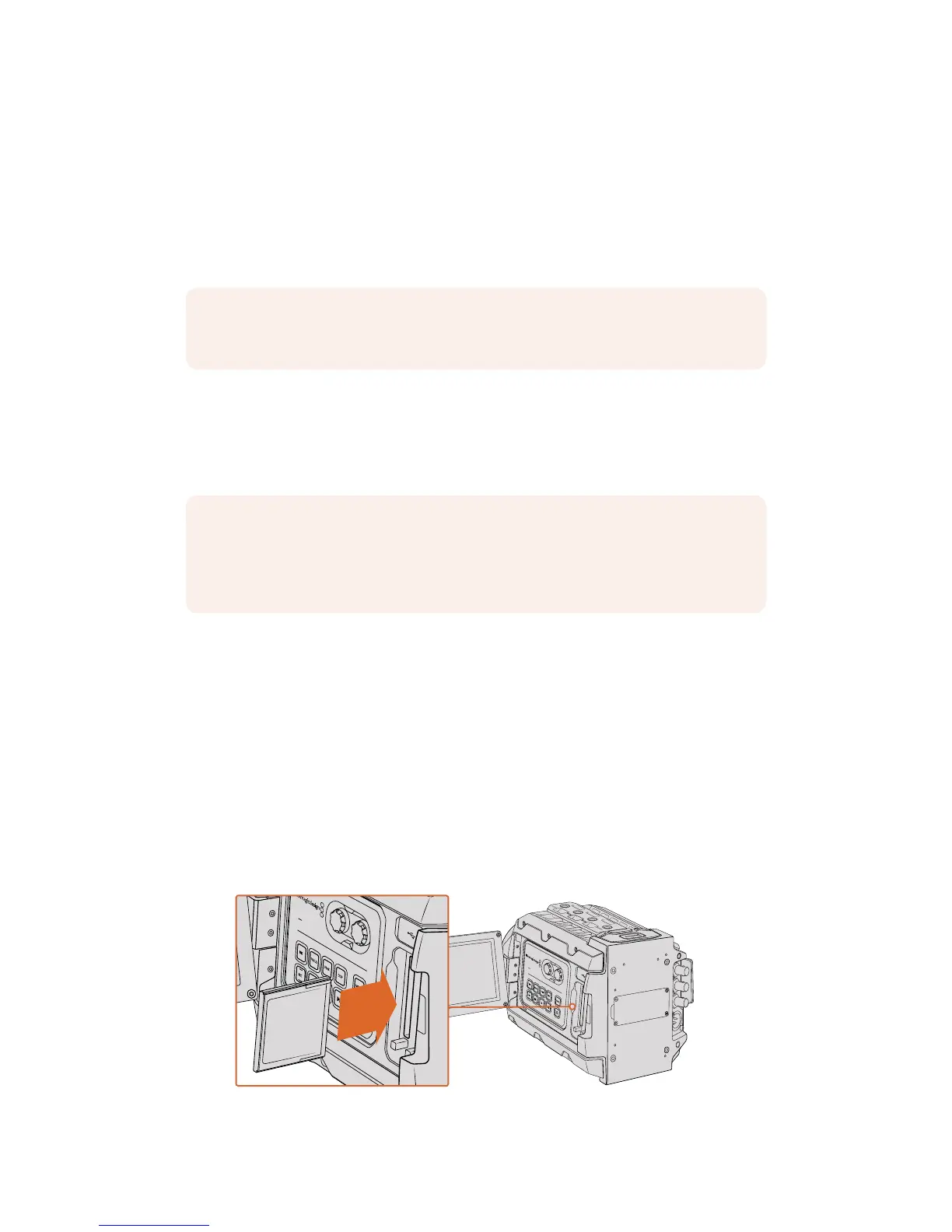
1 Open the fold out monitor to access the CFast slots.
2 Insert the CFast card into the CFast card slot until you feel it lock into place. The card
should insert easily without the need for excessive force. Push the CFast card ejector
button to eject the card.
The storage information at the bottom of the LCD touchscreen will show the name and
record time remaining of the detected CFast cards.
Blackmagic URSA Mini has two CFast slots for continuous recording
NOTE For more information on connecting URSA Mini SSD Recorder to your camera
see the section 'Blackmagic URSA Mini SSD Recorder' in this manual.
NOTE While CFast 2.0 cards are generally high speed cards, some cards have slower
write speeds compared to read speeds, and maximum data rates can differ between
models. Toensure reliable recording in your chosen frame rates, use only the
recommended cards listed in this section.
IRIS
REC
FOCUS
PEAK
DISP
MENU










 To Next Page