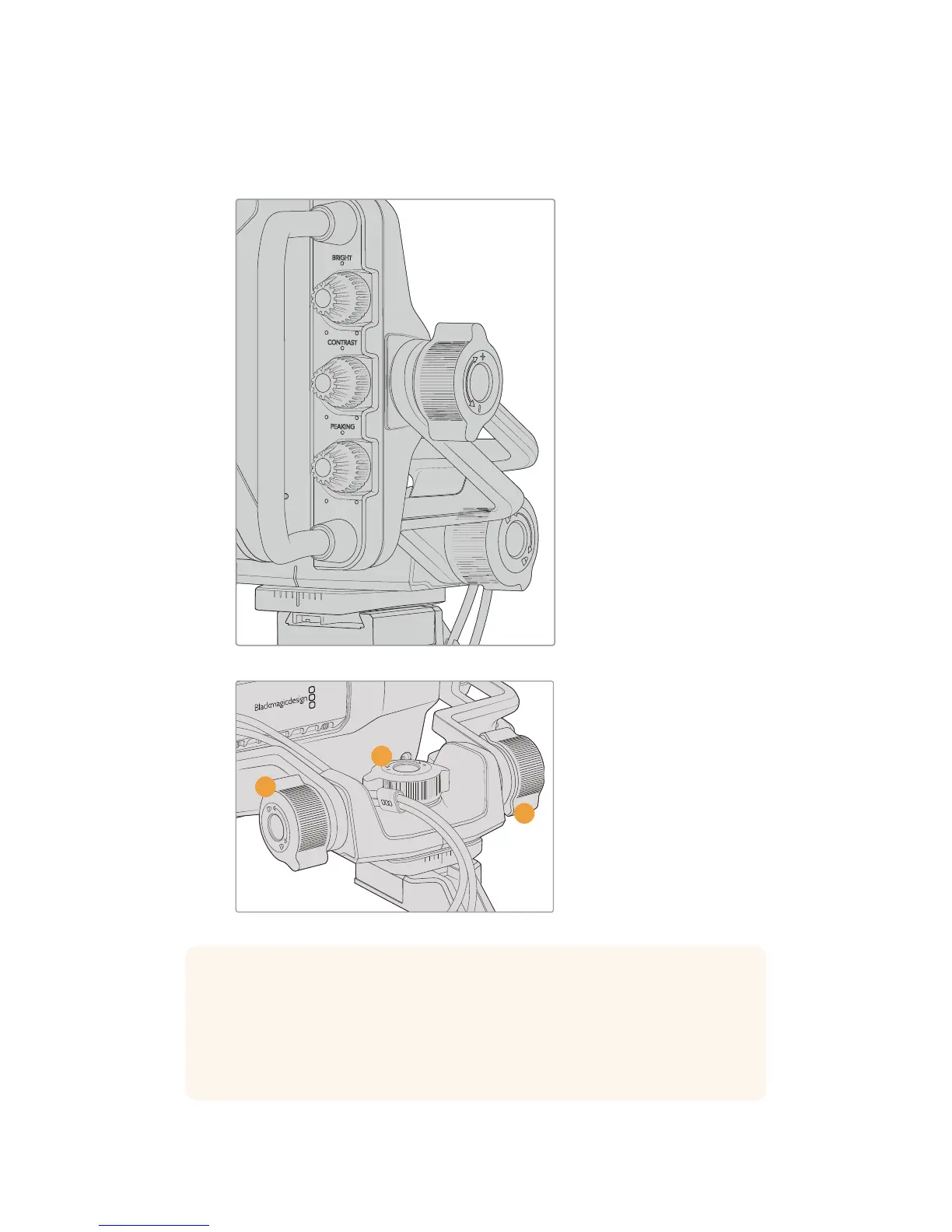
These tension dials have a very large range of tension adjustment, allowing you to select a
specific amount of resistance. This allows you to easily pan and tilt the viewfinder to the precise
position you require.
Tension dials on either side of the viewfinder
1 Tilt Lock Dial
Locks the angle of tilt on
the viewfinder mechanism.
2 Pan Tension Dial
Controls pan tension.
3 Tilt Tension Dial
Controls tilt tension.
1
2
3
TIP The center tension dial on the supplied mount controls pan tension, and can be
loosened to allow you to take hold of the viewfinder and move the camera
independently. This means that you can film things like motorsport, where you need to
pan the camera left and right to follow the action, whilst holding the viewfinder
positioned towards your eyes. A visual guide on the mount helps to ensure that the
viewfinder can easily be returned to the center.
151Blackmagic URSA Studio Viewfinder










 To Next Page