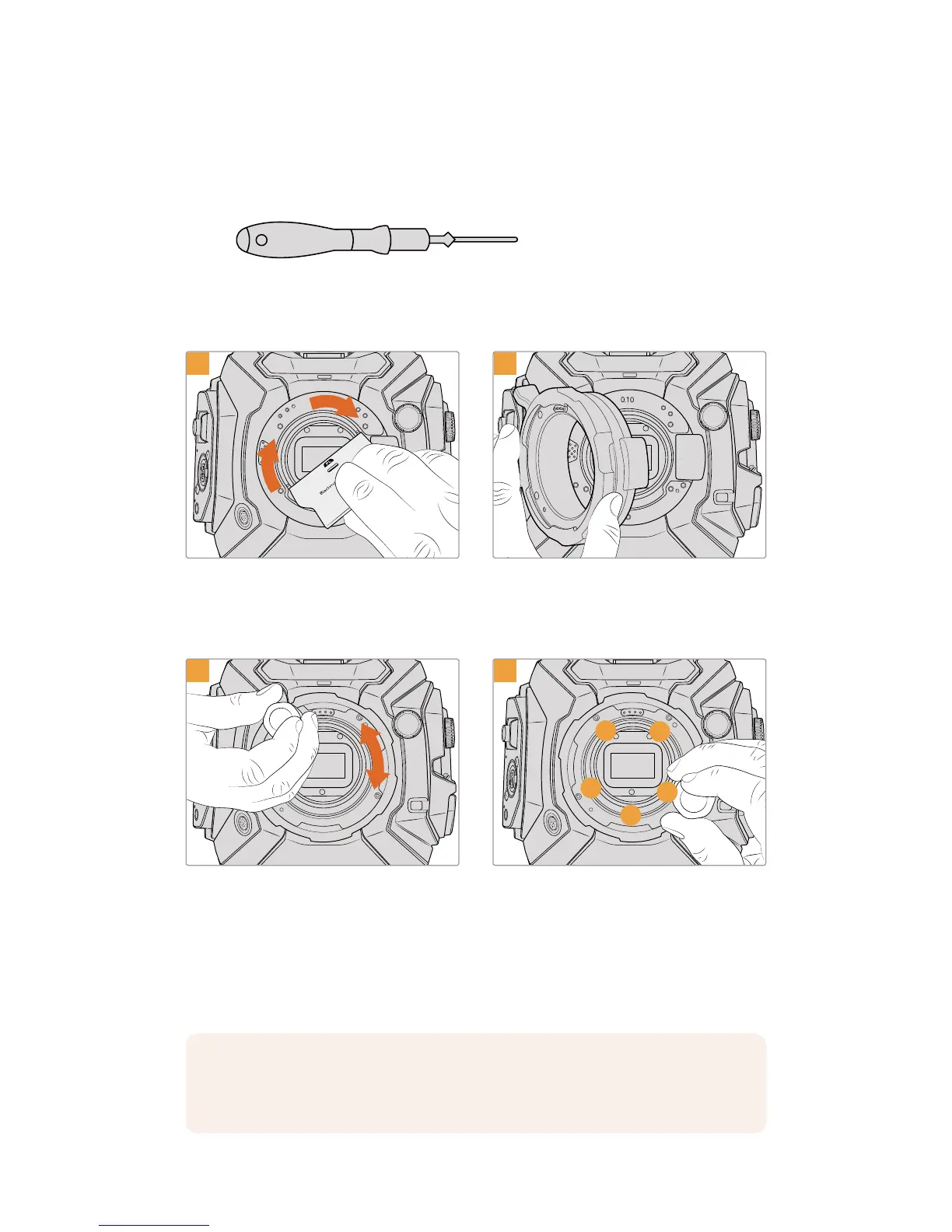
Tools Required
When attaching the PL mount, you will need a 2mm Hex driver. While it’s not absolutely
required, we recommend using a torque wrench able to accurately set a maximum torque
of0.45Nm to reduce the potential of over tightening the screws.
2mm Hex driver
Attaching the PL Mount
1
Gently insert the PL baffle into the center of the
lens mount and turn until it is finger tight. Use the
wide end of the baffle tool to tighten the baffle
slightly. You need just enough pressure to keep
it in place.
Add the 0.10mm shim to your camera, then place
the Blackmagic URSA Mini Pro 4.6K PLlens mount
onto the camera body. Ensurethe pins on the PL
mount for Cooke/iTechnology are located at the
12o’clock position.
3
1
3
4
5
2
Loosely turn the five mounting screws until initial
contact is made with the shoulder of the lens
mount. To access all five screws, you will need to
rotate the PL locking ring, as some holes are
obscured when the ring is either open or closed.
Using the 2mm Hex driver, or torque wrench with
2mm Hex key, apply one full turn of pressure to
mounting screw 1, followed by one full turn to
screw 2. Repeat for screws 3and 4, then 5.
Continue to apply one full turn to each screw in
the sequence above until all screws have reached
the maximum torque of 0.45Nm.
NOTE When removing the PL mount, simply follow the instructions in reverse order
from step 4 to step 1. Don’t forget to remove the PL baffle and store it securely with the
PL mount.
196Interchangeable Lens Mount










 To Next Page