Your ATEM Switcher will display gain in dB. This corresponds to the ISO settings on your
camera in the following way:
Gain ISO
0 200
6 400
12 800
18 1600
Please note that while URSA Mini 4.6K can be set to
18dBofgain,URSA Mini 4K’s maximum gain is 12dB
Shutter Speed Control
Shutter speed control is used to change your URSA Mini’s shutter angle.
As with gain control, this setting is named differently due to the terminology differences
between film cameras and broadcast cameras. Functionally, however, increasing shutter speed
is exactly the same as decreasing shutter angle.
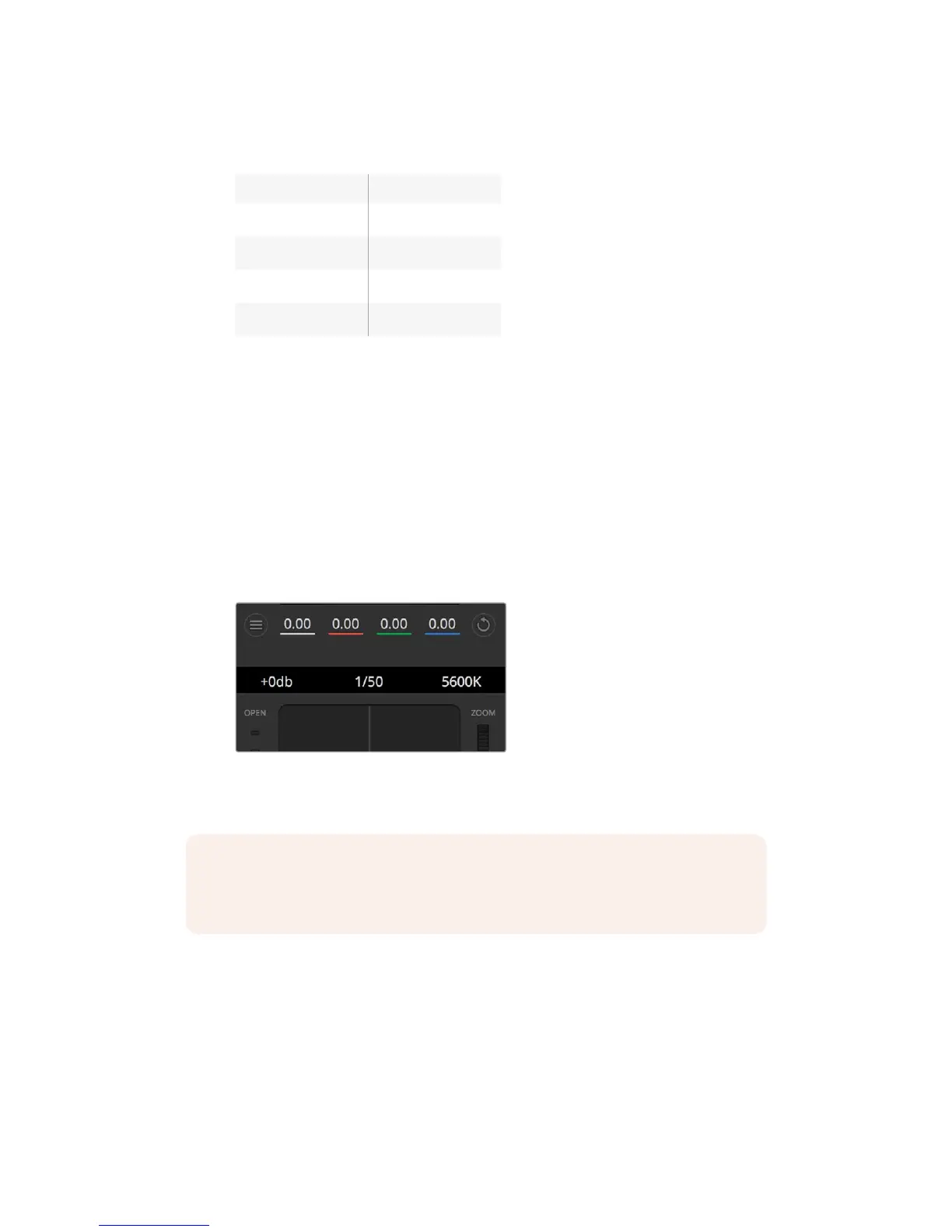
The shutter speed control is located between the color wheel and the iris/pedestal control.
Decrease or increase the shutter speed by hovering your mouse pointer over the shutter speed
indicator and clicking the left or right arrow.
Hovering your mouse pointer over the gain, shutter
speed and white balance indicators reveal arrows
youcan click on to adjust their respective settings
The table below shows the available shutter speeds in shutter speed control and their
equivalent shutter angles. It’s worth noting that some shutter speeds fall outside of URSAMini’s
minimum and maximum shutter angles of 11.25 and 360 degrees, respectively. Ifthis happens,
the closest available shutter angle is used.
When your URSA Mini 4.6K or URSA Mini Pro 4.6K is connected to an ATEM switcher, the
shutter speed setting will also be visible in your camera’s touchscreen status display. On
URSAMini 4K the shutter speed will not be displayed on the touchscreen, but will be visible in
an URSA Viewfinder if attached.
NOTE As ATEM shutter speed control takes priority over the shutter angle selected on
your URSA Mini, your camera’s shutter angle controls are disabled when connected to
an ATEM switcher.
248Understanding StudioCameraControl










 To Next Page