How to Update the Camera Software
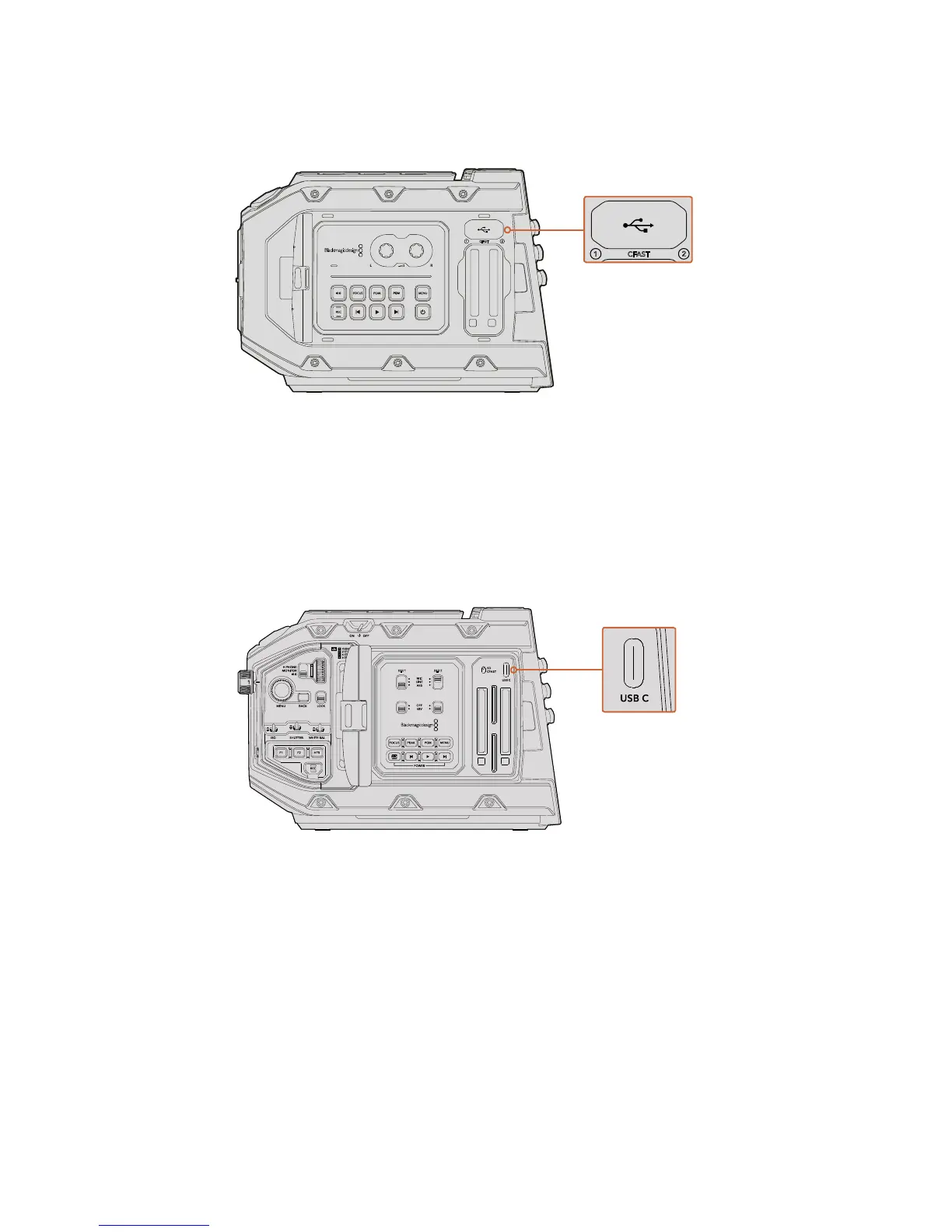
The Mini-B USB 2.0 port is used to update the
camera software and can be found above the
memory card slots on BlackmagicURSA Mini
After installing the latest Blackmagic Camera Setup utility on your computer, connect a
USBcable between the computer and your Blackmagic URSA Mini. On Blackmagic URSAMini,
the USB port is located on the left side panel above the memory card slots. Simply open the
rubber cap to access the port.
Launch the Blackmagic Camera Setup utility and follow the on screen prompts to update the
camera software.
The USB-C port is used to update the camera software
and can be found above the memory card slots, next to the
media selection switch on Blackmagic URSA Mini Pro 4.6K
1
2
CFAST










 To Next Page