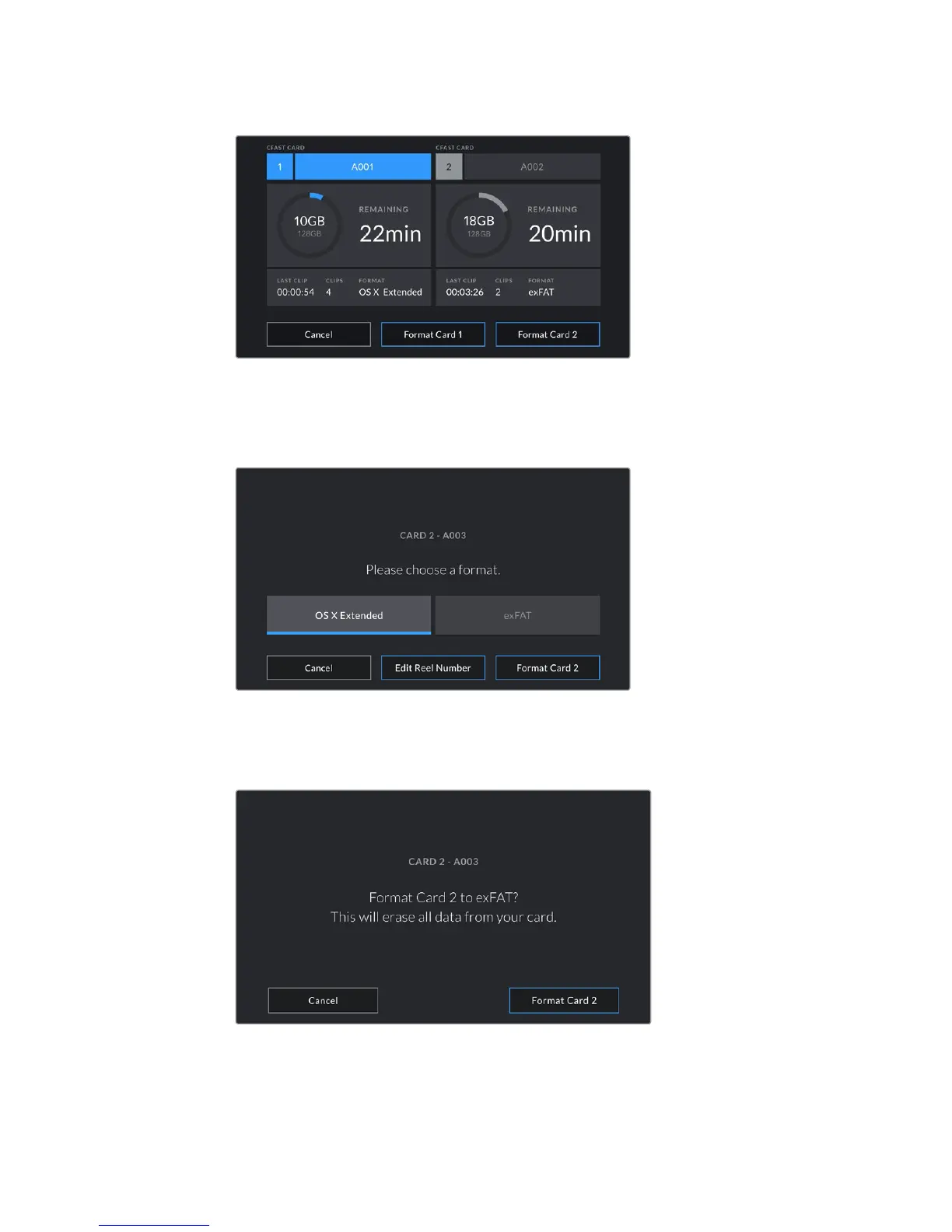
Use your URSA Mini's storage manager to format your camera's CFast cards
3 Tap 'edit reel number' if you would like to manually change the reel number.
4 Choose OS X Extended or exFAT format and tap the 'format card' button.
Tap 'edit reel number' to manually edit the reel number
5 You will be asked to confirm your selection. Tap 'format card' again to continue or
'cancel' to cancel the format.
Check that you have selected the correct card before formatting
6 You will be notified when the format is complete.
7 Tap 'ok' to return to the storage manager.
8 Tap 'exit' to leave the storage manager.
28Storage Media










 To Next Page