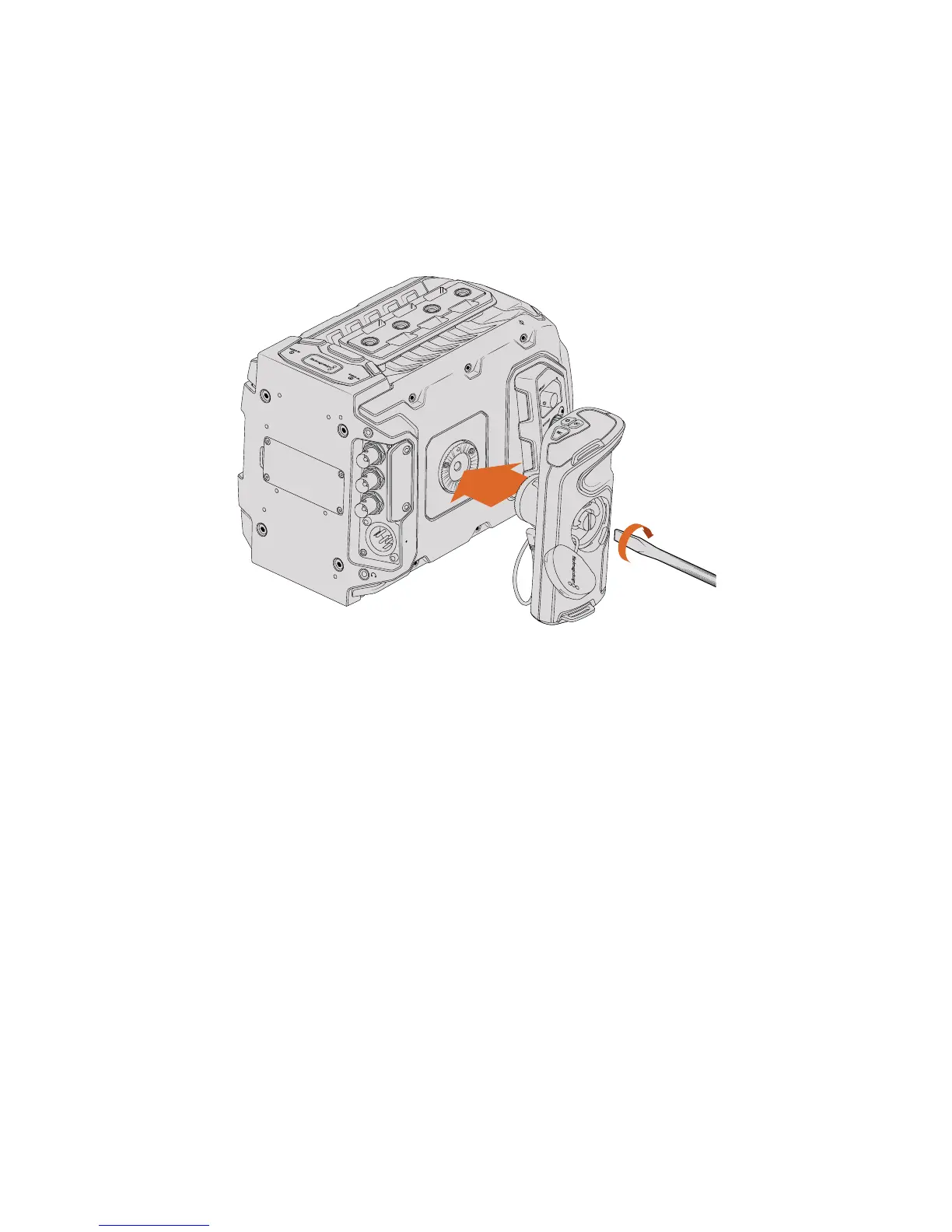
Attaching the Handle
Attaching URSA Mini’s side handle is easy.
1 Open the plastic cap on the right side of the handle to access the tightening screw.
2 Align the handle with URSA Mini’s side rosette mount. Fasten the handle to suit your
desired position and tighten the side handle screw with a large flat head screw driver,
or by twisting the D ring. Close the plastic cap.
Attaching the side handle to Blackmagic URSA Mini
3 URSA Mini is shipped with a short LANC cable so you can control your camera using
the side handle buttons. Connect the LANC cable from the side handle LANC output
tothe camera’s LANC input.










 To Next Page