Power
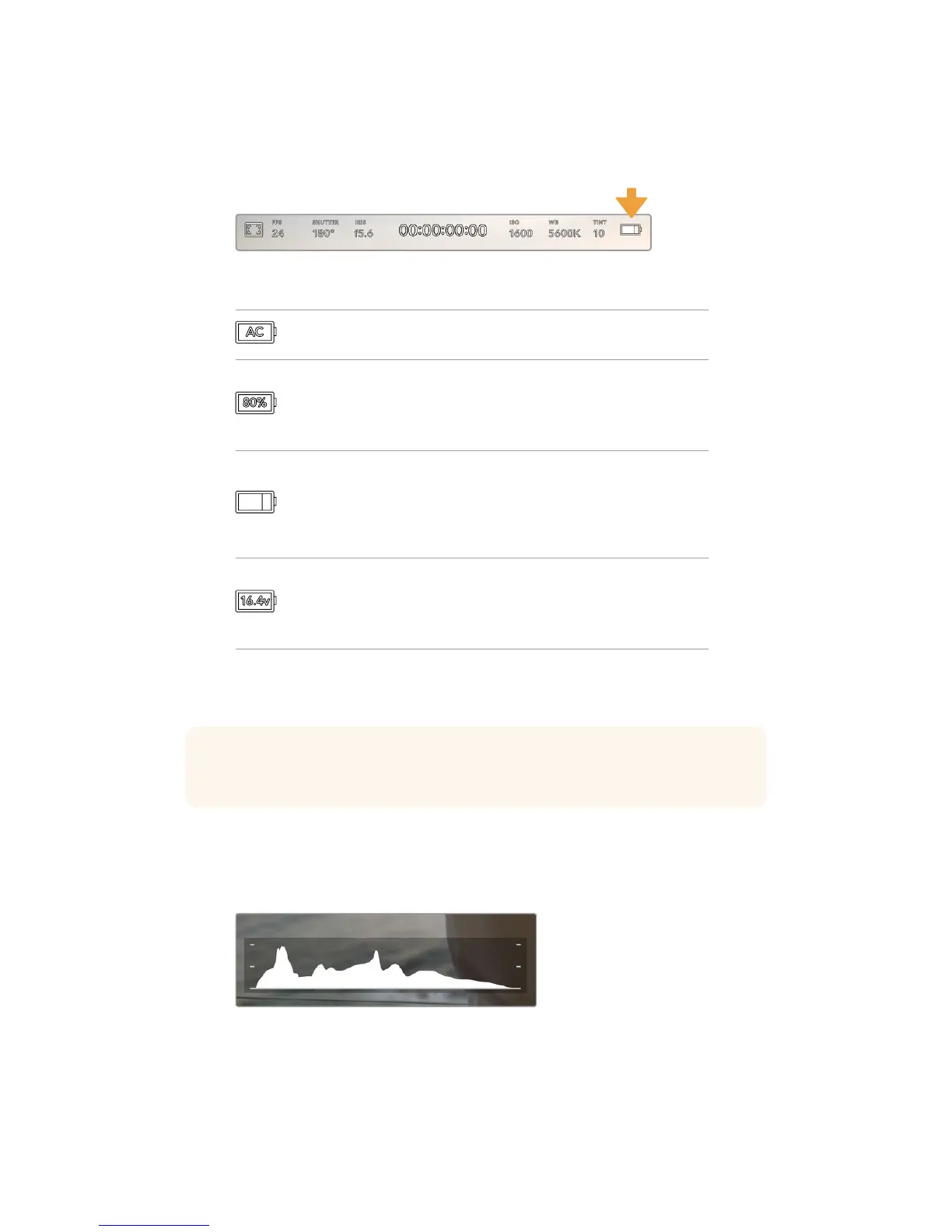
Your URSA Mini’s power status is displayed in the top right of the LCD screen.
There are four possible indicators:
Your URSA Mini's power indicator is at the top right of the LCD touchscreen. While
usingbattery power, tapping this toggles between 'voltage' and 'percentage' displays
AC
Displayed when your URSA Mini is
pluggedintomains power.
Percentage
If you are using a percentage accurate battery and plate
combination and have your battery display set to
‘percentage,’ theindicator will display your battery level
as a percentage. At20% charge remaining, the indicator
will turn red.
Battery bars
If your battery display is set to ‘percentage’ but your
battery plate andbattery combination does not support
percentage accurate battery information, your URSA
Mini will display a battery icon that drains in 25%
increments. At 20% charge remaining, the battery bar
will turn red.
Voltage
When your battery display is set to ‘voltage,’ this
indicator will display your battery’s remaining voltage.
When your battery drops below 12.5 volts, this indicator
will turn red. Your URSA Mini will automatically shut
down once the battery reaches 11.9 volts.
When using battery power, you can switch between 'voltage' and 'percentage' or
'battery bars' power indicators by tapping the power indicator.
Histogram
At the bottom left of your URSA Mini touchscreen, you’ll see the histogram. The histogram
shows the contrast between whites and blacks along a horizontal scale.
The histogram gives you an indication of the tonal
rangebetween shadows and highlights in your clip.
Itis also a helpful tool for checking thebalance of your
exposure and to prevent your highlights from clipping
TIP A list of batteries that support percentage accurate power information is provided
in the ‘mounting batteries’ section of this manual.
84Touchscreen Controls










 To Next Page