Recording Time Remaining
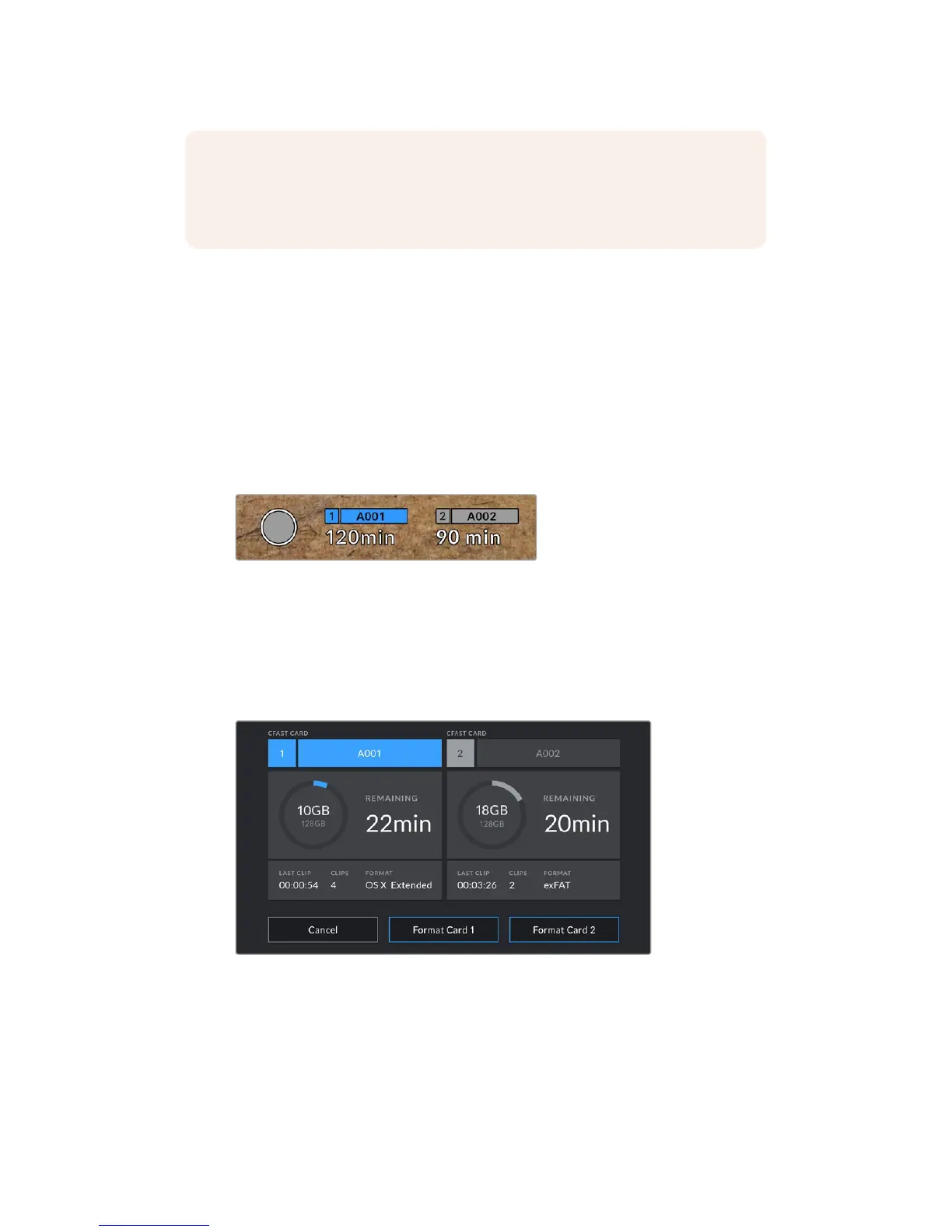
At the bottom of your URSA Mini touchscreen, you’ll see the storage indicators.
When a CFast card, SD card or SSD is inserted, the storage indicator will show how much
recording time is left on the card. The time is shown in minutes and will vary according to your
selected frame rate and codec.
The indicator will automatically recalculate if either of these settings are changed. When there is
approximately 5 minutes remaining on your card or drive, the indicator text will turn red, and will
blink intermittently when there is only 2 minutes remaining. The indicator displays FULL when a
card or drive reaches maximum capacity.
Your URSA Mini's storage indicator will display the name of your
CFastcard, SD card or SSD and the record time remaining in minutes
The card or drive name will also be shown in a small bar above the time remaining. This bar will
turn blue to indicate that the camera will be recording to this card or drive. While recording, the
bar will turn red.
Tapping the storage indicators will bring up the storage and formatting menu.
Tap the storage indicators on your URSA Mini's
LCDtouchscreen to access the storage manager
This menu displays the amount of free space on each CFast card, SD card or SSD currently in
your URSA Mini, as well as the name of the card or drive, length of the last clip, total number of
clips, and the file format for each card or drive.
NOTE You can set your URSA Mini to stop recording if dropped frames are detected
toprevent a situation where you waste time shooting unusable footage if you don't
notice the dropped frame indicator. See the 'record settings' section in this manual for
more information.
86Touchscreen Controls










 To Next Page