Record RAW on 2 Cards
Blackmagic URSA Mini lets you record CinemaDNG RAW clips at higher frame rates by
recording to both CFast cards simultaneously. When this setting is enabled your URSA Mini will
record to both cards when available. If only one CFast card is inserted, your camera will attempt
to record at the chosen frame rate to the single card. Turn ‘record RAW on 2 cards’ on or off by
tapping the switch icon.
You can also enable ‘record RAW on 2 cards’ to increase the reliability of CFast cards if you find
a single card is dropping frames while recording CinemaDNG RAW clips.
This setting also applies to SD cards for URSA Mini Pro 4.6K.
Record Settings 3
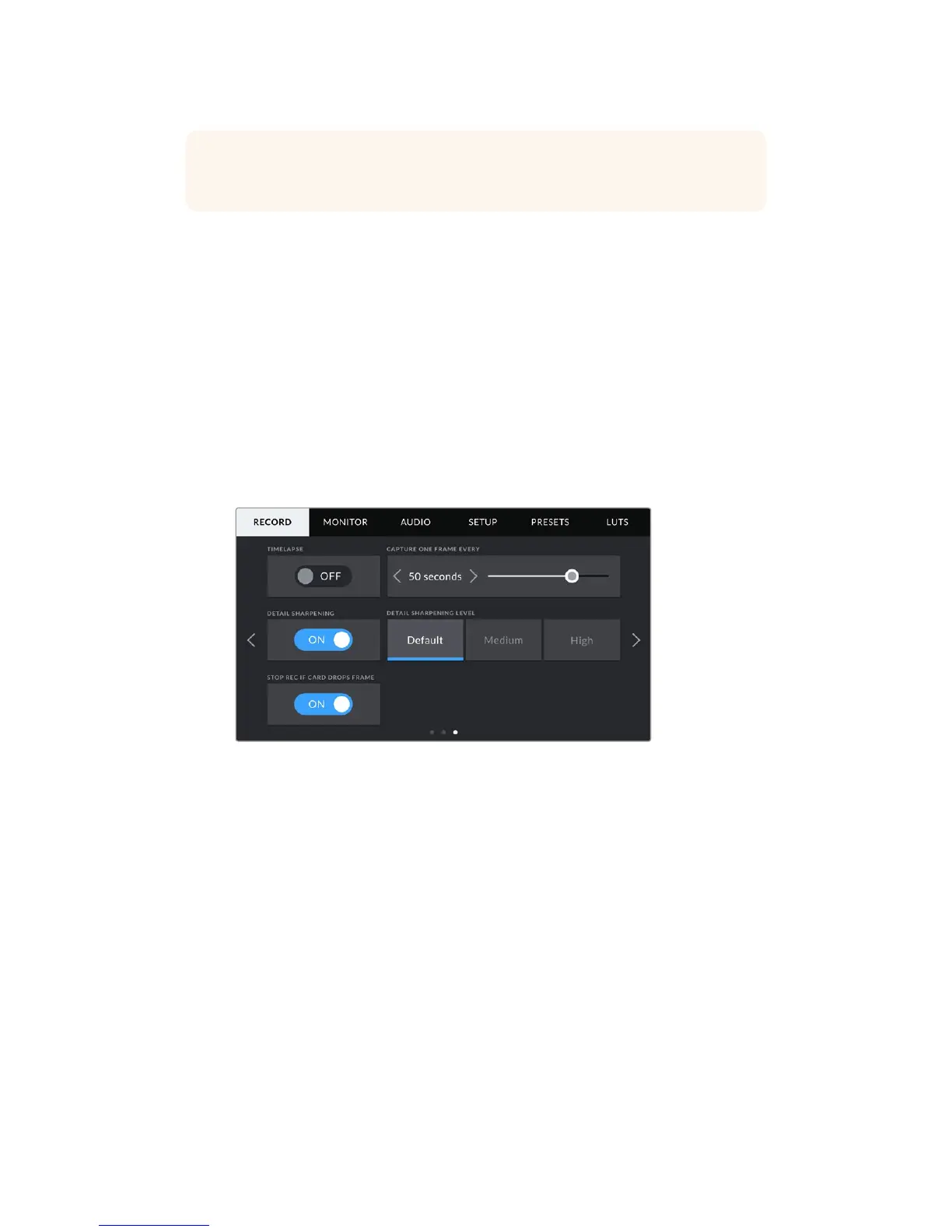
The third page of the 'record' settings tab contains the following settings.
Timelapse
This setting activates the time lapse feature to automatically record a still frame at the following
intervals:
Frames 2 - 10
Seconds 1 - 10, 20, 30, 40, 50
Minutes 1 - 10
For example, you can set the camera to record a still frame every 10 frames, 5 seconds,
30seconds, 5 minutes etc.
The time lapse feature offers many creative options. For example, setting a 2 frame time lapse
interval will give your recorded video a high speed effect when played back.
The format of each still frame is based on your recording format, so if you set the camera to
record in 4K ProRes HQ, the time lapse setting will maintain this format. The frame rate will be
based on your project frame rate setting, i.e., 24 fps. This is so your time lapse footage can be
easily incorporated into your post production workflow.
TIP The 'fullest card first' setting is based on the percentage that your storagecards
are filled, rather than their sizes or the amount of data used.
94Settings










 To Next Page