M410 User Manual 5
Setup
Power
Power
Power is supplied to the printer through an NiMH battery pack or through an AC power adapter
(included).
AC Power Adapter
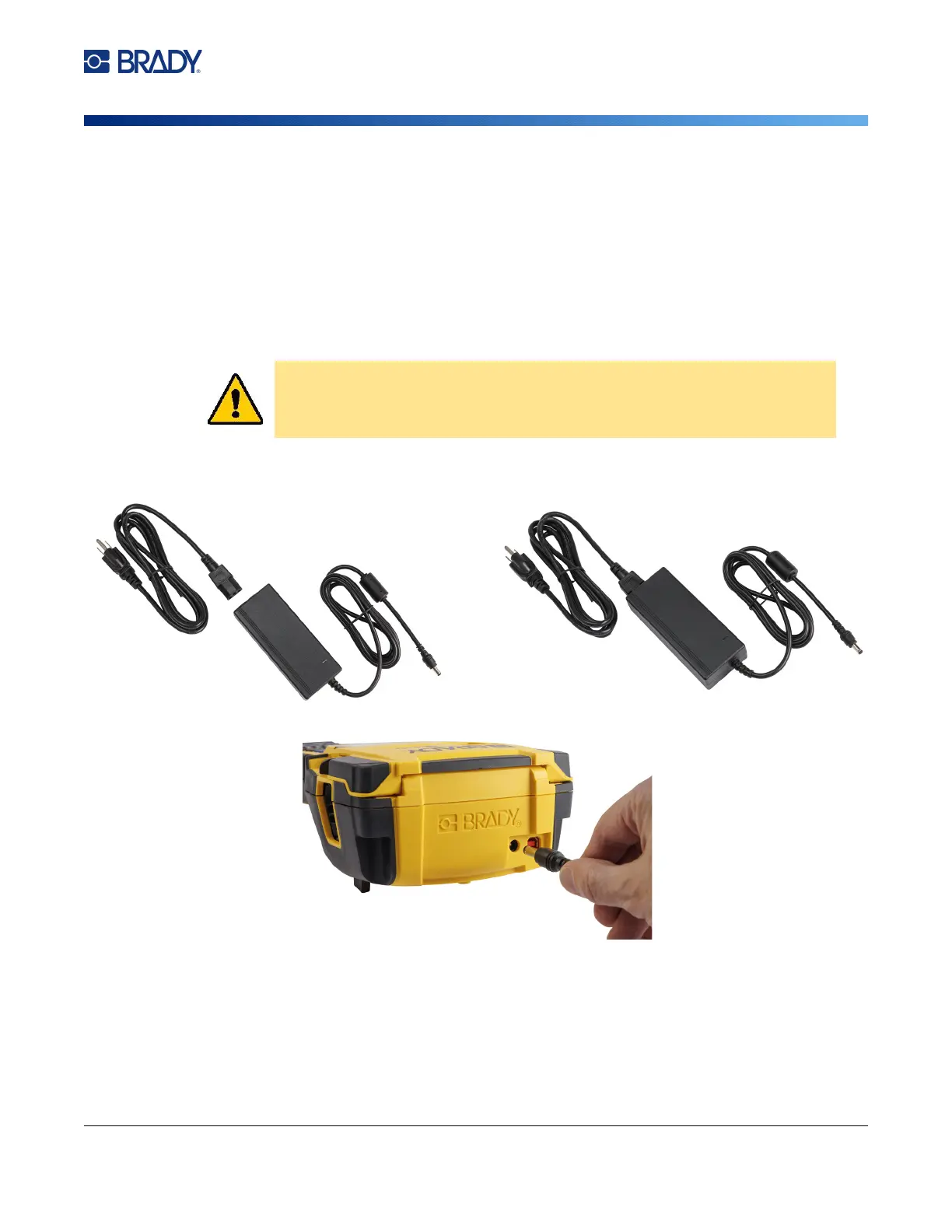
The printer can be powered through an AC power adapter (included). When the adapter is plugged in,
it is also charging the battery.
To plug in the printer:
1. Plug the power cable into the adapter
.
2
. Insert the round end of the adapter cable into the power port on the back of the printer.
3. Plug the other end of the cord into an electrical ou
tlet.
CAUTION! Use only the 18V DC, Brady AC adapter for supplying power to the
printer.



 To Next Page