M410 User Manual 22
General Operation
Using the Screen
Menus
Menus provide access to controls such as printer settings, label setting, font, and so on. Use the blue
keys on the keyboard to open menus. See “Using the Keyboard” on page 24.
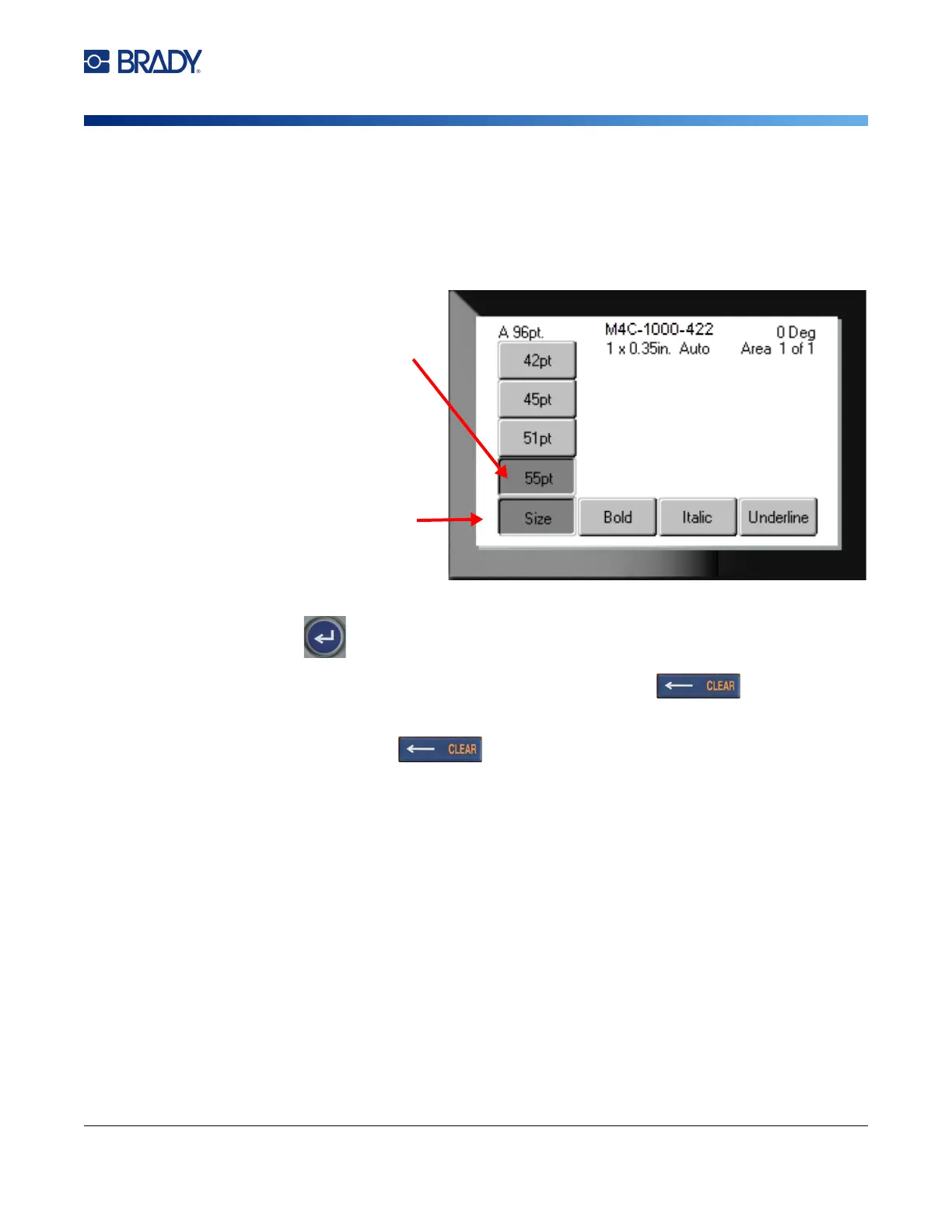
Menus open across the bottom of the screen. Sub-menus open vertically, above the main menu
selection. Selected menu items are a darker gray. The image below shows the Font menu.
To select items on a menu:
Use the navigation keys to move through the menu. When the desired option
is highlighted, press . For more information see
“Using the Keyboard” on page 24
.
To close a menu without making changes:
Press the backspace key.
You may have to press backspace more than once to exit out of all menus.
Alternatively, press FN + to exit out of all menus.
1. The main menu displays across
the bottom.
3. Selected item in the submenu.
2. Submenus display vertically above
the main menu item.



 To Next Page