M410 User Manual 23
General Operation
Using the Screen
Settings Screens
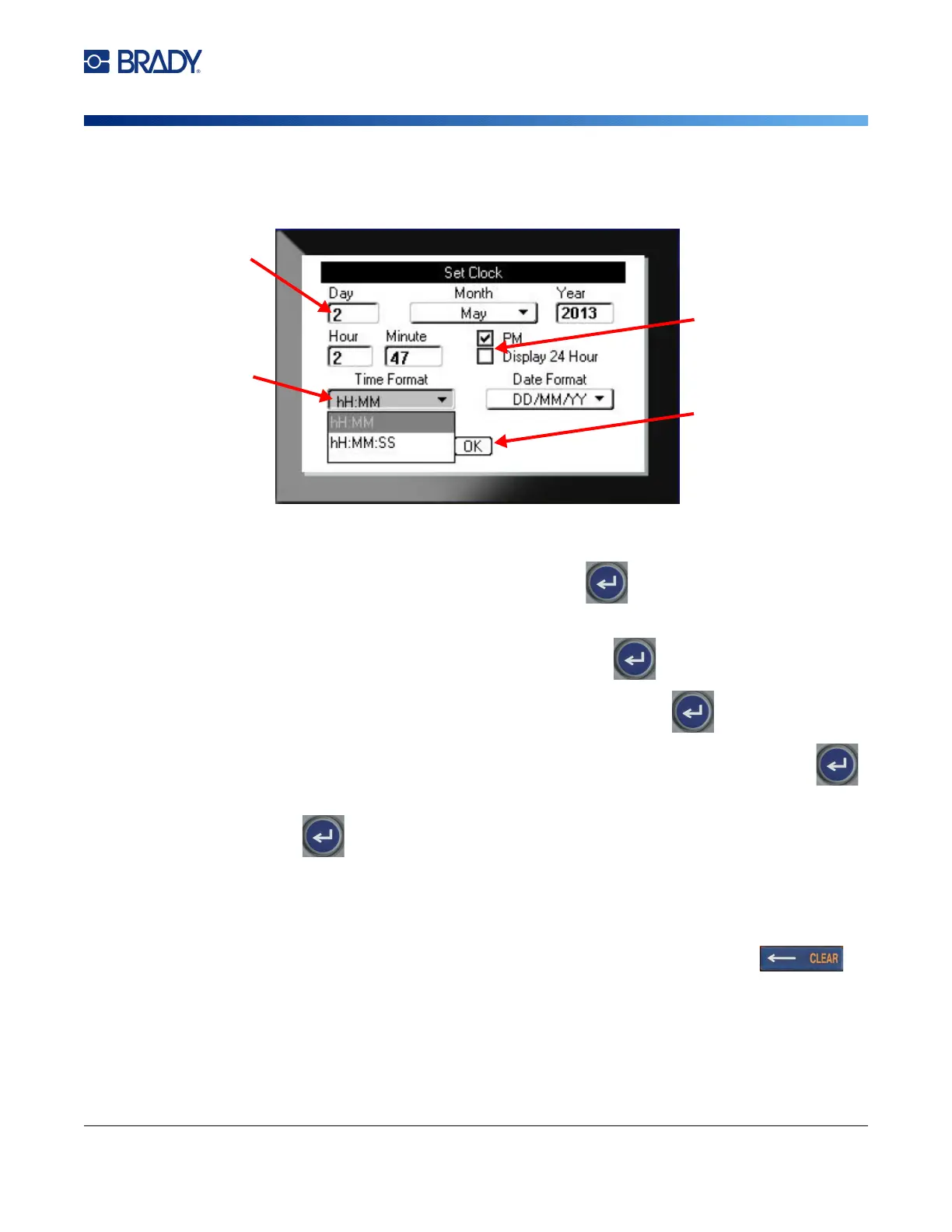
The following instructions show how to interact with selection options on the control screens.
Use the navigation keys to move between settings and highlight the desired setting.
1. To enter data, type on the keyboard, and then press .
2. To select from a list,
• Use the navigation keys to highlight the list, then press to expand the list.
• Use the navigation keys to make your selection, and then press again.
3. To select or clear a check box, use the navigation keys to highlight the box, then
press .
4. To save the changes, use the navigation keys to highlight the OK button on the screen and
then press .
For more details on using the keyboard to make selections, see “Using the Keyboard” on page 24.
Cancel
To exit a menu or a setting screen without making changes, press the backspace key .
When pressing backspace in the middle of a function, you are walked out of the function a screen at a
time. You may have to press backspace several times to completely exit the function.



 To Next Page