M410 User Manual 68
Maintenance
Cleaning the Printer
Screen
To clean the screen:
1. Lightly moisten a soft (non-scratching) cloth with Isopropyl alcohol or use a pre-moistened
swab from the Brady Cleaning Kit PCK-6.
2. Gently wipe the display screen until clean.
3. Remove excess Isopropyl alcohol with a dry, soft (non-scratching) cloth.
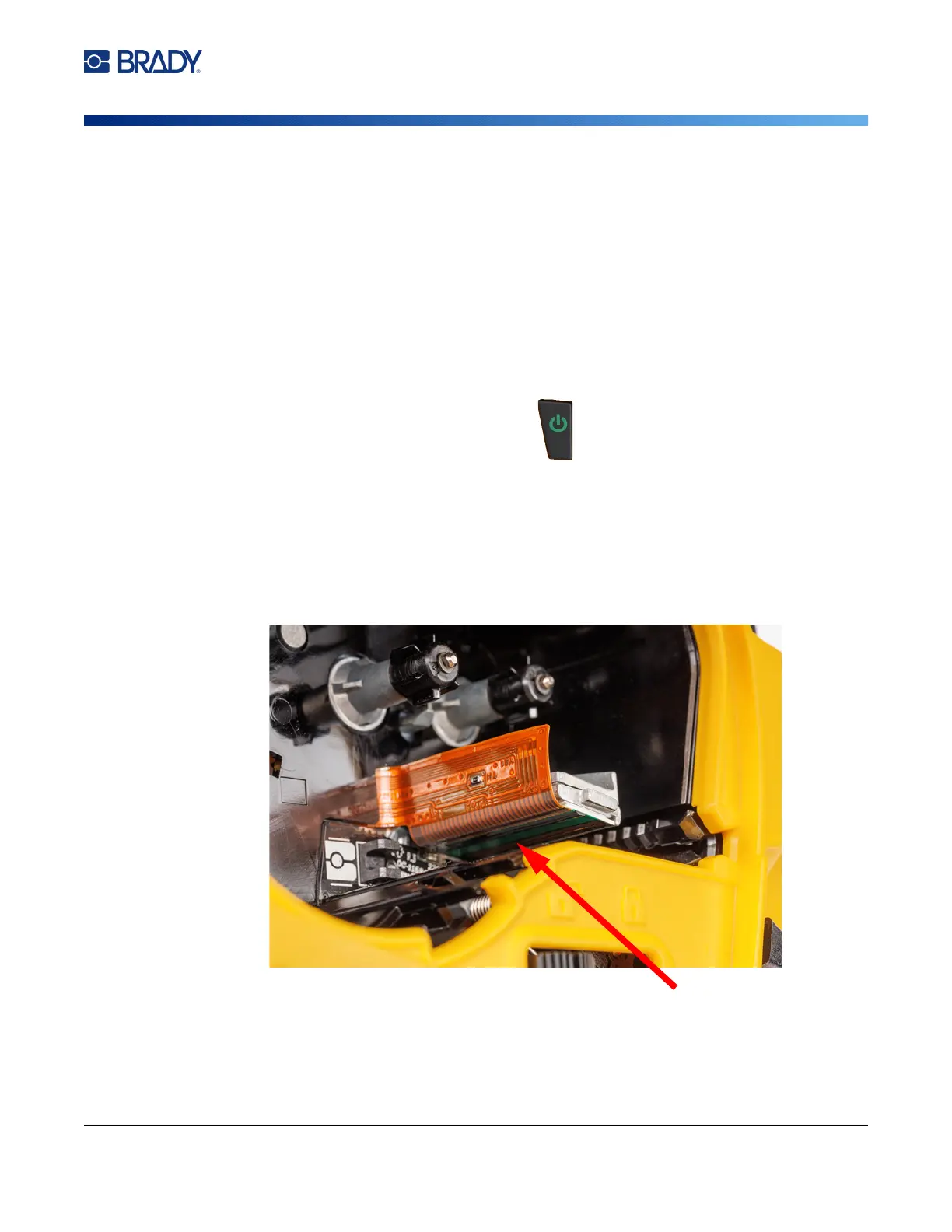
Printhead and Platen Roller
To clean the printhead and platen roller:
1. Press the power button to turn the printer off.
2. Remove the cartridge. See “Loading Cartridges” on page 12.
Note: Make sure the lock lever is in the unlocked position (to the left). If not, you will not be able to
access the printhead.
3. Lightly moisten a lint-free swab with isopropyl alcohol or use pre-moistened cleaning swabs
(PCK-6). We recommend using Brady part number PCK-6 pre-moistened swabs because they
are lint free and the isopropyl alcohol contains no additives.
4. Gently swab the printhead.
5. Slide the lock lever to the locked position to access the platen roller.



 To Next Page