M410 User Manual 32
General Operation
Printing
•
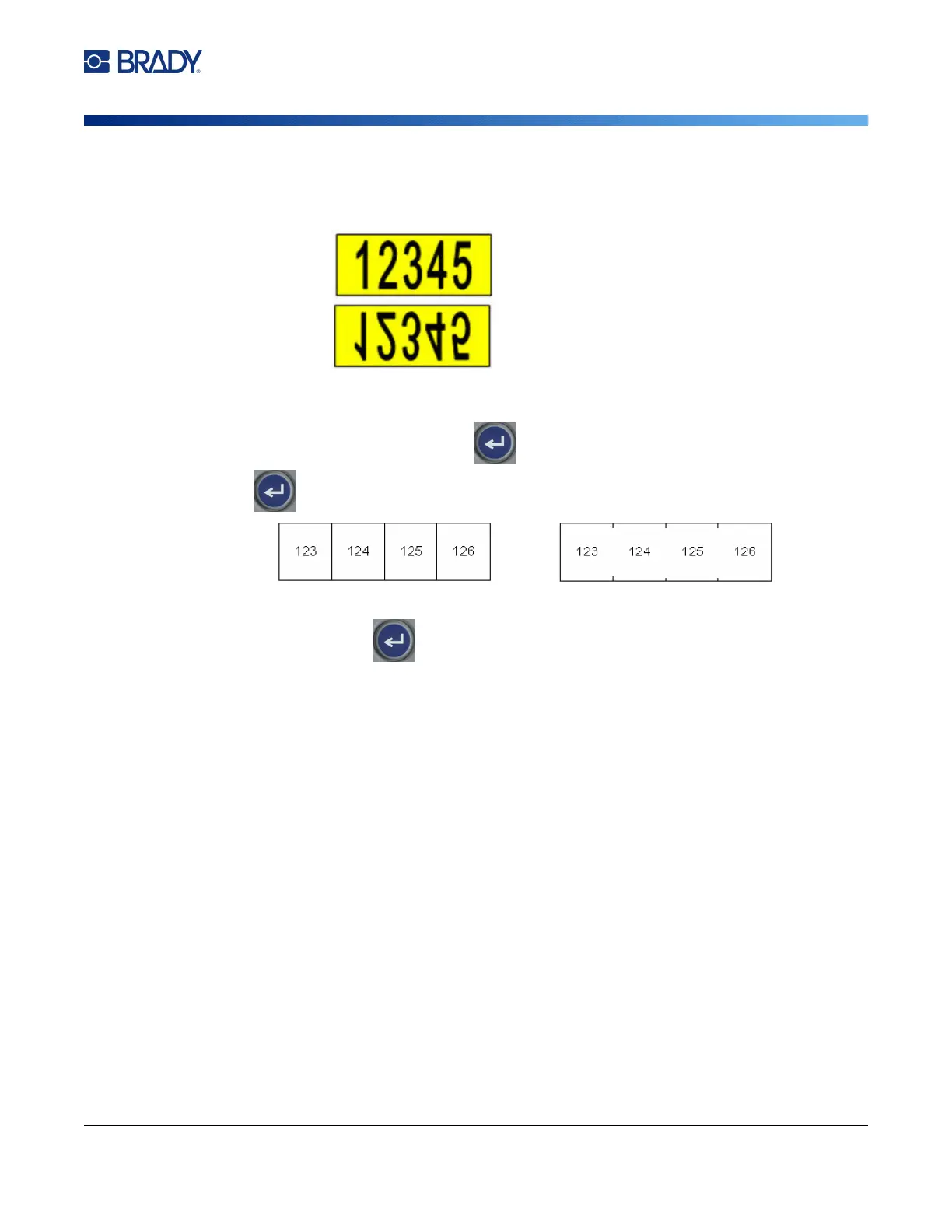
Mirrored Print:
Mirrored print takes all data on a label and flips it to provide a mirror image.
Mirroring displays on the printed label only. Mirrored print applies to the entire label; you
cannot mirror data in an individual area.
•
Separator:
(Available depending on the cartridge and the type of label.)
To separate different
labels on continuous label supply, add a separator by selecting it from the drop down list.
Select the Separator list, press , then select None, Line, or Tic, and then press
.
3. Select OK and press
.
The labels begin printing.
Line Separator Tic Separator



 To Next Page