M410 User Manual 42
Editing Labels on the Printer
Formatting Labels and Areas
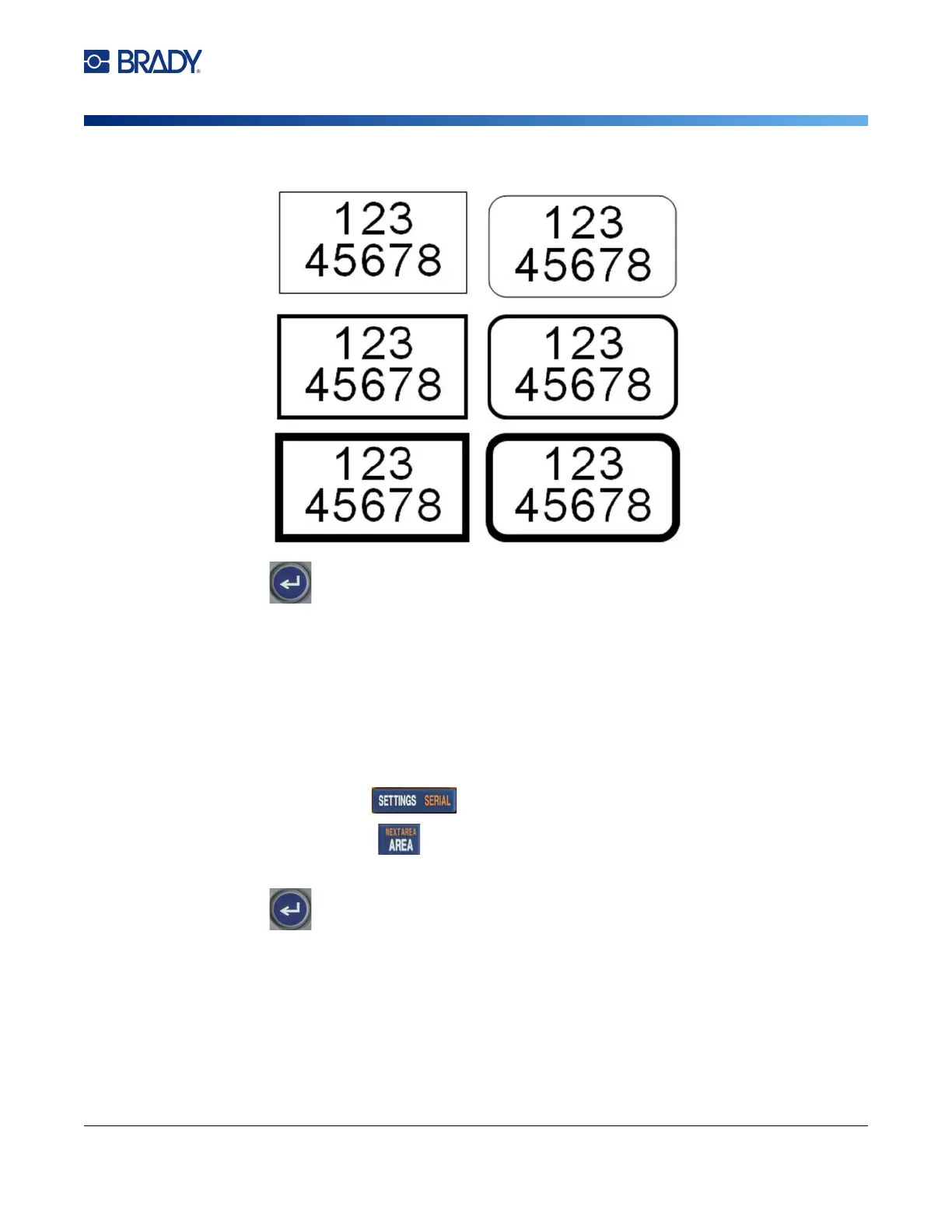
3. Choose Frame and select the frame type.
4. Press .
Frames do not display on the editing screen. Use print preview to view the label or area frames. See
“Preview” on page 30.
Note: Frames do not display edge to edge, but may appear slightly offset from the very edge of the
label.
To remove the Frame:
1. Open the label or area that contains the frame.
2. Open the label or area menu.
• For a label, press .
• For an area, press .
3. Choose Frame, and then None.
4. Press .
Rectangle
Narrow
Rounded
Narrow
Rectangle
Medium
Rectangle
Wide
Rounded
Medium
Rounded
Wide



 To Next Page