M410 User Manual 59
Label Types
110-Block, Bix Block
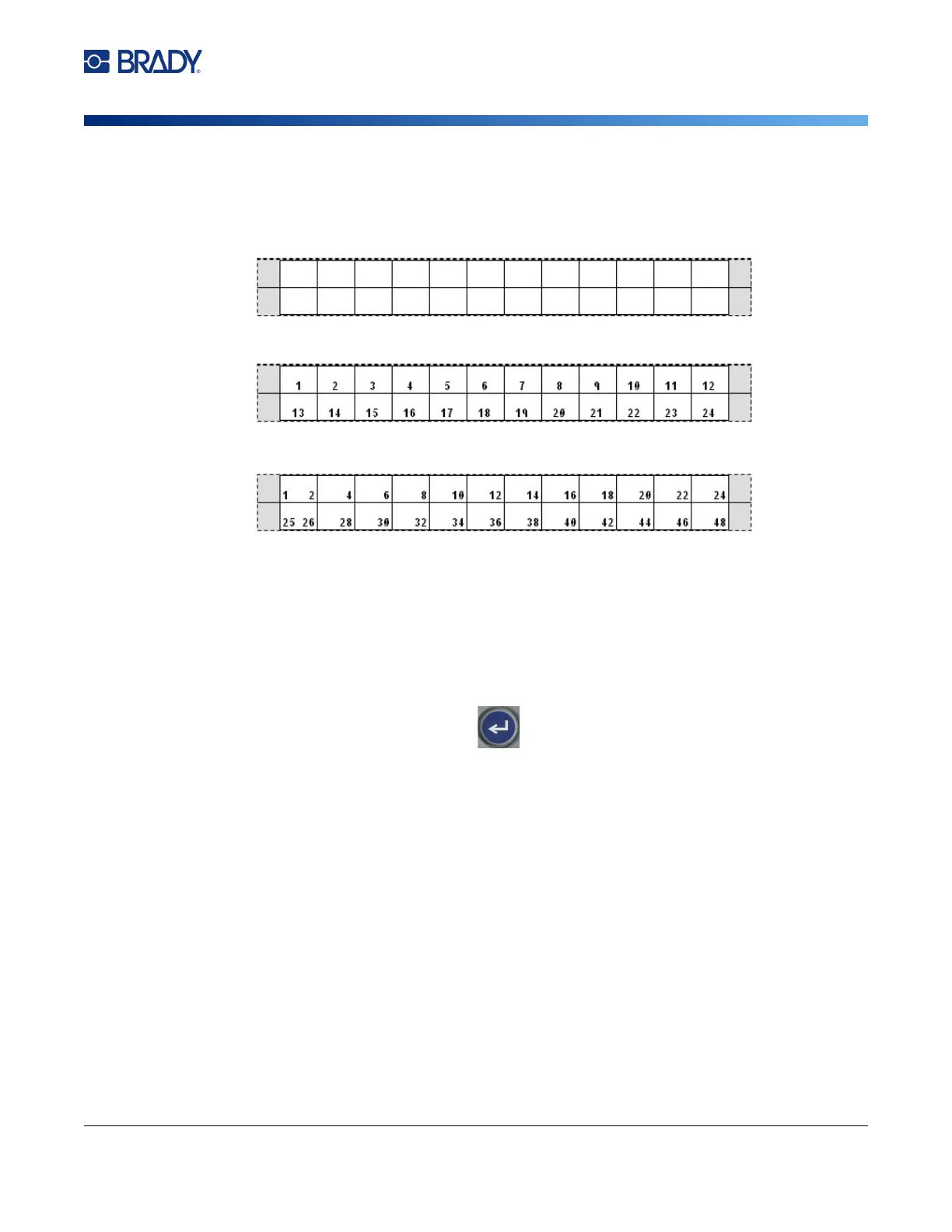
•In
Backbone
serialization, the left-most area on each strip prints with two numbers. The first
number is left-justified; the second number is right-justified. All other areas print with one right-
justified number.
5. In the Start Value field (except when None is selected in the Sequence Type field), enter the
first number of the sequence.
6. In the # of Strips field, enter the number of strips (labels) to be created in the block
configuration chosen.
Note: If serializing the data, additional strips will continue the serialization from the last number of
the previous strip. Example: When requesting two strips of a 2-pair horizontal configuration,
the first strip will contain values 1-24, the second strip will contain numbers 25-48.
7. When finished, select OK and press
.
2 Pair: None
2 Pair: Horizontal
2 Pair: Backbone



 To Next Page