M410 User Manual 61
Label Types
Breaker Box
3. Navigate to the Breaker Repeat field, enter the width of a standard breaker, and then press
.
Tip: You can type the entire number including the decimal point or you can simply type three
digits and the printer supplies the decimal point for you. For example, type 2 0 0 to get 2.00.
Type 0 5 0 to get 0.50.
4. Navigate to the Number of Breakers field, enter the number of breakers to be labeled, and
then press .
This produces one continuous strip, separated by the Breaker Repeat width.
5. If the breakers contain different pole counts, navigate to Variable Pole Count and press
to place a check mark in the option box. The printer uses the pole count to calculate the
distance between breakers to ensure accurate spacing. A single-pole breaker takes up only
one space in the electrical panel, while a double-pole takes up two.
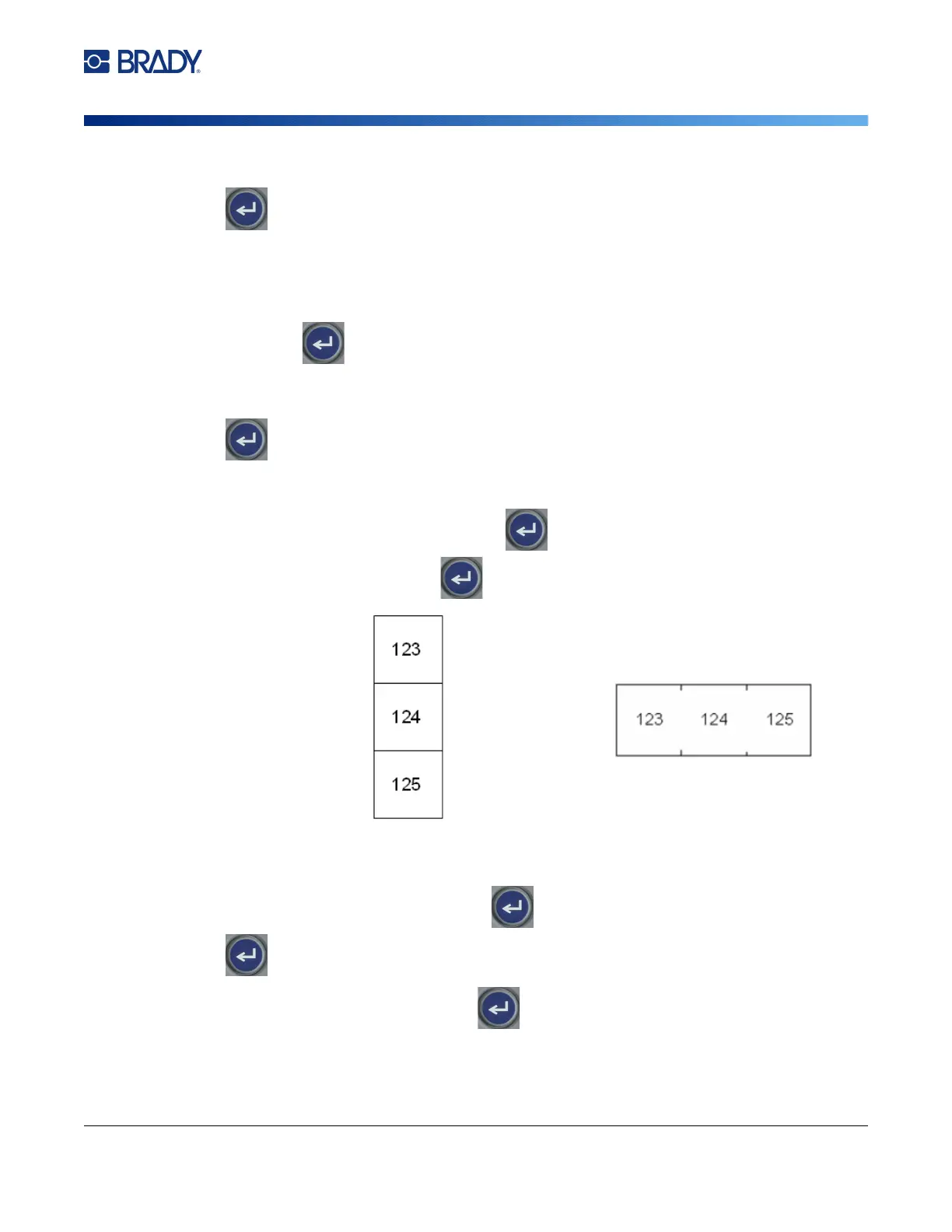
6. Navigate to the Separator list and press . Select None, Tic, or Line to mark the division
between labels and then press .
7. Navigate to the Orientation list, press
,
select either Vertical or Horizontal, and press
again.
See above.
8. When finished, select OK and press
. If Variable Pole Count is not selected, skip to
step 11.
If Variable Pole Count is selected, the breaker box pole count screen displays. The number of
poles for each breaker defaults to 1.
Line Separator, Vertical Orientation Tic Separator, Horizontal Orientation



 To Next Page