M410 User Manual 74
Troubleshooting
Other Issues
The first label printed has a
black line on it.
If the cartridge is left locked
when the printer is not in
use, the printhead remains
pressed against the platen
roller. Residual heat in the
printhead can cause ink to
transfer to the label.
Reprint the label and unlock the
cartridge when the printer is not in
use.
Void areas or lines appear
on printed text.
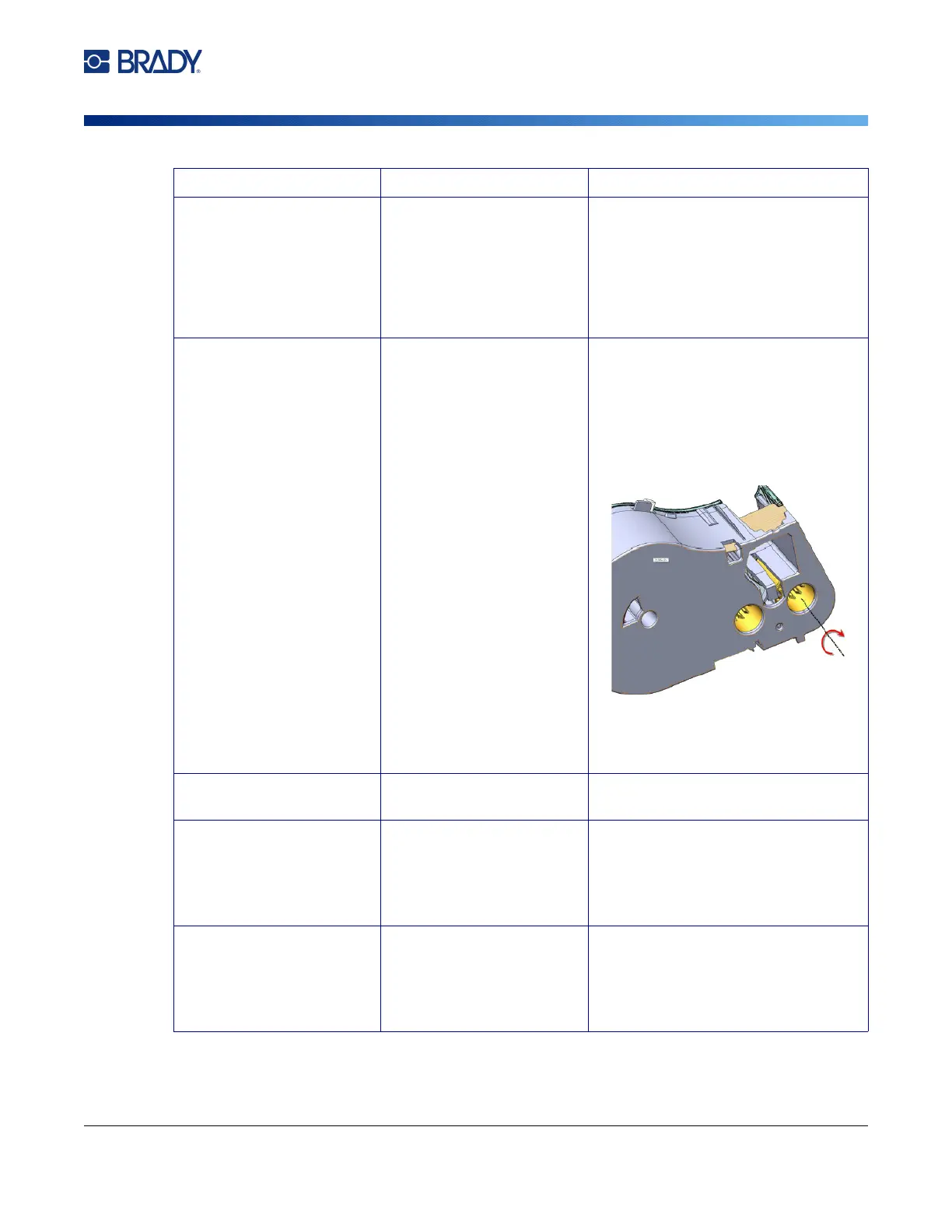
Ribbon wrinkling.
1. Remove the cartridge from the
printer.
2. Advance the ribbon by rotating the
take-up spool clockwise until the
wrinkled or damaged ribbon is no
longer visible (typically about one or
two full turns).
3. Reinstall the cartridge.
If the problem persists, install a new
cartridge.
Faint print on labels Ribbon not advancing
properly.
Remove the cartridge and advance
the ribbon as described above.
Compressed print or the
print is in the wrong
position on the label.
Dirty platen roller. Make sure the last cut label has been
removed.
Clean the platen roller. See
“Printhead and Platen Roller” on
page 68.
Print is in the wrong
position on pre-sized
labels.
Damaged label notch Use a pair of scissors to cut a straight
leading edge on the label roll.
Use proper care when handling
cartridges to avoid damaging label
material.
Problem Cause Corrective Action



 To Next Page