SSM source 4: Additional SSM source address
SSM source 5: Additional SSM source address
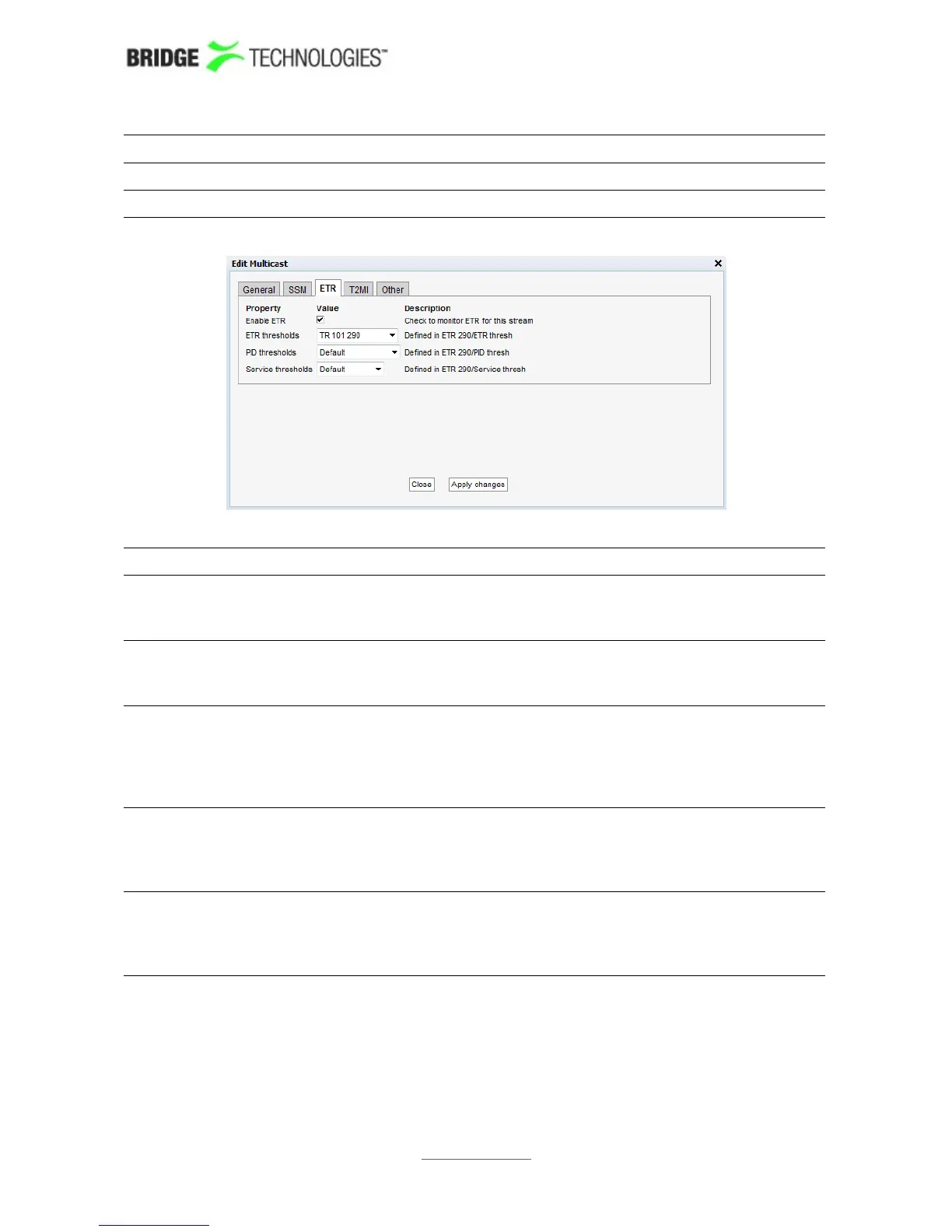
ETR (ETR290 Option)
Enable ETR: ETR monitoring of a stream will not take place unless it is
enabled by this setting. This parameter is only relevant if the
probe is ETR enabled.
Select ETR
engine:
If the probe is licensed for several Ethernet ETR engines the user
may select which engine should be used to analyse the stream.
The default ETR engine selection is Ethernet1.
ETR
thresholds:
The ETR thresholds specify various error limits and alarm
conditions. Selectable ETR thresholds templates are defined in
the ETR 290 - ETR thresh. view. The round-robin cycling time
is also defined by this threshold template. This parameter is only
relevant if the probe is ETR enabled.
PID
thresholds:
The PID thresholds specify various error limits and alarm
conditions. Selectable PID thresholds templates are defined in
the ETR 290 - PID thresh. view. This parameter is only
relevant if the probe is ETR enabled.
Service
thresholds:
The Service thresholds selection defines various error limits and
alarm conditions. Selectable service thresholds templates are
defined in the ETR 290 - Service thresh. view. This parameter
is only relevant if the probe is ETR enabled.
PROBE USERS' MANUAL VERSION 5.0
2014 © BRIDGE Technologies Co AS - Bentsebrugata 20 - N-0476 Oslo, Norway - tel: +47 22 38 51 00 -
www.bridgetech.tv
112



 To Next Page