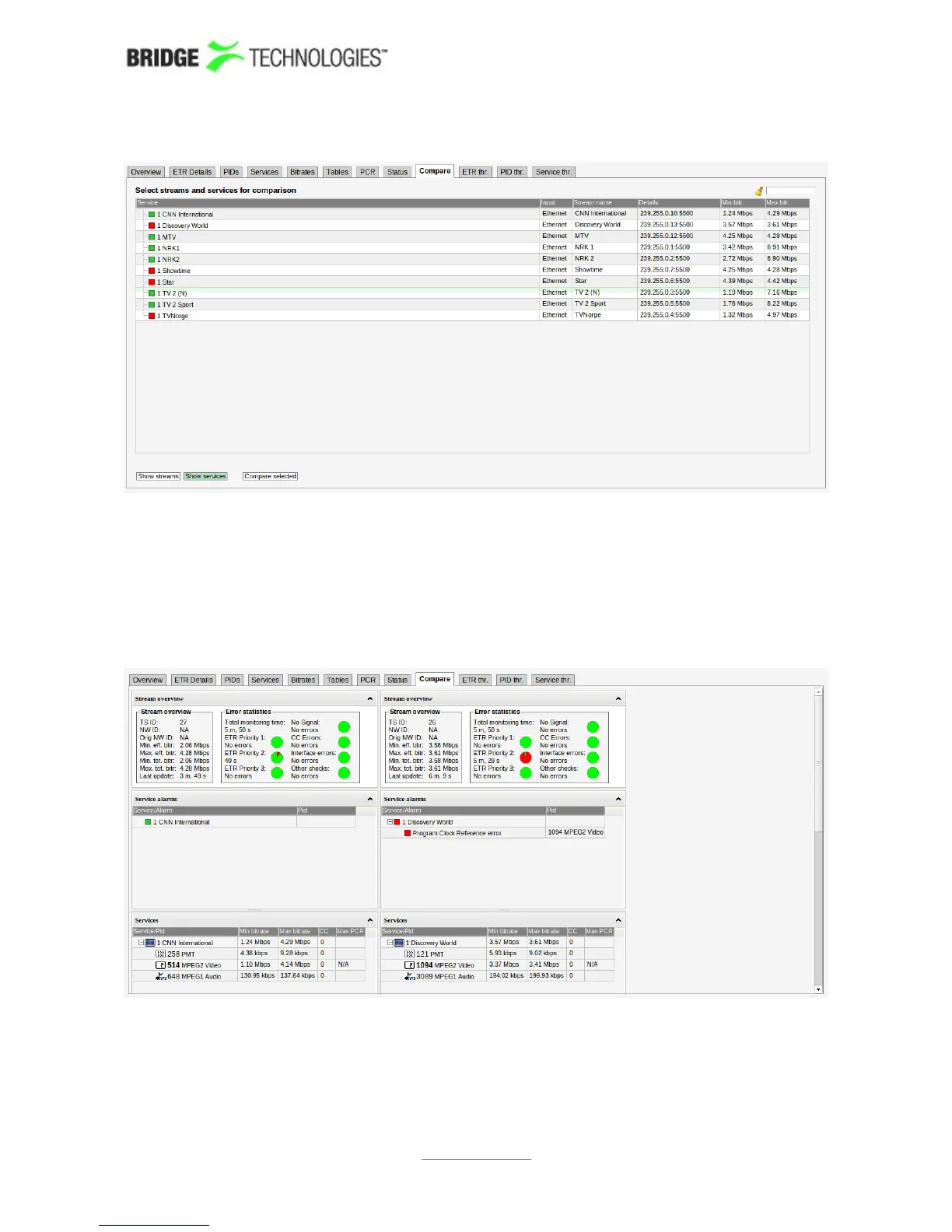
One or more services or transport streams are selected by clicking and later Ctrl +
clicking items from the list. Clicking the Compare selected button will launch a
condensed overview page that allows status parameters for services or streams to be
viewed side by side. Key parameters are presented in one column for each
service/stream, and it is easy to recognise differences in signal contents or alarm
status. The number of streams that can be compared depends on screen size.
PROBE USERS' MANUAL VERSION 5.0
2014 © BRIDGE Technologies Co AS - Bentsebrugata 20 - N-0476 Oslo, Norway - tel: +47 22 38 51 00 -
www.bridgetech.tv
138



 To Next Page