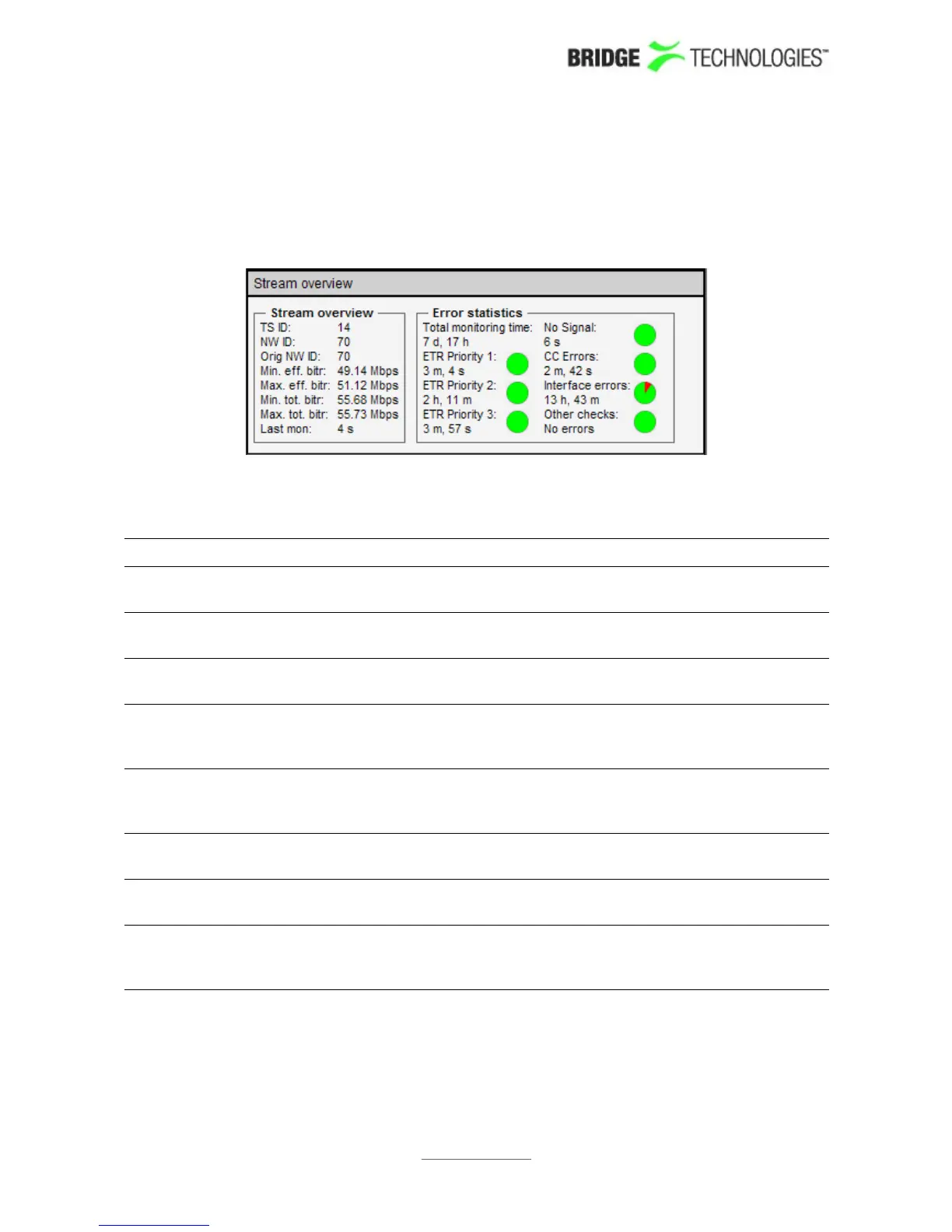
The compare column consists of several sub-views:
Stream overview
Stream overview shows a number of key parameters for the selected stream/service.
Stream overview
TS ID: The transport stream ID of the selected stream or the stream
containing the selected service
NW ID: The network ID of the selected stream or the stream containing the
selected service
Orig NW ID: The original network ID of the selected stream or the stream
containing the selected service
Min. eff. bitr: The minimum effective bitrate (null packets removed) measured
for the selected stream or the stream containing the selected
service
Max. eff. bitr: The maximum effective bitrate (null packets removed) measured
for the selected stream or the stream containing the selected
service
Min. tot. bitr: The minimum total bitrate (including null packets) measured for
the selected stream or the stream containing the selected service
Max. tot.
bitr:
The maximum total bitrate (including null packets) measured for
the selected stream or the stream containing the selected service
Last update: The time since the last update. The information will be updated
when the round robin ETR engine stops monitoring a stream or
once every minute for streams which are permanently monitored.
PROBE USERS' MANUAL VERSION 5.0
2014 © BRIDGE Technologies Co AS - Bentsebrugata 20 - N-0476 Oslo, Norway - tel: +47 22 38 51 00 -
www.bridgetech.tv
139



 To Next Page