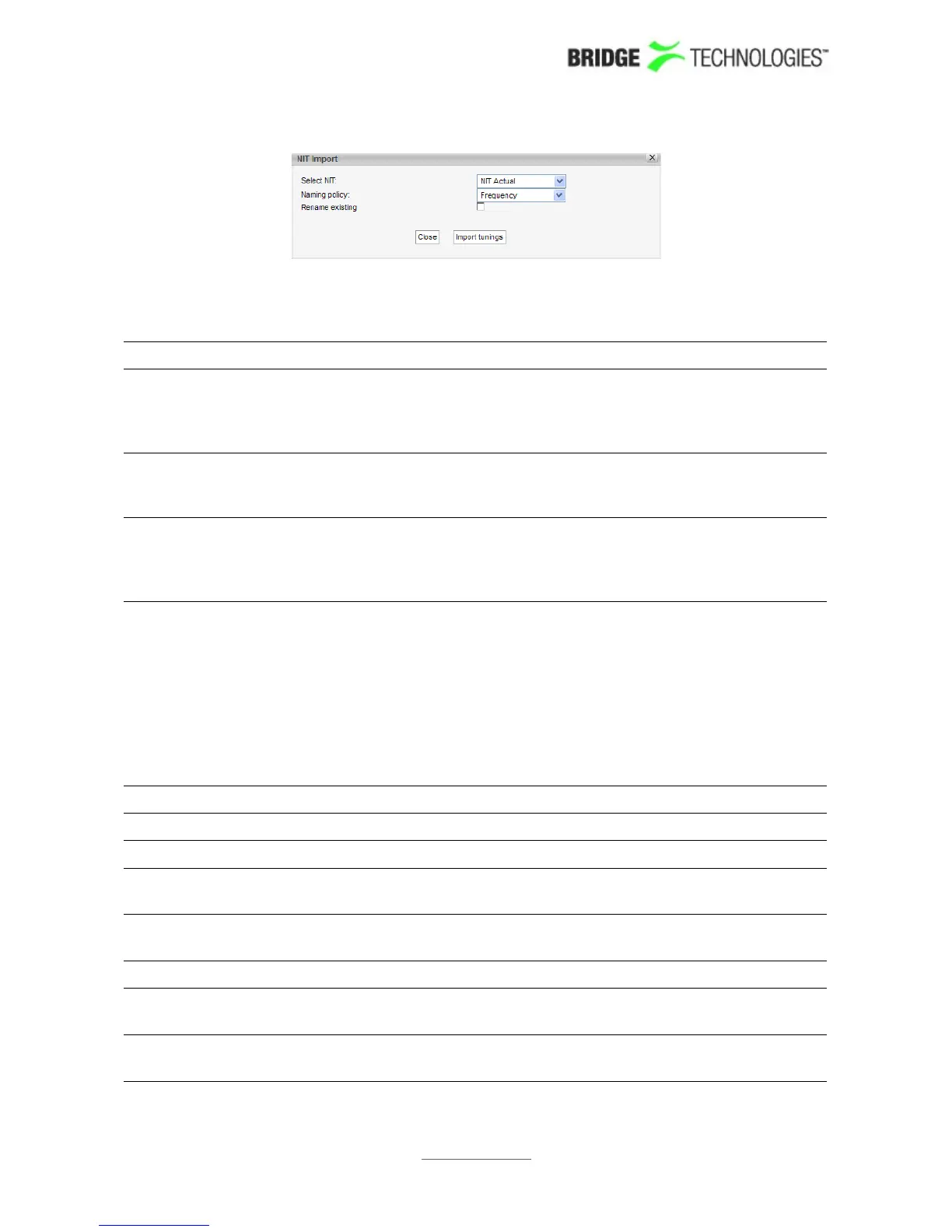
NIT Import
Select NIT: The 'Select NIT' drop-down menu shows NIT tables available
in the transport stream currently being analysed. Information
in the selected NIT will be used to generate a tuning list
when the Import tunings button is clicked.
Naming policy: The probe will automatically name tunings according to the
naming policy selected by the user: 'Frequency', 'TS ID' or
'TS ID and frequency'.
Rename existing: If the 'Rename existing' checkbox is marked, imported
tunings that are already present in the tuning list will be
renamed in accordance with the naming policy selected by
the user.
Note that all tunings will automatically be ETR 290 analysed, and hence be part of the
round-robin loop unless the 'Disable tuning' box is checked.
The following parameters are defined for each QAM frequency:
QAM - Tuning setup:
Name: A name should be assigned to each frequency channel
Frequency: The QAM tuning frequency in MHz
Mode: The QAM modulation mode. Selectable modulation modes
are DVB-C, QAM-B, 8VSB, 16VSB and ANALOG.
Channel spacing: The QAM channel spacing. Selectable spacing values are
6Mhz, 7MHz and 8MHz.
Symbol rate: The QAM symbol rate in MSymb/s
Modulation: The QAM modulation scheme - may be 16, 32, 64, 128 or
256
ETR thresholds: Selection of the ETR threshold template that should be
assigned to the current frequency
PROBE USERS' MANUAL VERSION 5.0
2014 © BRIDGE Technologies Co AS - Bentsebrugata 20 - N-0476 Oslo, Norway - tel: +47 22 38 51 00 -
www.bridgetech.tv
197



 To Next Page