6
6
6-7
6-7
Installation > Installation Procedure
Installation > Installation Procedure
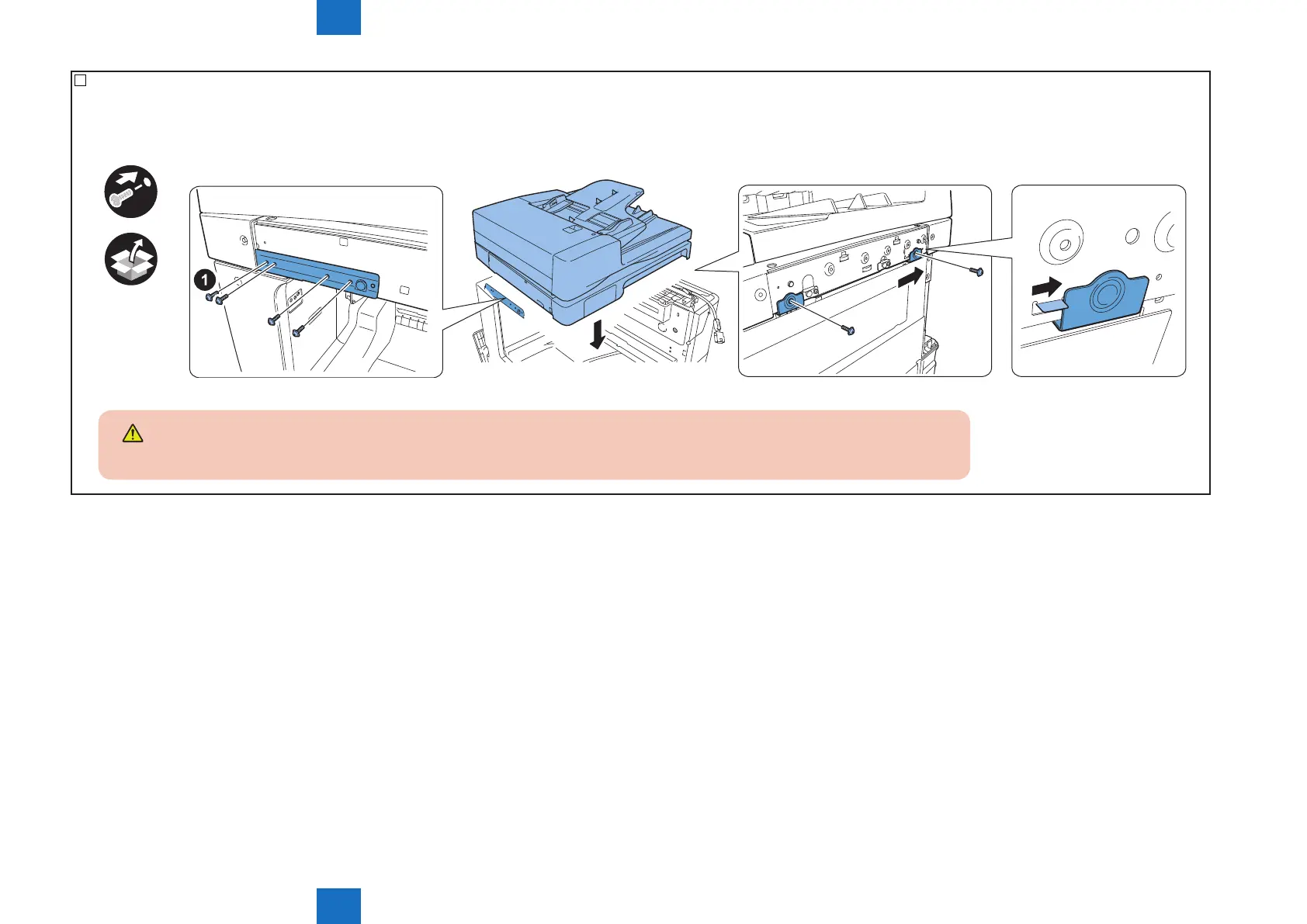
6) Using the included 6 screws (Binding, M4X6), attach the reader unit on the host machine.
• Set the left stay with the bosses aligned.
• Bump the projection of the reader unit against rear right stay of the host machine.
• After tightening 1 screw in the order of 1 as shown in the illustration,thghten other 5 screws.
x6
CAUTION:
Be careful to prevent your nger from being caught in the left stay of the host machine when attaching the reader on the host machine.
F-6-7



 To Next Page