Recording Audio
100
Connecting an External Microphone or External Audio Input Source to the Camera
To each of the INPUT terminals you can attach commercially available microphones or analog line in sources with
a Mini XLR connector. To the MIC terminal you can attach commercially available condenser microphones/line-in
devices (analog) with a ∅ 3.5 mm stereo mini plug.
Using the supplied microphone holder, you can fix external microphones with a diameter of 19 mm to 20 mm.
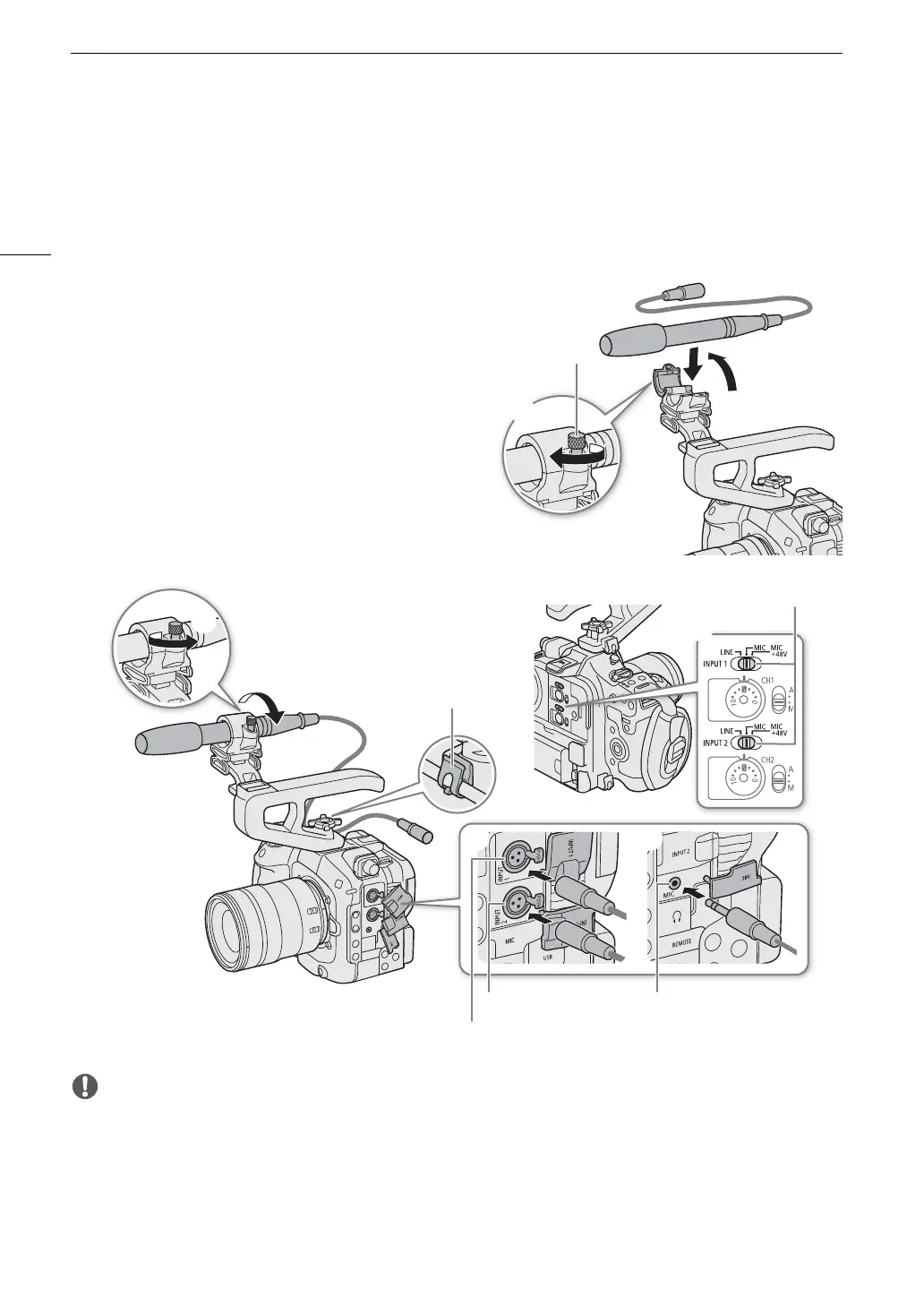
1To use a microphone, loosen the microphone lock
screw (), open the microphone holder and insert
the microphone ().
2 Tighten the lock screw () and put the microphone
cable through the cable clamp.
3 When using any INPUT terminal, set the
corresponding INPUT 1/INPUT 2 (audio source
selection) switch to a position other than MIC+48V
().
4 Plug the microphone/external line-in device cable
into the desired INPUT terminal or the MIC terminal
().
• Do not connect or disconnect microphones and other audio devices from any INPUT terminal when the
corresponding INPUT (audio source selection) switch is set to the MIC+48V position. This may damage the
camera and/or device.
Selecting the Input Type for the INPUT 1/INPUT 2 Terminals
Change the position of the corresponding INPUT (audio source selection) switch according to the audio device
connected to the INPUT 1/INPUT 2 terminals.
MIC terminal
Cable clamp
INPUT 2 terminal
INPUT 1 terminal
INPUT 1 / INPUT 2 switches
(audio source selection)



 To Next Page