ND Filter
70
ND Filter
Using the ND filter allows you to open up the aperture to obtain a shallower depth of field even when recording in
bright surroundings. You can also use the ND filter to avoid the soft focus caused by diffraction when using small
apertures. By default, you can select one of 3 density levels. If you enable the extended ND range, you can
select one of 5 density levels.
You can also perform this function remotely using Browser Remote on a connected network device (A 184).
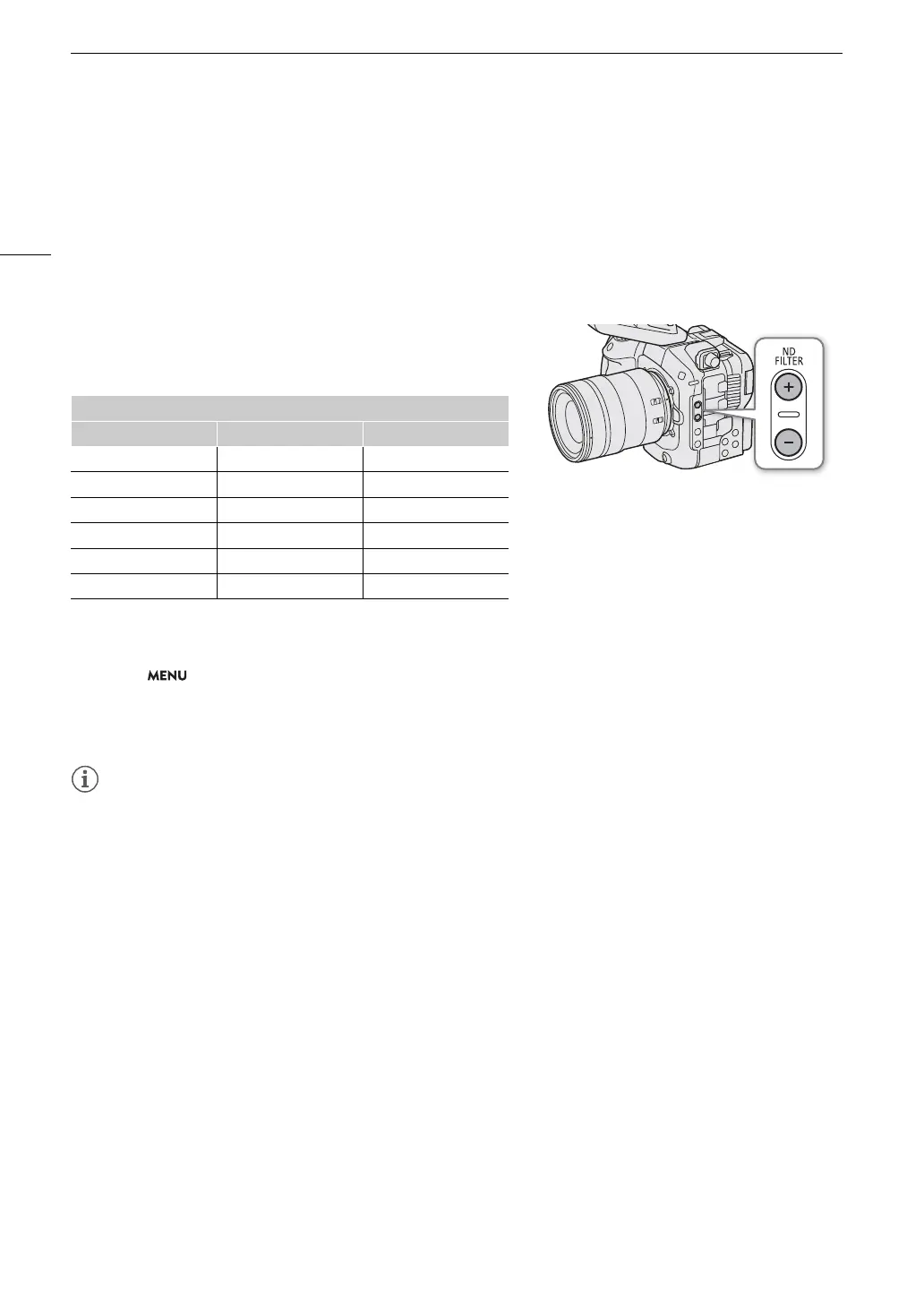
Press the ND FILTER + or – button to select the desired ND
filter setting.
ND Filter Range
• Repeatedly pressing ND FILTER + button will change the ND filter setting in the following order (when set to
[Stop]): [ND 2 stops] [ND 4 stops] [ND 6 stops] [ND 8 stops]* [ND 10 stops]* ND filter off. (The ND
FILTER
– button cycles through the settings in reverse order.)
* Only when > [
v
Camera Setup] > [Extended ND Range] is set to [On].
• You can also adjust this setting using direct touch control (A 54).
• For the displayed units ([
v
Camera Setup] > [ND Display Units]), you can choose from [Stop], [Transmittance]
or [Optical Density].
• You can also press an assignable button set to [ND +] or [ND –] to perform this operation (A 123).
• Depending on the scene, the color may change slightly when turning the ND filter on/off. Setting a custom
white balance (A 76) may be effective in such case.
About the extended ND range
- When you switch to or from a density level in the extended range, the focus may shift, affecting also the
indication on the lens’s focus distance scale.
- When you switch to a density level in the extended range, depending on the lens, the camera may not be
able to focus at infinity focus.
Changing the ND filter setting using the RC-V100 Remote Controller
- When the remote controller is connected to the camera, you can use the remote controller’s ND button in
the same way as the camera’s ND FILTER + button.
- When using settings up to level 4 (for [ND Display Units] > [Stop]: 2 to 8 stops), the corresponding ND filter
indicator (1 to 4, respectively) will illuminate in orange. When the ND filter is set to level 5 (for [ND Display
Units] > [Stop]: 10 stops), indicators 1 and 4 will both illuminate.
Displayed units
Stop Transmittance Optical Density
0 1/1 0.0
2 1/4 0.6
4 1/16 1.2
6 1/64 1.8
8 1/256 2.4
10 1/1024 3.0



 To Next Page