Aperture
72
Using the Control Dial/Control Ring
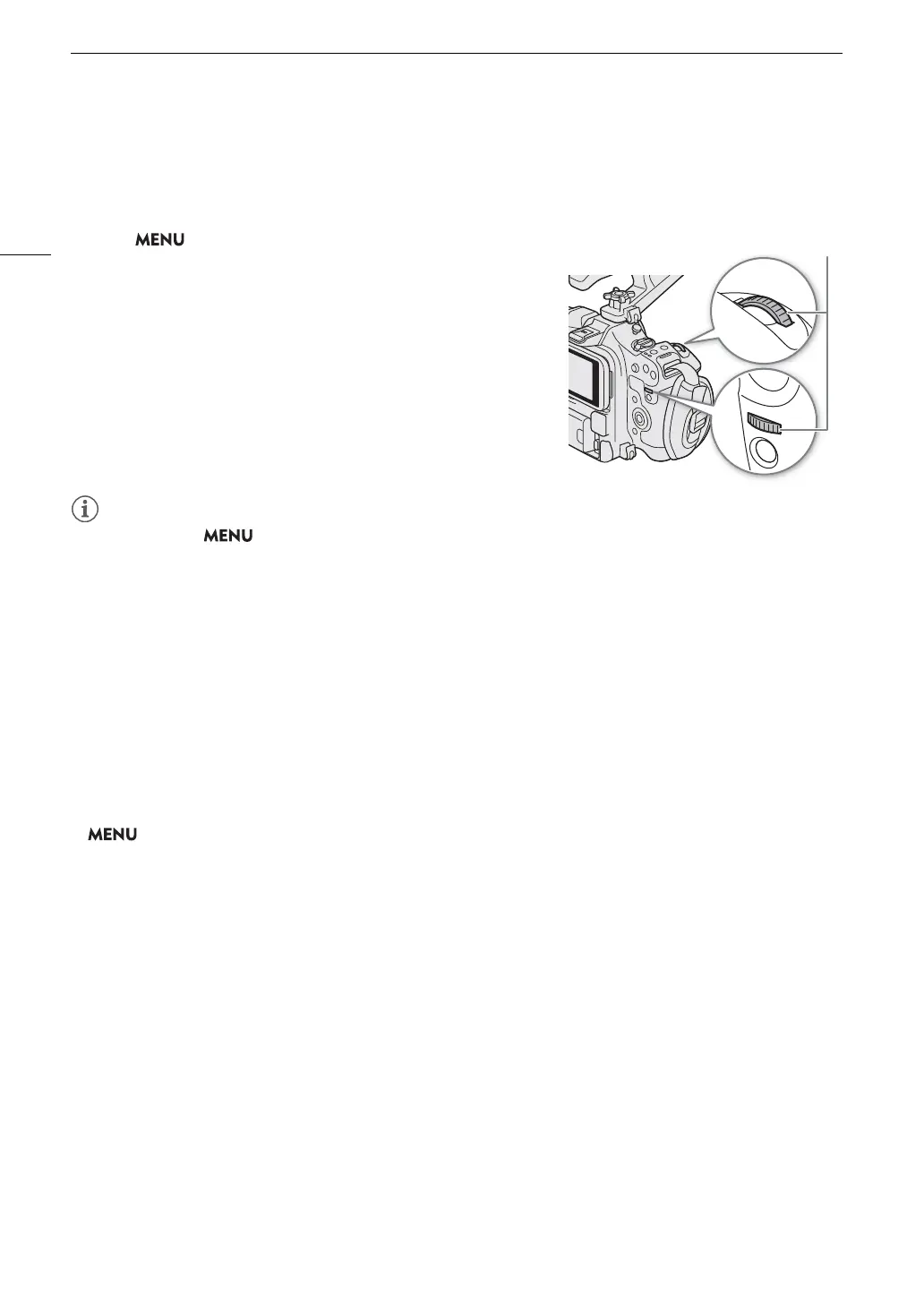
You can also adjust the aperture settings using the control dial (after assigning the [Iris] function) or the control
ring of an RF lens/mount adapter.
1 Select > [
B
System Setup] > [Front Control Dial], [Rear
Control Dial] or [Control Ring] > [Iris].
2 Turn the control dial or the control ring of an RF lens to adjust the
aperture.
• You can use the > [
B
System Setup] > [Front Ctrl Dial Dir.], [Rear Ctrl Dial Dir.] or [Control Ring Dir.]
setting to change the direction of the adjustment when you turn the control dial or control ring.
• Closing down the aperture when recording under bright conditions may cause the picture to appear soft or out
of focus. The following measures may be effective in avoiding the loss of sharpness due to diffraction.
- Using a denser ND filter (A 70).
- Using a faster shutter speed (A 64).
- Applying diffraction correction (A 30). Results may vary depending on the lens used.
• If you set an assignable button to [Iris +] or [Iris –] (A 123), you can press the button to respectively open up
or close down the aperture.
• When using a lens equipped with aperture settings, you can also adjust the aperture with the iris ring on the
lens (A 71).
• When using a lens with no lens contacts
or an incompatible lens (A 242), you cannot adjust the aperture
using the camera. Adjust it using the lens.
• When using a lens that can correct the aperture value according to the position of the zoom, you can use the
> [
v
Camera Setup] > [Zoom-Iris Correction] setting to activate this correction.
• When an RC-V100 Remote Controller is connected to the camera, you can adjust the aperture with the
remote controller’s IRIS dial. At default settings, turn the dial right to open up the aperture and left to close the
aperture.
• Using an RF/EF Cinema lens
- The aperture value displayed on the screen will be a T value*. The aperture value (T value) displayed on the
screen may differ from the indication on the lens’s aperture scale.
* Updating the firmware is necessary for RF Cinema lenses (A 30).
- When the iris is almost fully closed, the aperture value (T value) will appear in gray on the screen.
- When you change the aperture value from a position of fully open or fully closed iris, multiple adjustment
operations may be required until the aperture changes.
• If you use the EF-EOS R 0.71x Mount Adapter to attach an EF lens, the aperture will be approximately one
level brighter than the value indicated by the lens.
Momentary Automatic Aperture - Push Auto Iris
During manual aperture, you can press the PUSH AUTO IRIS button to have the camera temporarily take control
and adjust the aperture automatically for an optimal exposure.



 To Next Page