143
Playback
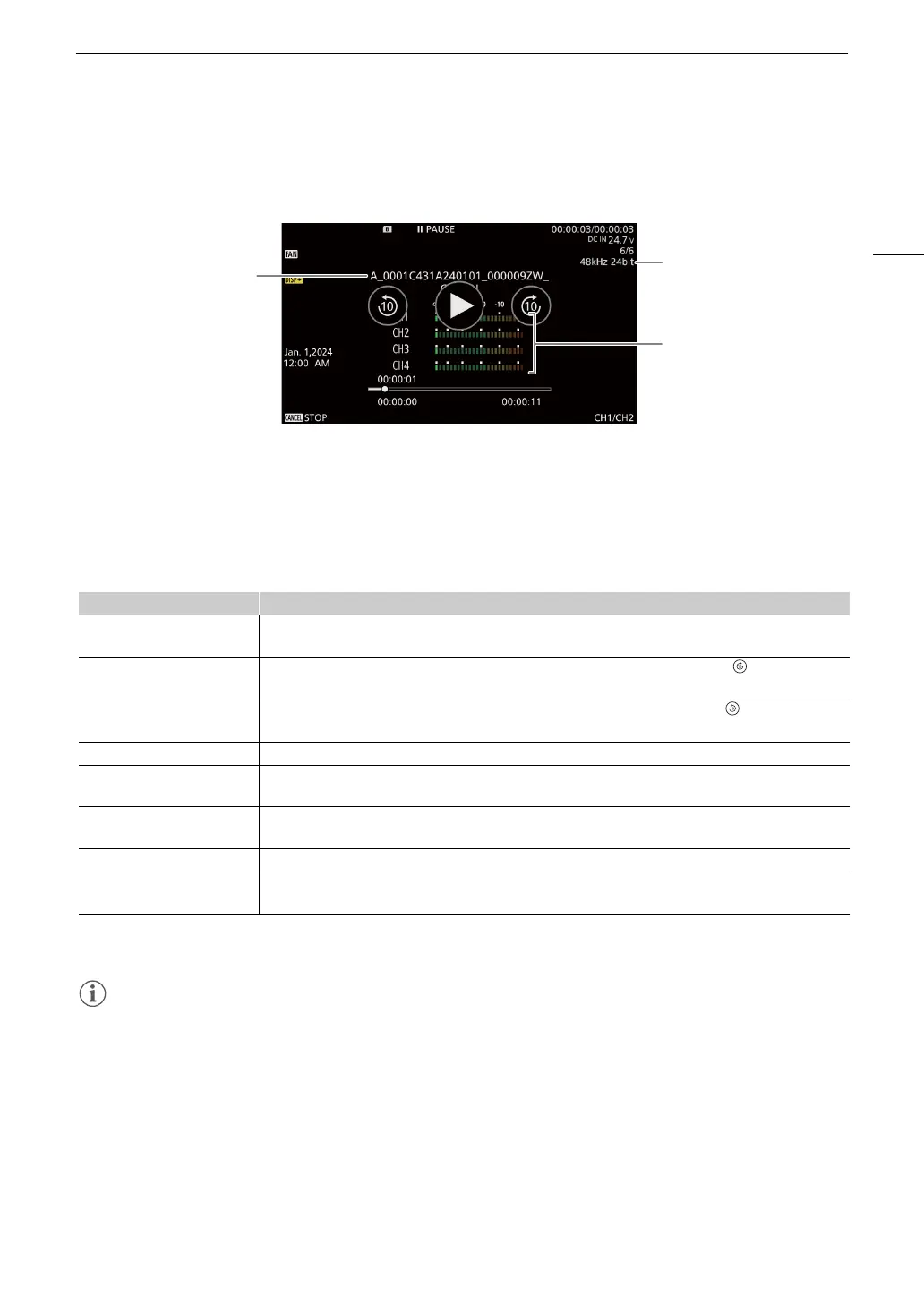
Audio (WAV) playback screen
See Onscreen Displays During Clip Playback (A 142) for the description of onscreen displays that are common
on all playback screens.
Clip Playback Controls
The following playback types are available using the joystick and the touchs screen.
You can also change the position in the video using the progress bar.
1
You may notice some anomalies (blocky video artifacts, banding, etc.) in the playback picture.
2
The speed indicated on the screen is approximate.
• There is no audio during any of the playback types listed in the previous table.
• You can press the Ò button during fast playback to return to playback at normal speed.
Playback type Operation
Fast playback
1
During playback, push the joystick up or down.
Repeat to increase the playback speed to approximately 5x 15x 60x the normal speed
2
.
Advance 10 seconds
During playback, touch the right side of the screen twice. During playback pause, touch on the right side
of the screen.
Go back 10 seconds
During playback, touch the left side of the screen twice. During playback pause, touch on the left side of
the screen.
Frame advance/reverse During playback pause, push the joystick up or down, or touch Ô / Ó
Skip to the beginning of the next
clip
During playback, push the joystick right, or flick the screen to the left.
Skip to the beginning of the
current clip
During playback, push the joystick left.
Skip to the previous clip During playback, push the joystick left twice, or flick the screen to the right.
Change the playback/playback
pause position in the video
During playback/playback pause, touch or slide the progress bar.
1 Audio file name
2 Sampling frequency and bit depth
3 Audio level meter



 To Next Page