Using Metadata
110
Using News Metadata
When recording, you can add News Metadata* to the recorded clips. Using Content Transfer Professional, you
can check and edit News Metadata files. The most recently set News Metadata will be prioritized and added.
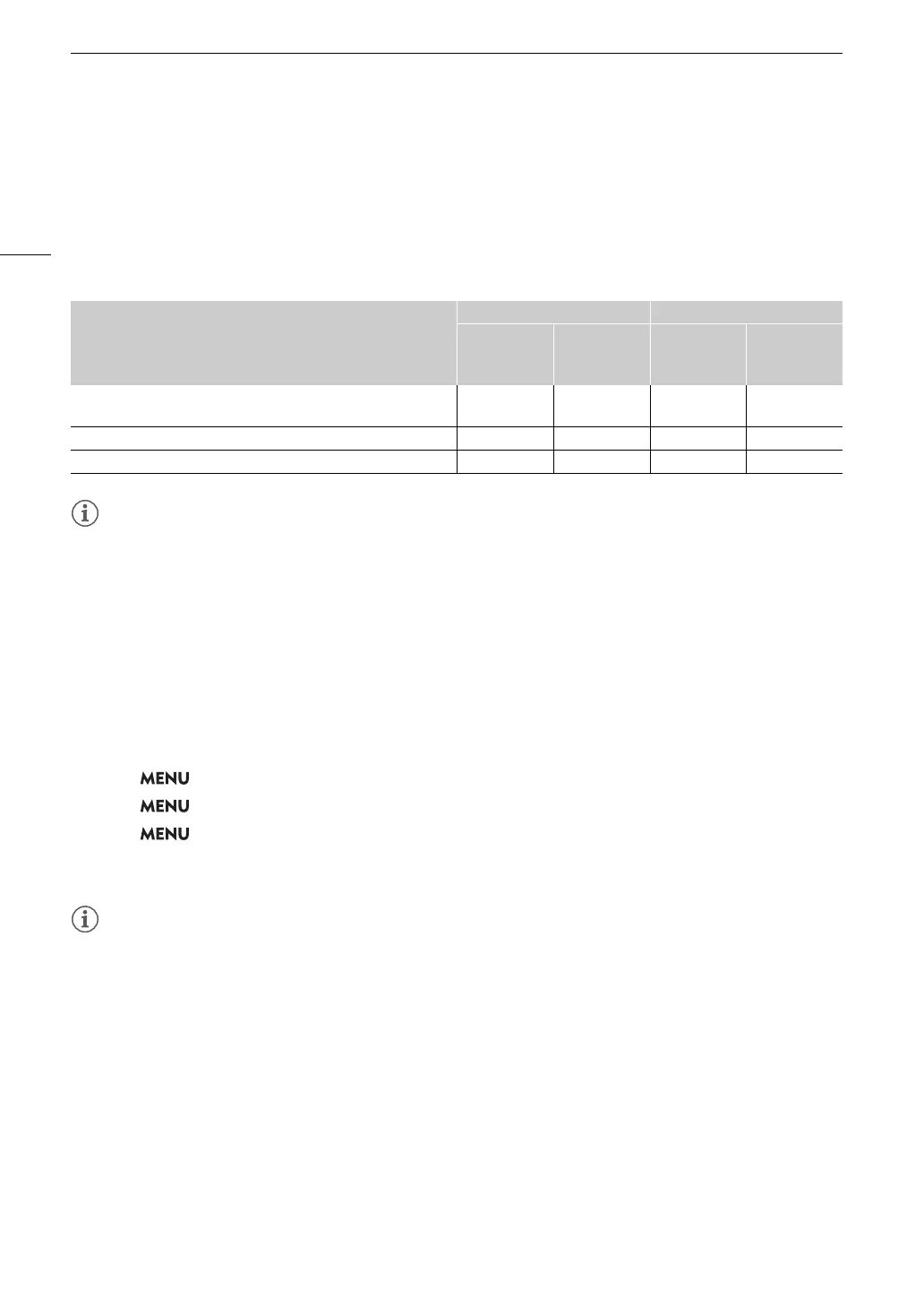
News Metadata cannot be added to clips when the main recording format is RAW. See the following table for
details on News Metadata settings.
* Refers to a metadata file compliant with the DPP002 Metadata Exchange for News recommendation ver. 1.1.1.
• News Metadata files with file names that exceed 64 characters (extension included) cannot be used.
Setting News Metadata saved on an SD card
Before setting News Metadata, create a News Metadata file and save it to an SD card. Once you insert the SD
card into the camera, select the News Metadata file and start recording. The News Metadata will be added to
the recorded clips.
1 Save the News Metadata file to an SD card.
• News Metadata files should be saved in the “/XMLTAG” folder of the SD card.
2Insert the SD card into the camera’s card slot 2.
3 Select > [
Æ
Recording/Media Setup] > [Metadata] > [Add XML File] > [On].
4 Select > [
Æ
Recording/Media Setup] > [Metadata] > [XML File Format] > [News Metadata].
5 Select > [
Æ
Recording/Media Setup] > [Metadata] > [News Metadata] > Desired News
Metadata file saved to the SD card.
• The selected News Metadata file will be saved to the camera.
• You cannot change the News Metadata already added to a clip using the camera but you can do so using
Content Transfer Professional.
Setting News Metadata edited with Content Transfer Professional
Before setting News Metadata, edit the News Metadata file using Content Transfer Professional. Connect the
camera to a smartphone using the smartphone application (
A 160, 193) to transfer and save News Metadata
files from a smartphone to the camera. News Metadata will be added to the recorded clips.
1 Smartphone: edit and save the News Metadata file with Content Transfer Professional.
2 Connect the camera to a smartphone.
3 Operate Content Transfer Professional to load the News Metadata file and transfer it to the camera.
News Metadata
Entering content Checking content
Camera
Content
Transfer
Professional
Camera
Content
Transfer
Professional
Story Title, Description, Keyword (Tags), Category, Contributor, Source/
Originator, Copyright Holder, Restrictions.
– Ü Ü Ü
Genre – Ü – Ü
Language – – – Ü



 To Next Page