33
Preparing the Camera
Attaching an Accessory Compatible with the Multi-Function Shoe
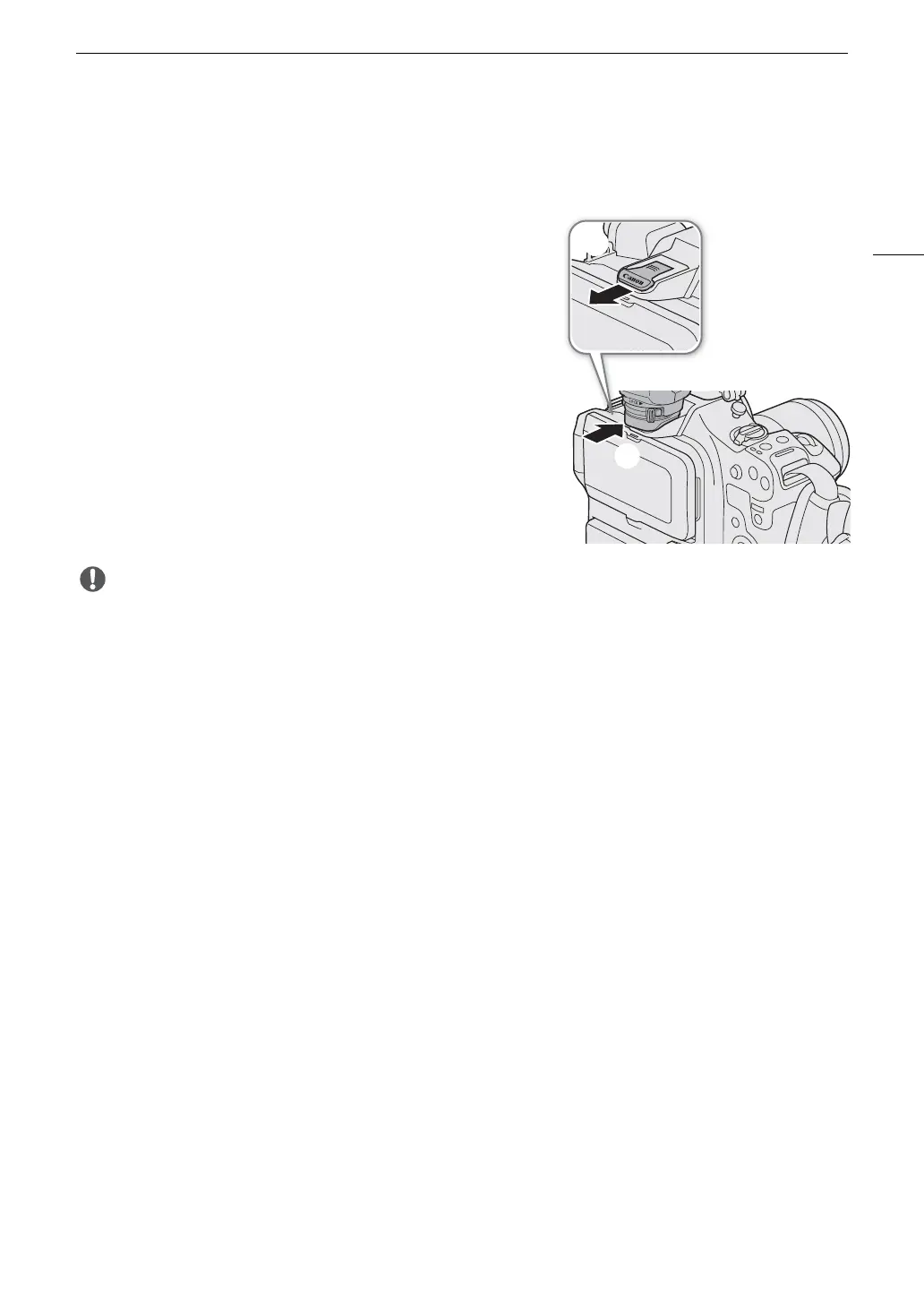
For details on how to attach and use accessories, refer to the instruction manual of the accessory in use.
Remove the multi-function shoe cover () and slide the
accessory's connecting terminal into the multi-function shoe
().
• When attaching accessories that communicate through contacts
of the multi-function shoe, insert the accessory's mounting foot
until it clicks into place, then slide the mounting foot locking lever
to secure it.
• Protecting the multi-function shoe:
- After removing accessories from the multi-function shoe, reattach the shoe cap to protect the contacts from
dust and water.
- Blow off any foreign material on the multi-function shoe with a commercially available blower or similar tool.
- Allow the multi-function shoe to dry before use if it gets wet.
• Using accessories with screws may damage the multi-function shoe.



 To Next Page