Connecting to an External Monitor or Recorder
154
When set to HDMI RAW, The following settings are not applied to video output from the HDMI OUT terminal:
- Any of the > [¢ Monitoring Setup] > [B&W Image:], [Anamorphic:], [OSD Output:], [OSD
Orientation:], [View Assist:] options.
- Any of the > [A Assistance Functions] > [Peaking:], [False Color:], [Zebra:], [WFM:] or [Markers:]
options.
When set to HDMI RAW, the following settings cannot be used:
- > [A Assistance Functions] > [Magn. Output] > [HDMI].
- > [
B
System Setup] > [HDMI Output Signal] and [Linked to HDMI Monitor].
- [Output: 6060(24)fps] and [Output: 6060(30)fps] (assignable functions).
Selecting the Output Range
You can select the output range of video signals (when using log gamma or PQ/HLG HDR) output from the SDI
OUT terminal / HDMI OUT terminal to determine how the image levels are mapped to code values. Moreover,
you can select the setting independently for Canon Log output and for HDR output.
Applied output range settings
1 Select > [
¢
Monitoring Setup] > Desired [Range] option.
2 Select [During Canon Log Output] or [During HDR Output] > Desired option.
Options (SDI OUT terminal)
[Full Range]: The signal output will use full range coding.
[Narrow Range]:
The signal output will use narrow range (video range) coding.
Options (HDMI OUT terminal)
[Full Range Priority]:
The signal output will use full range coding whenever possible but will change the range
automatically according to the capabilities of the connected monitor.
[Narrow Range]:
The signal output will use narrow range (video range) coding.
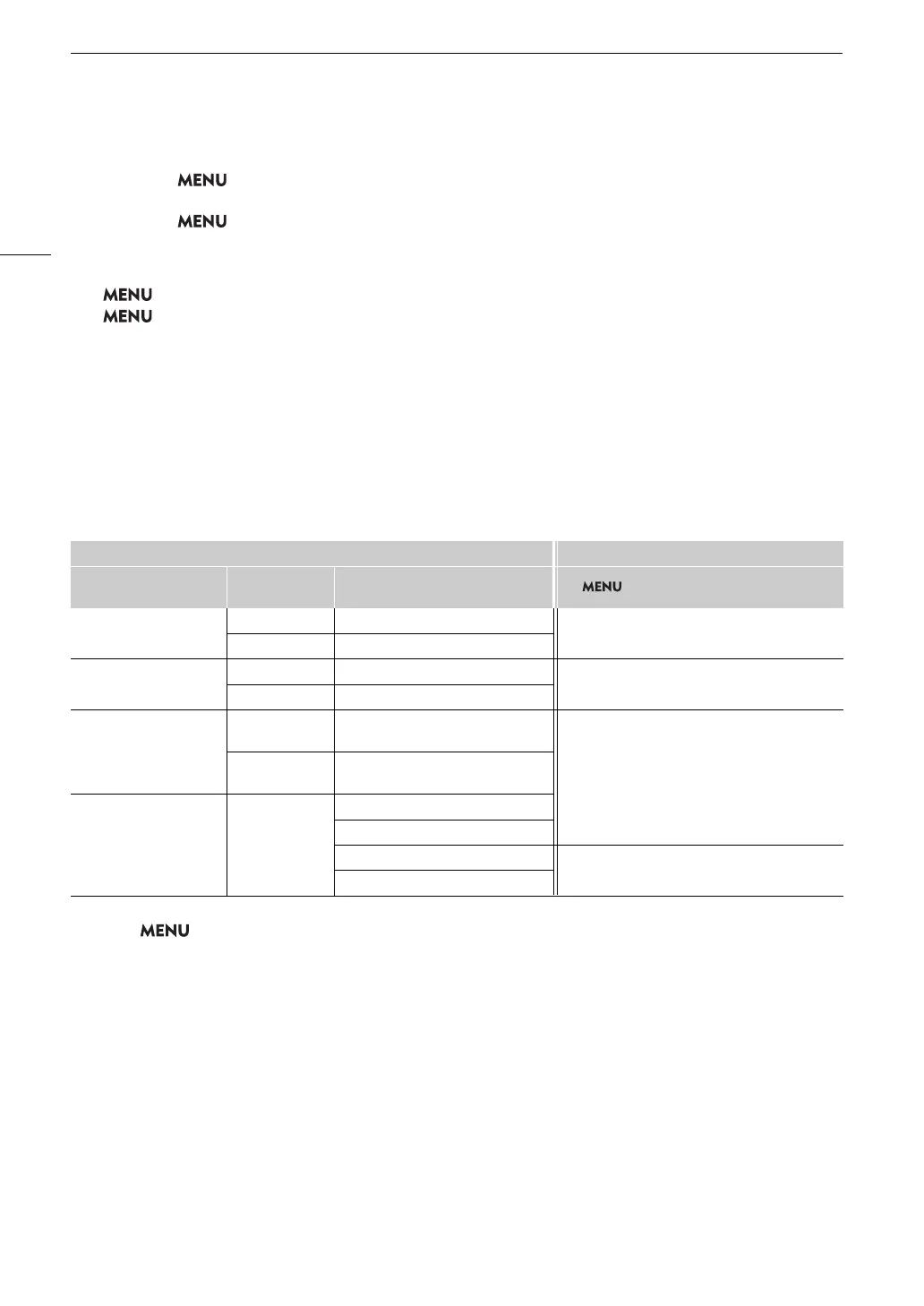
Custom picture file Applied range settings
[Gamma] [Look File]
[Gamma/Color Space]
after the Look File is applied
> [¢ Monitoring Setup] > [Range]
[Canon Log 2]
[Canon Log 3]
[Off] –
[During Canon Log Output]
[On] [Conform to Custom Picture]
[PQ]
[HLG]
[Off] –
[During HDR Output]
[On] [Conform to Custom Picture]
[BT.709 Wide DR]
[BT.709 Standard]
[Canon 709]
[Off] –
[On] [Conform to Custom Picture]
–
(Fixed narrow range)
– [On]
[SDR BT.709]
[SDR BT.2020]
[HDR PQ(BT.2100)]
[During HDR Output]
[HDR HLG(BT.2100)]



 To Next Page