2
19
Preparations
Preparing the Power Supply
You can power the camera using a battery or a power outlet. Even when a battery is attached, if the camera is
connected to a power outlet, it will not draw power from the battery.
Using a Battery
You can power the camera using the included BP-A30N Battery Pack or the optional BP-A60N Battery Pack.
Both battery packs are compatible with Intelligent System so you can check the approximate remaining battery
usage time (in minutes) on the screen. For more accurate readings, when using a battery for the first time, charge
it fully and then use the camera until [Change the battery pack] appears on the screen.
Charging the Battery
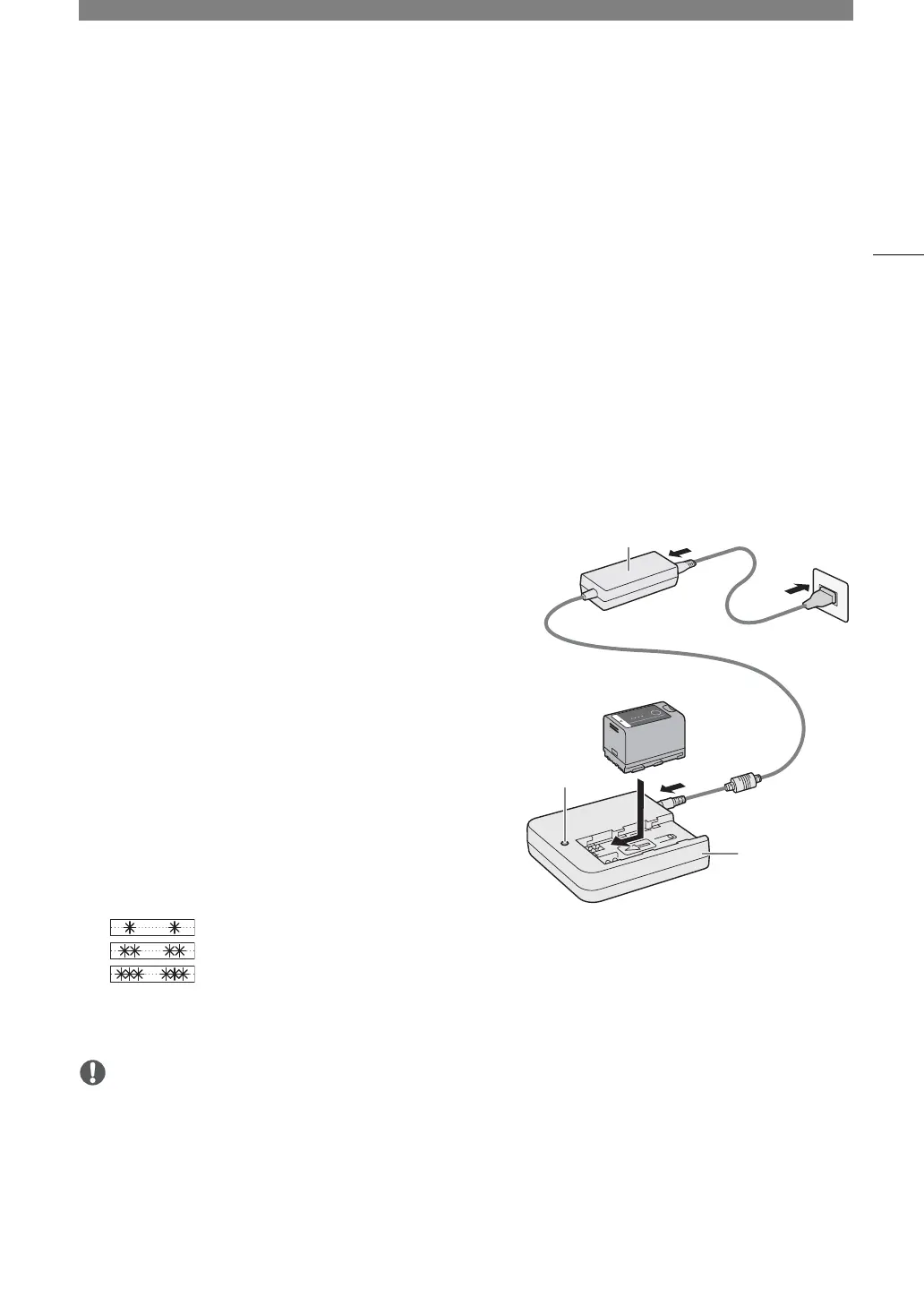
Charge battery packs using the CG-A20 Battery Charger and
CA-CP300 B Compact Power Adapter. Before charging, remove
the terminal cover of the battery pack.
1 Connect the AC adapter to the battery charger and plug the
power cord into a power outlet.
2 Attach the battery to the battery charger.
• Press lightly and slide the battery in the direction of the
arrow until it clicks.
• The CHARGE indicator starts flashing and also indicates the
battery pack’s approximate charge. The indicator will stay
on when charging has completed.
approx. 0% to 49%: Flashes once every 2 seconds
approx. 50% to 74%: Flashes twice every 2 seconds
approx. 75% to 99%: Flashes 3 times every 2 seconds
3 Disconnect the AC adapter from the battery charger and unplug the power cord.
4 Remove the battery from the battery charger.
• Do not connect to the battery charger any product that is not expressly recommended for use with this
camera.
• When using the battery charger or AC adapter, do not fix it permanently to one place as this may cause a
malfunction.
• Even within the operating temperature range of the included CG-A20 Battery Charger or the optional CG-A10
Battery Charger, charging may not be possible depending on the internal temperature of the battery.
CHARGE
indicator
AC adapter
Battery Charger



 To Next Page