ISO Speed/Gain
68
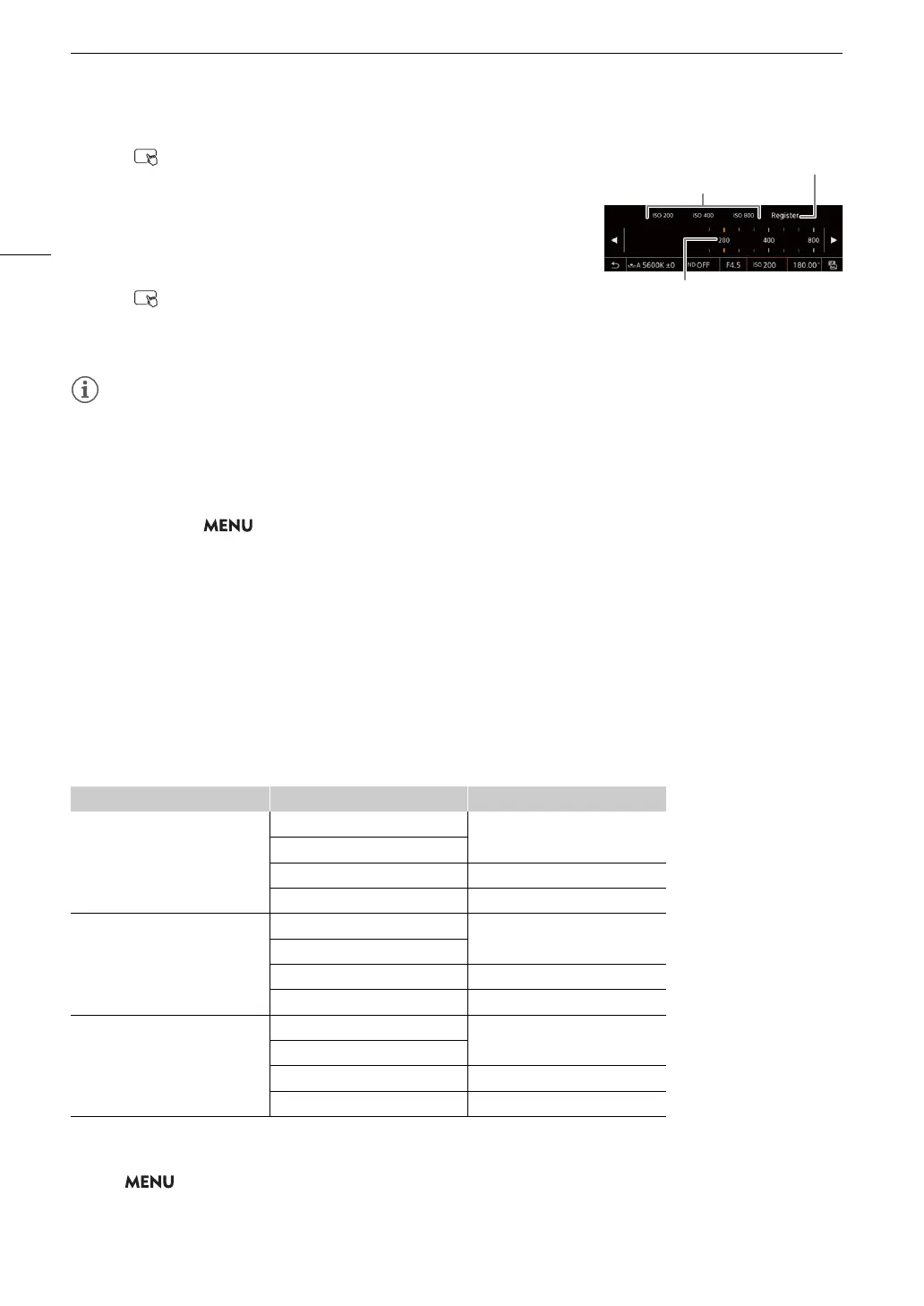
1 Touch > Current ISO speed/gain value.
2 Adjust the value selected and touch [Register].
3 Touch the desired position to save the preset value.
• The current value is saved.
Using a saved preset value
1 Touch > Current ISO speed/gain value.
2 Touch the desired preset value (above the slider).
• The selected preset value is applied.
• When high ISO speeds or gain levels are set, the picture may flicker slightly.
• When high ISO speeds or gain levels are set, bright red, green or blue dots may appear on the screen. In such
case, use a faster shutter speed (A 64) or select a lower ISO speed or gain value.
• When the ISO speed or gain level is changed, some noise may appear momentarily on the screen. Do not
adjust the ISO speed/gain level while recording.
• You can use the > [
B
System Setup] > [Front Ctrl Dial Dir.], [Rear Ctrl Dial Dir.] or [Control Ring Dir.]
setting to change the direction of the adjustment when you turn the control dial or control ring.
• When an RC-V100 Remote Controller is connected to the camera, you can adjust the ISO speed or gain value
with the remote controller’s ISO/GAIN
Í
/
Î
buttons.
• If you set an assignable button to [ISO/Gain Mode] (A 123), you can press the button to switch between
automatic and manual adjustment.
Automatic ISO Speed/Gain
The sensitivity limit will be set automatically according to the [Gamma/Color Space] setting in the custom picture
file.
1
When the main recording format is RAW, the available base ISO settings are the same as when the gamma curve component of
the [Gamma/Color Space] setting in the custom picture file is set to [Canon Log 2] / [Canon Log 3].
Select > [
v
Camera Setup] > [ISO/Gain Mode] > [Automatic].
Gamma curve Base ISO
1
Lower sensitivity limit
[Canon Log 3]
[Canon Log 2]
[Auto Selection]
ISO 800 (Gain 12 dB)
[Base ISO 800]
[Base ISO 3200] ISO 3200 (Gain 12 dB)
[Base ISO 12800] ISO 12800 (Gain 12 dB)
[BT.709 Wide DR]
[PQ]
[HLG]
[Canon 709]
[Auto Selection]
ISO 400 (Gain 6 dB)
[Base ISO 400]
[Base ISO 1600] ISO 1600 (Gain 6 dB)
[Base ISO 6400] ISO 6400 (Gain 6 dB)
[BT.709 Standard]
[Auto Selection]
ISO 160 (Gain –2 dB)
[Base ISO 160]
[Base ISO 640] ISO 640 (Gain –2 dB)
[Base ISO 2500] ISO 2500 (Gain –2 dB)
Stored preset values
Drag the slider to select the desired value
Touch to register a preset value



 To Next Page