Connecting to an External Monitor or Recorder
152
Connecting to an External Monitor or Recorder
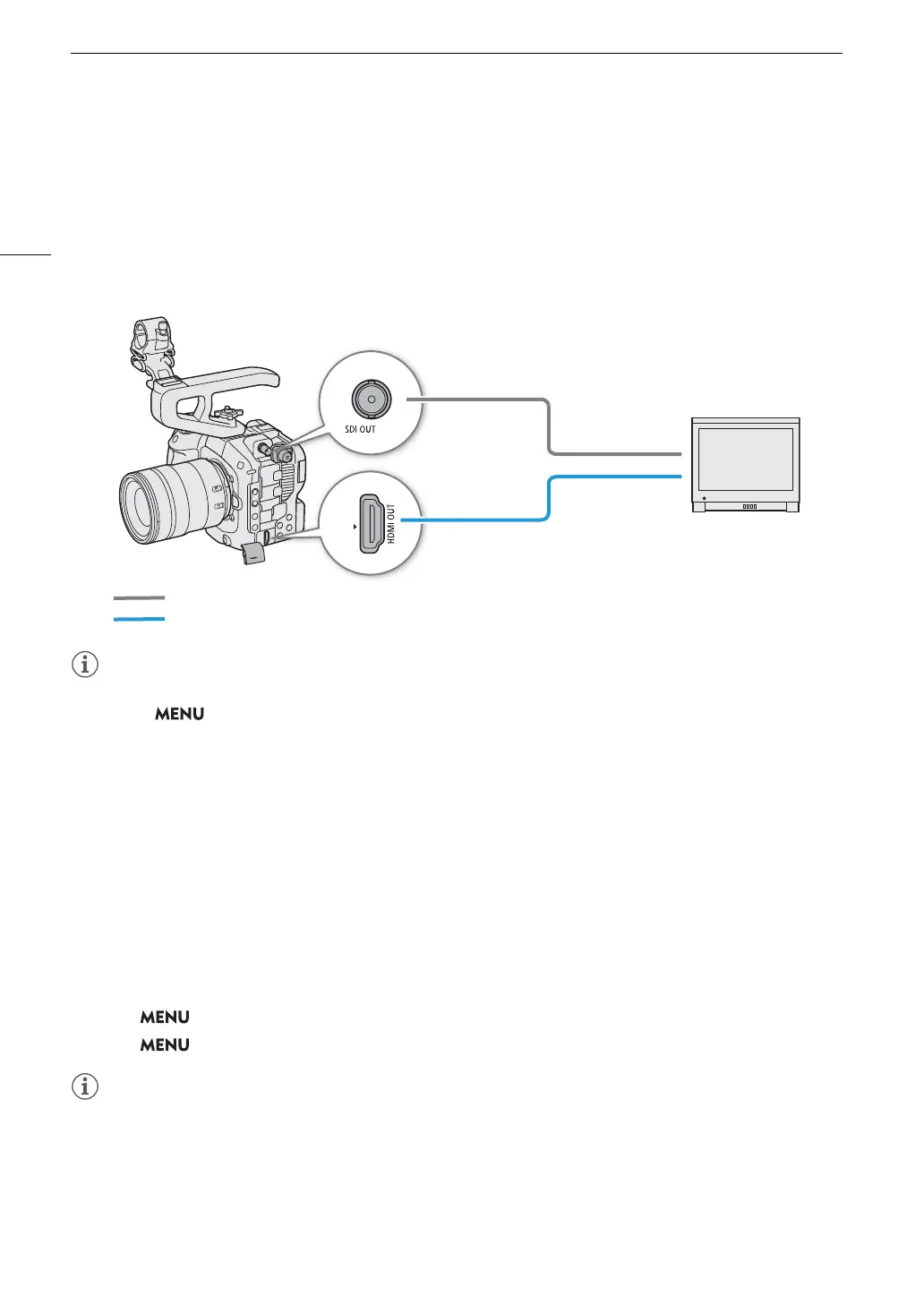
When you connect the camera to an external device, be it a monitor (to monitor the recording or for playback) or
an external video recorder (for recording), adjust the required settings in the menu. For details about output
signals, refer to Video Output Configuration (A 149).
Connection diagram
• Powering the camera from a power outlet using an AC adapter is recommended.
• If you set > [Æ Recording/Media Setup] > [Rec Command(EXT REC)] to [On] and connect the
camera to another device using the SDI OUT or HDMI OUT terminal, you can control the recording operation
on the other device in conjunction with the camera’s recording operation (REC button). However, this function
cannot be used during slow & fast motion recording, frame recording, interval recording or continuous
recording.
When connecting to the HDMI OUT terminal, select [HDMI Time Code] > [On].
Using the SDI OUT Terminal
The digital signal that is output from the SDI OUT terminal includes the video signal, audio signal, time code
signal, recording command signal, metadata and clip file name information. You can connect an external video
recorder to the SDI OUT terminal to record 4K or 2K video. For details about configuring and using external
recorders, refer to the instruction manual of the external device used.
1Select > [
B
System Setup] > [SDI Output] > [On].
2Select > [
B
System Setup] > [SDI Output Signal] > Desired option.
• You can select a video output signal compliant with Level A of the SMPTE ST 425-1 standard.
• Depending on the external recorder, you may not be able to record at the desired video configuration.
• After you connect the camera to the external recorder, make a test recording first to check that audio and
video are recorded correctly on the external recorder.
HDMI OUT terminal
BNC cable (commercially available)
HDMI inputs
SDI inputs
SDI OUT terminal
HDMI cable (commercially available)



 To Next Page