Preparing the Camera
32
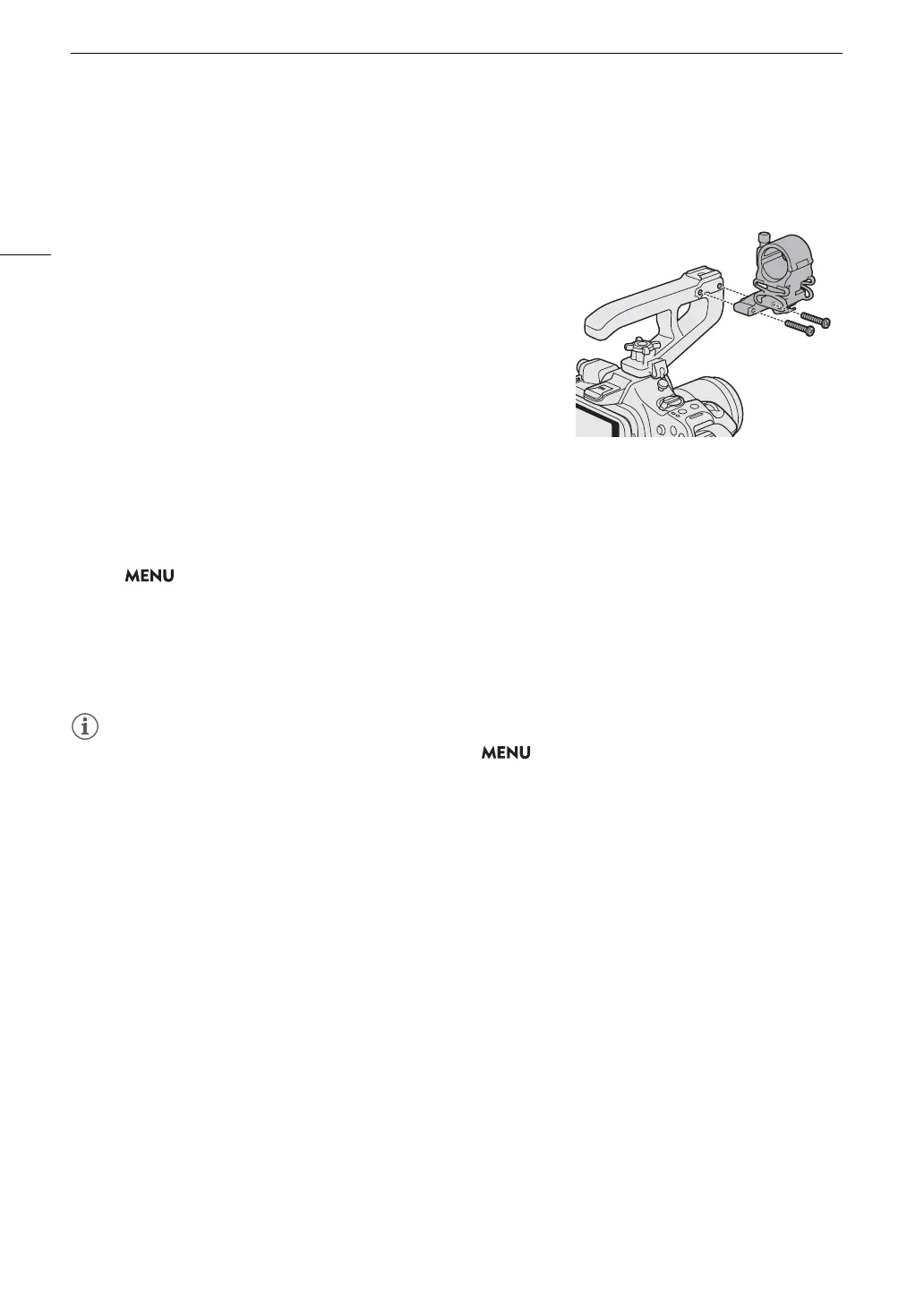
Attaching the Microphone Holder
To the Right Side of the Handle Unit
1 Attach the microphone holder to the handle unit.
2 Use a commercially available Phillips head (“crosshead”) screwdriver
to secure it firmly with the 2 M4 bolts.
Checking the Camera’s Inclination
You can display the level of the effective inclination compensation of the camera.
Select > [¢ Monitoring Setup] > [Custom Display 1] > [Level (Numeric)] or [Level (Bar)].
• The following settings are possible if you select [Level (Bar)].
- [Tilt+Roll]: Displays inclination for both tilt and roll.
- [Tilt]: Displays the vertical inclination of the optical axis.
- [Roll]: Displays the amount of rotation around the optical axis.
- [Off]: Inclination is not displayed.
• You can set the level sensitivity and reference angle from > [
B
System Setup] > [Level Sensitivity] or
[Level Reference Setting]. The [Level Reference Setting] function uses the angle detected by the camera as
reference and displays an angle relative to that reference angle.
• The [Level Reference Setting] function allows you to fine-tune the angle of the level and is enabled only near
the following postures.
- Upright posture, vertical posture (rotation of 90°, –90° in the roll direction)
- Upside down (rotation of 180° in the roll direction)
- Lens facing upward (90° in tilt direction)
- Lens facing downward (–90° in tilt direction)



 To Next Page