Focus
84
Subject Detection Function
The subject detection function automatically detects the face/head, eyes or body* of a person or animal,
according to the menu settings.
You can use subject detection with one of the autofocus functions to let the camera focus on the main subject
automatically. You can use the focus guide (A 79) in combination to help you focus on the main subject
manually. You can use the focus guide to adjust the focus on the main subject manually. You can also change
the main subject.
* Detected when a person’s face/head (after being tracked once) is hidden from view.
1 Select > [
v
Camera Setup] > [Subject to detect] > [People] or [Animals].
• (People) or (Animals) appears on the left side of the screen.
2 Select > [
v
Camera Setup] > [Subj. detect. AF] > [Detect. priority] or [Detect. only].
• (detection priority) or (detection only) will appear on the left of the screen.
3 Select > [
v
Camera Setup] > [Eye Detection] > [On].
4 Select > [
v
Camera Setup] > [Face Detection AE] > [On].
5 Point the camera at the subject.
• When [Subject to detect] is set to [People], a frame is displayed on all detected people. When set to [Animals],
a frame is displayed only the main subject (animals or people). The main subject is determined automatically
and is displayed in white when using autofocus, and in gray or yellow* when using manual focus.
* When [Continuous AF] is enabled and [Lens action if cannot AF] was set to [Stop].
• When multiple subjects are detected, Ï and Ð are shown on the main subject frame. If [Subject to detect]
is set to [People], a gray frame is displayed on subjects other than the main subject. When Ï and Ð are
shown, pressing the joystick to the left/right switches the main subject to another subject and tracking
starts.
Options for [Subj. detect. AF]
[Detect. priority]: When a subject is not being detected, the camera determines the main subject and focuses on
it.
[Detect. only]: When a subject is not being detected, the camera locks the focus.
AF operation according to the [Subject to detect] settings is as follows:
- Continuous AF: The camera continuously focuses on the subject it determines to be the main subject.
- One-shot AF: When you press a button assigned to [One-Shot AF], the camera focuses on the subject it
determines to be the main subject.
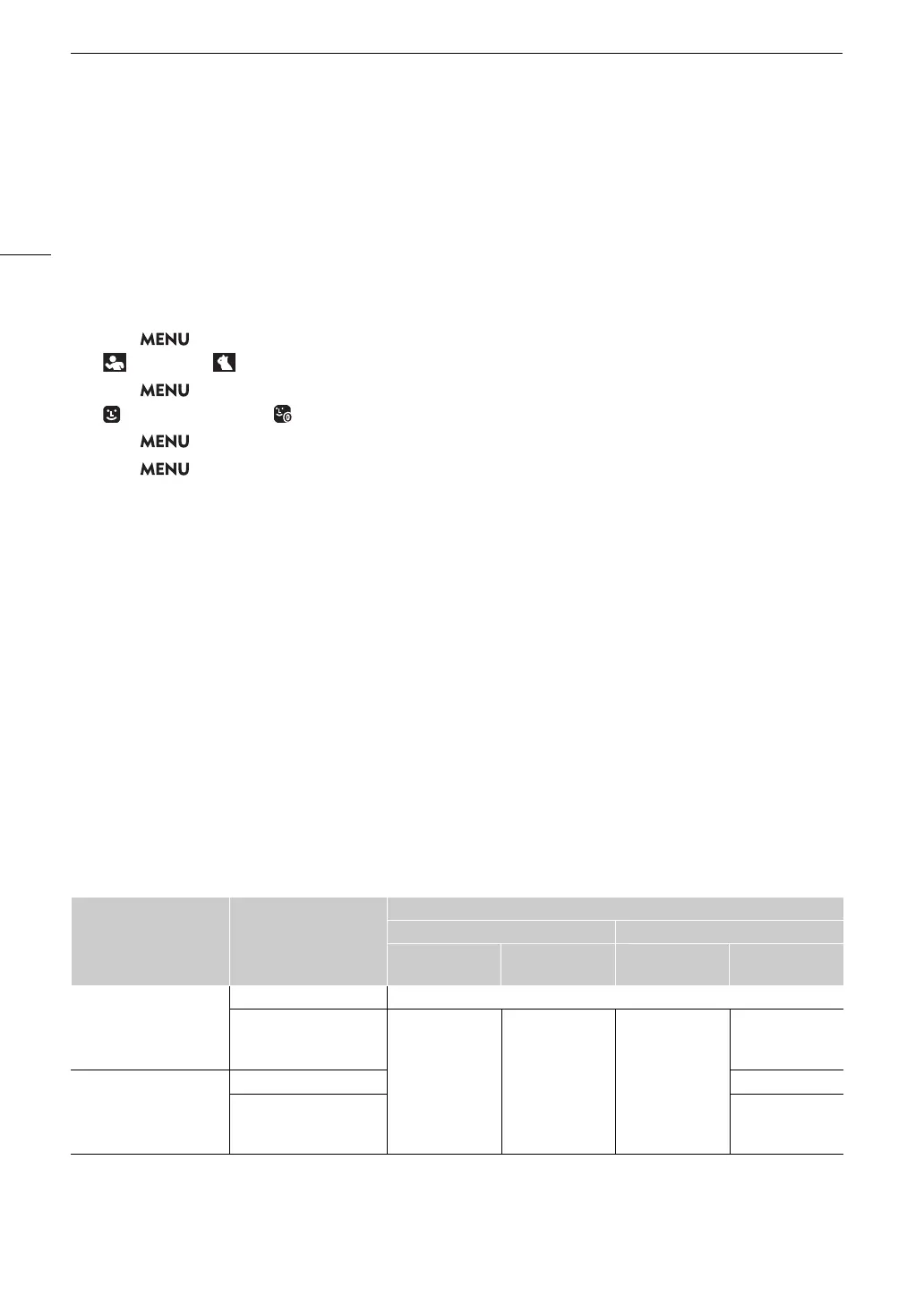
Operation by AF mode
AF mode Focus operation
Subj. Detect. AF
[Detect. Priority] [Detect. Only]
Subject detected
No subject
detected
Subject detected
No subject
detected
Continuous AF: disabled
Manual focus Manual focus
One-shot AF in operation
Focus on the
detected subject
Focus on the
subject inside the
AF frame
Focus on the
detected subject
Focus on the
subject inside the
AF frame
Continuous AF: enabled
Automatic Manual focus
One-shot AF in operation
Focus on the
subject inside the
AF frame



 To Next Page