35
Preparing Recording Media
• About SDXC cards: You can use SDXC cards with this camera but these cards are initialized by the camera
using the exFAT file system.
- When using exFAT-formatted cards with other devices (digital recorders, card readers, etc.), make sure that
the external device is compatible with exFAT. For more information on compatibility, contact the computer,
operating system or card manufacturer.
- If you use exFAT-formatted cards with a computer OS that is not exFAT-compatible, you may be prompted
to format the card. In such case, cancel the operation to prevent data loss.
• Proper operation cannot be guaranteed for all cards.
• SDHC cards are formatted using the FAT32 file system so, when recording proxy clips, the video (stream) file in
the clip will be split approximately every 4 GB. Playback with the camera will be seamless.
SDXC cards use the exFAT file system so the stream file in the clip will not be split.
Inserting and Removing an SD Card
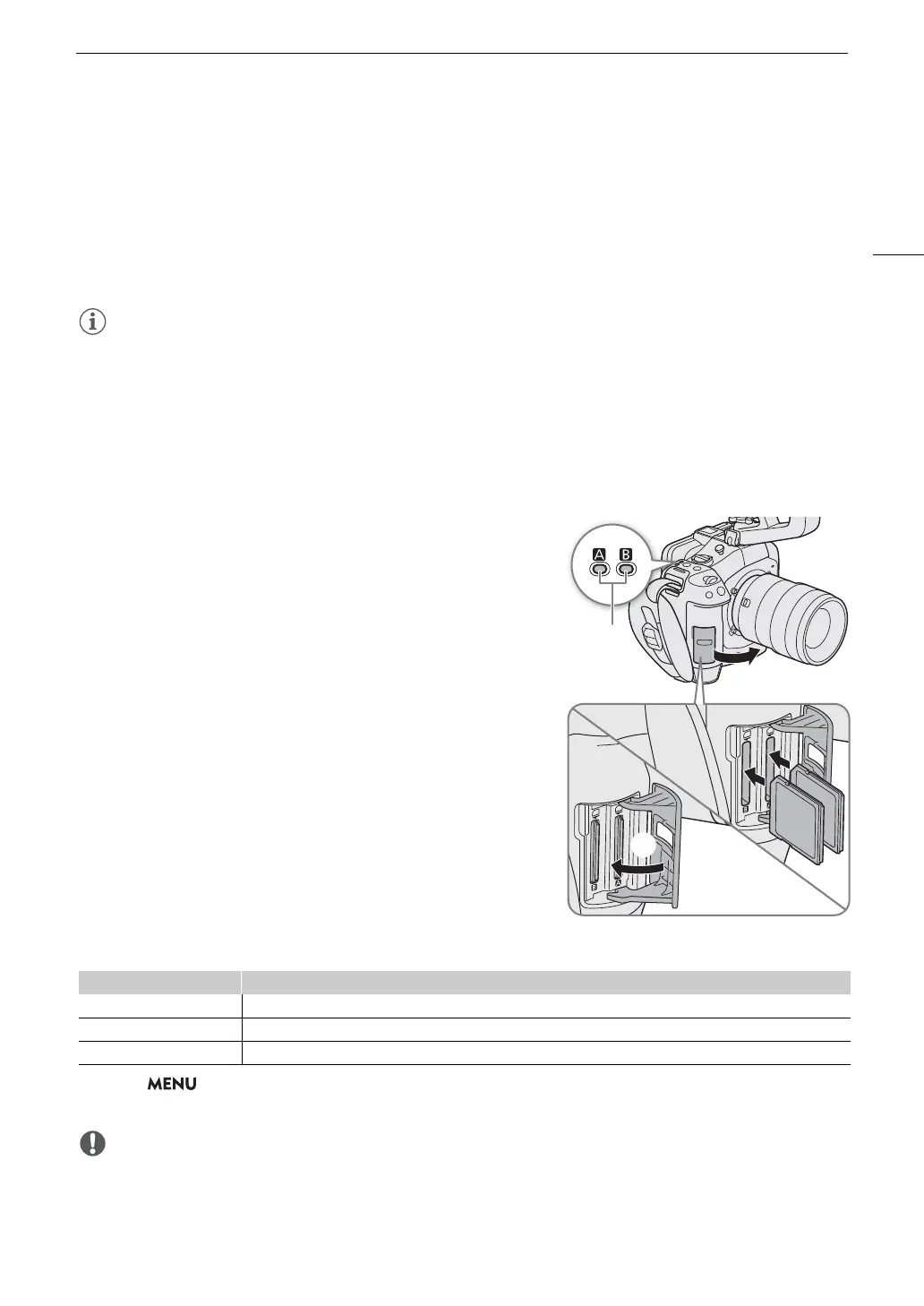
1 Wait until the SD CARD access indicator is off or is
illuminated in green.
2 Open the card compartment cover.
3Insert the card straight, with the label facing the side
opposite to the lens, into the SD card slot until it clicks.
• You can use two cards, one in each card slot.
• To remove the card, make sure the SD CARD indicator is off
and then push the card once to release it. When the card
springs out, pull it all the way out.
4 Close the card compartment cover.
• Do not force the cover closed if the card is not correctly
inserted.
SD card access indicator
If you set > [
B
System Setup] > [Card Access LED] to [Off], the SD card access indicator will not
illuminate.
• SD cards have front and back sides that are not interchangeable. Inserting a card facing the wrong direction
can cause a malfunction of the camera. Be sure to insert the card as shown in the illustration.
Indicator Card status
Red Accessing the card.
Green Recording/playback is possible and the card is selected for recording/playback.
Off A card is not inserted or the card slot is not currently selected.
햴



 To Next Page