141
Playback
• While browsing photos, press the joystick left/right to move to the previous/next photo.
• The following image files may not be displayed correctly.
- Images not recorded with this camera.
- Images edited on a computer.
- Images whose file names have been changed.
Refining Clip Selection for Playback
Play back only the selected clips in succession.
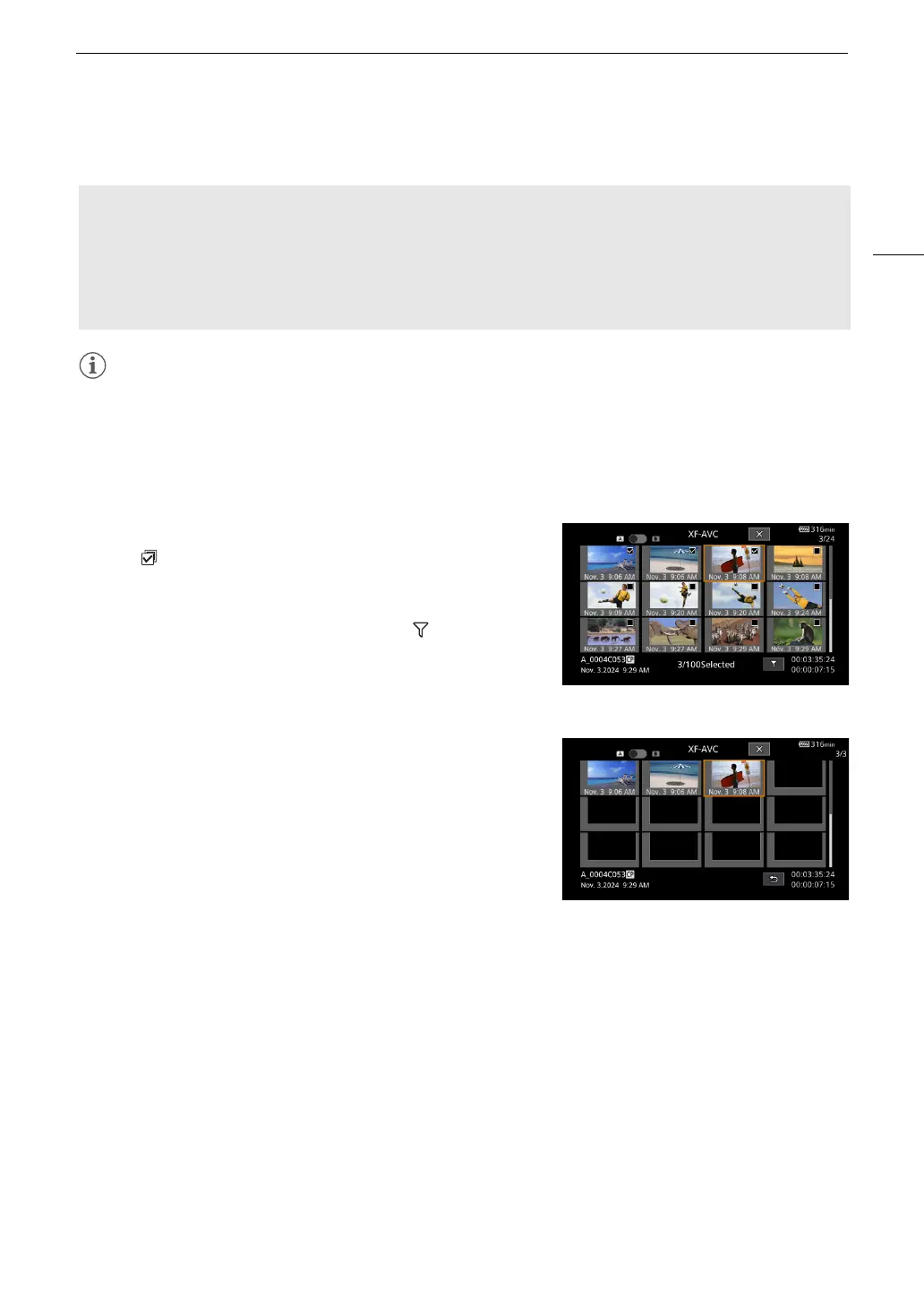
1 Touch on the index screen.
• The file selection screen is displayed.
•Touch X to return to the index screen.
2 Touch a thumbnail to select a clip, then touch .
• The Refine screen is displayed.
•Touch K to return to the file selection screen, or X to return to
the index screen.
3 Touch the desired thumbnail on the Refine screen.
• Subsequent operations are the same as for Playing Back
Recordings.
• Once playback ends, the screen returns to the Refine screen.
Custom picture settings of RAW clips during playback
RAW clips are played back using the following custom picture settings.
• [Gamma/Color Space]: Same setting used for recording
• [Color Matrix]: [Neutral]
• Contour lines are de-emphasized in a way similar to setting [Sharpness] > [Level] to –10.
• Other settings are set to [Off].
File selection screen example


 To Next Page
 Loading...











