Recording Video and Photos
50
Right side of the screen
Bottom and center of the screen
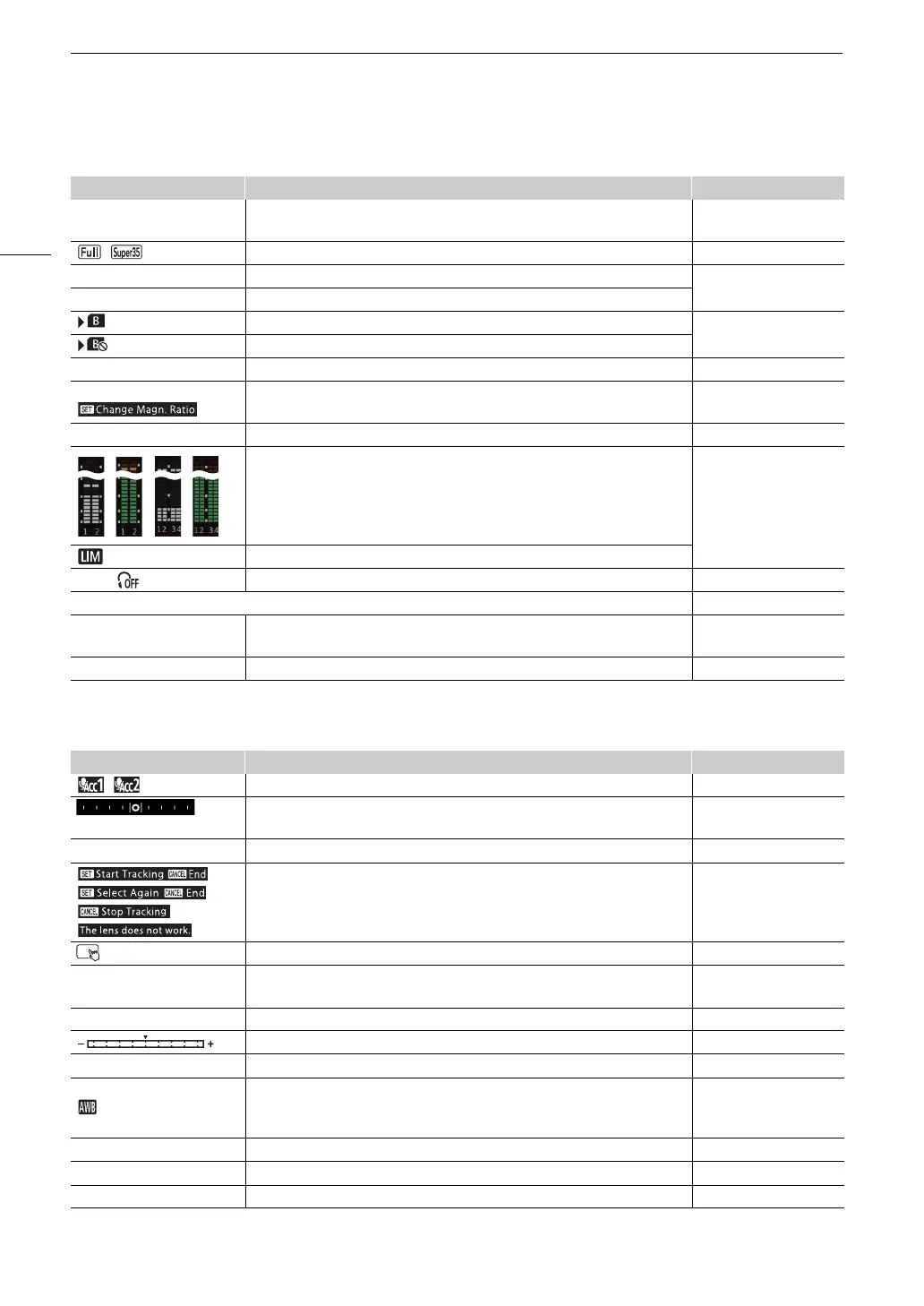
Icon/Display Description Custom Display
60(24)fps,
60(30)fps
Video output (A 123). 2: [Output Terminals
Status]
, Sensor mode (A 60). 2: [Sensor Mode]
0000x0000 Resolution (A 60). 2: [Resolution/
Color Sampling]
YCC000 00 bit Color sampling, bit depth (A 60).
(in green) Photos can be recorded on the SD card (A 46). 2: [Photo]
(in red) No SD card or cannot record photos on the SD card.
T
(in yellow) Output onscreen displays (A 155). 2: [OSD Output]
^ (in yellow) Magnification (A 80). 1: [Magnification]
J, K (in yellow) Peaking (A 80). 1: [Peaking]
Audio level meter (A 101). 2: [Audio Level Indicator]
Audio limiter (A 102).
×
00, Headphone volume (A 144). –
Date/time 2: [Date/Time]
CH0/CH0,
CH0+CH0/CH0+CH0
Audio output channels (A 158). 2: [Monitor Channels]
1/0000.00, 000.00°, 000.00Hz Shutter speed (A 64). 1: [Shutter]
Icon/Display Description Custom Display
, , –, ê Wireless microphone 2: [Wireless Mic]
(horizontal/vertical)
Level (bar) (A 32). 1: [Level (bar)]
Base 0000 Base ISO (A 66). 1: [Base ISO]
,
,
,
Tracking guide, warning.
Direct touch control (A 54) –
A_001C001 to Z_999D999 Clip identification. Includes the camera index, reel number and clip number
components of the clip file name (A 41).
2: [Reel/Clip Number]
00 00 00 00 User bit (A 94). 2: [User Bit]
Exposure bar (A 74). 1: [Exposure Bar]
AE ±0.00 AE shift (A 73). 1: [AE Shift]
ÅA/ÅB, ¼, É, È,
00000K ±00
White balance (A 75). 1: [White Balance]
ND 00 stops ND filter (A 70). 1: [ND Filter]
E
, F00.0 / T00.0, closed Aperture value (A 71). 1: [Iris]
E
ISO 000000, 00.0dB ISO speed/Gain value (A 66). 1: [ISO/Gain]



 To Next Page