63
Proxy Clips
8 Select > [Æ Recording/Media Setup] > [Proxy Rec Color Conversion] > Desired option.
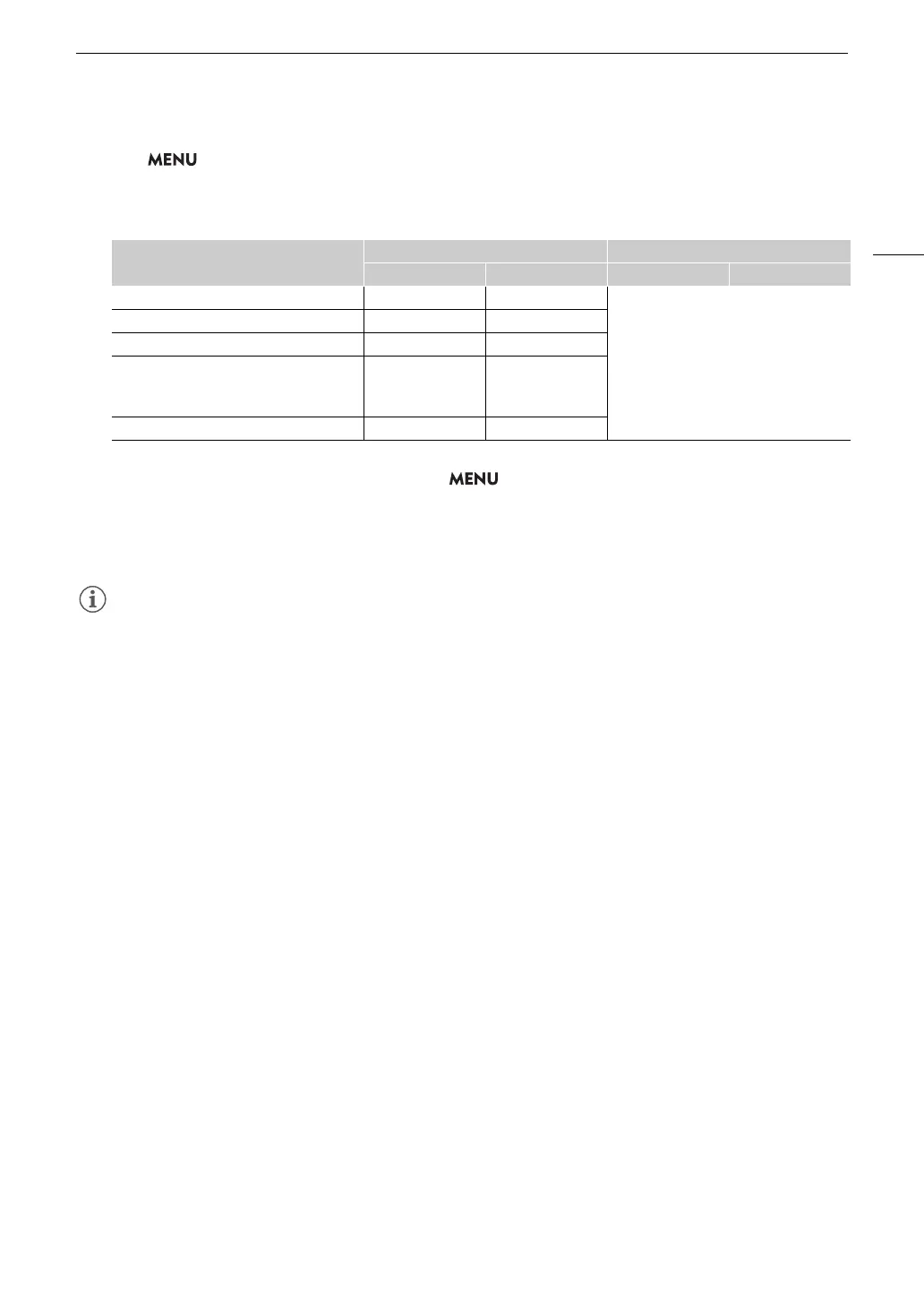
• If you select [Conform to Custom Picture], the gamma curve and color space are determined to conform to
the gamma curve of Custom Picture. Furthermore, if you select [BT.709 (Canon 709)] or [BT.709 (CMT 709)],
they are converted as follows.
• If you select [BT.709 (Canon 709)] or [BT.709 (CMT 709)], proxy clips are recorded after converting the
gamma curve and color space. The value set for > [¢ Monitoring Setup] > [Gain for HDR SDR
Conv.] (A 157) is applied to the proxy clips as well.
9Press the REC button to start recording.
• Proxy clips will be recorded simultaneously with the primary clips.
• If the recording of the primary clip stops during simultaneous recording, recording of the proxy clip will stop as
well.
• If there is no card inserted in the slot used for the primary clip, only the proxy clip will be recorded.
Gamma curve of Custom Picture
Gamma curve after conversion Color space after conversion
BT.709 (Canon 709) BT.709 (CMT 709) BT.709 (Canon 709) BT.709 (CMT 709)
BT.709 Standard BT.709 Standard BT.709 Standard
BT.709
BT.709 Wide DR BT.709 Wide DR BT.709 Wide DR
Canon 709 Canon 709 Canon 709
The gamma curve and color space after
applying the Look File and after conversion is
[SDR BT.709] or [SDR BT.2020].
SDR SDR
Other Canon 709 CMT 709



 To Next Page