COPYRIGHT
©
1999 CANON INC. CANON GP160 REV.0 FEB. 1999 PRINTED IN JAPAN (IMPRIME AU JAPON)
CHAPTER 11 INSTALLATION
11-11
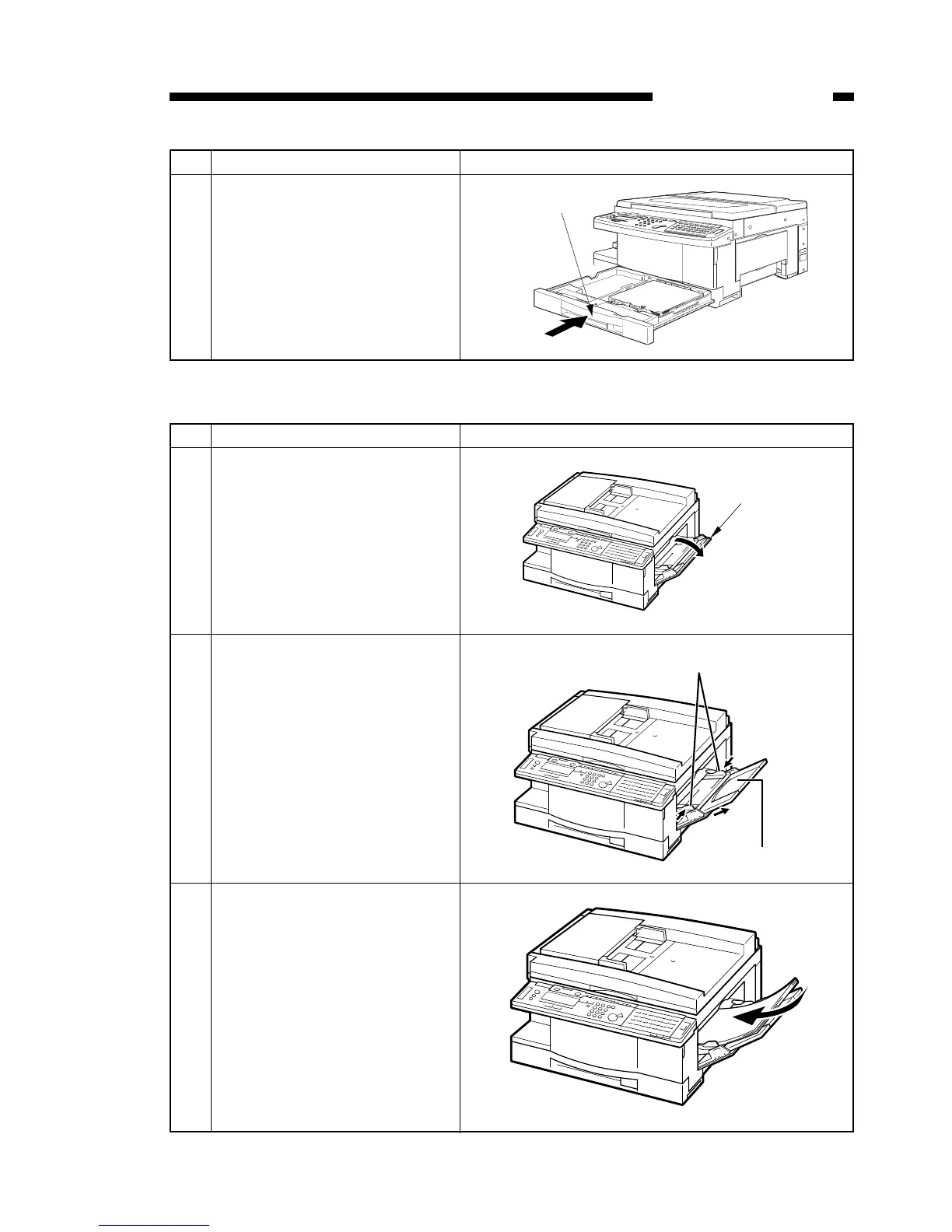
D. Loading paper into the multi-feeder
No. Work details Illustration/ remarks
1 Open the multi-feeder.
2 Set the paper width guide and
the auxiliary guide to fit the
width and the length of the
desired paper.
3 After making the edges of the
paper stack even, place the
paper in the multi-feeder.
No. Work details Illustration/ remarks
11 While holding the cassette by
the center handles, gently insert
the cassette into the main unit
until it goes no further. Do not
insert the cassette while holding
on to the cassette on one side
only.



 To Next Page