CHAPTER 1 MAINTENANCE AND SERVICING
1-3
C. Basic servicing procedures
This product has no areas which require periodic service. However, in order to
extend the life of the product and parts, we recommend the following procedures be car-
ried out when carrying out service to replace consumable parts.
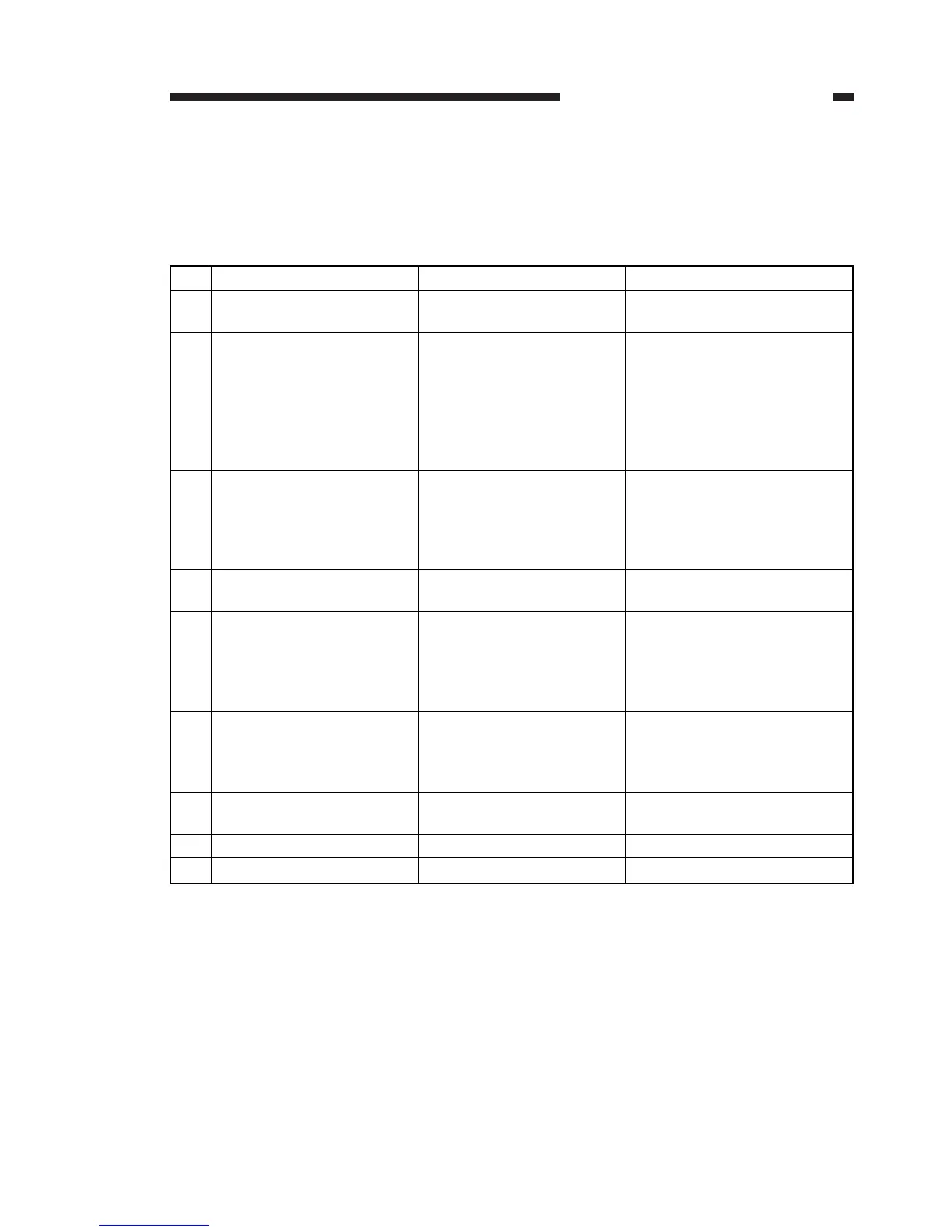
Table 1-3
No.
1
2
3
4
5
6
7
8
9
Procedure
Greet the customer
Test copy
Clean the optical unit
Clean the transfer guide
Clean the separation and
transport parts
• Separation static charge
eliminator
• Transport belt
Clean the fixing and deliv-
ery assemblies
• Fixing assembly inlet
guide
Clean the copy board
glass
Make a test copy
Tidy up around the unit
Inspection Items
Consult about the
machine’s condition
a. Image density
b. Soiled background
c. Character clarity
d. Leading edge margin
e. Fixing, faulty synchro-
nization, soiled reverse
side
Remarks
Clean with a blower brush.
When very soiled, use an
alcohol cleaner.Wipe the
white reference plate with a
dry cloth.
Remove the cartridge before
servicing.


 To Next Page