COPYRIGHT
©
1999 CANON INC. CANON GP160 REV.0 FEB. 1999 PRINTED IN JAPAN (IMPRIME AU JAPON)
CHAPTER 9 EXTERNAL/AUXILIARY MECHANISM
9-17
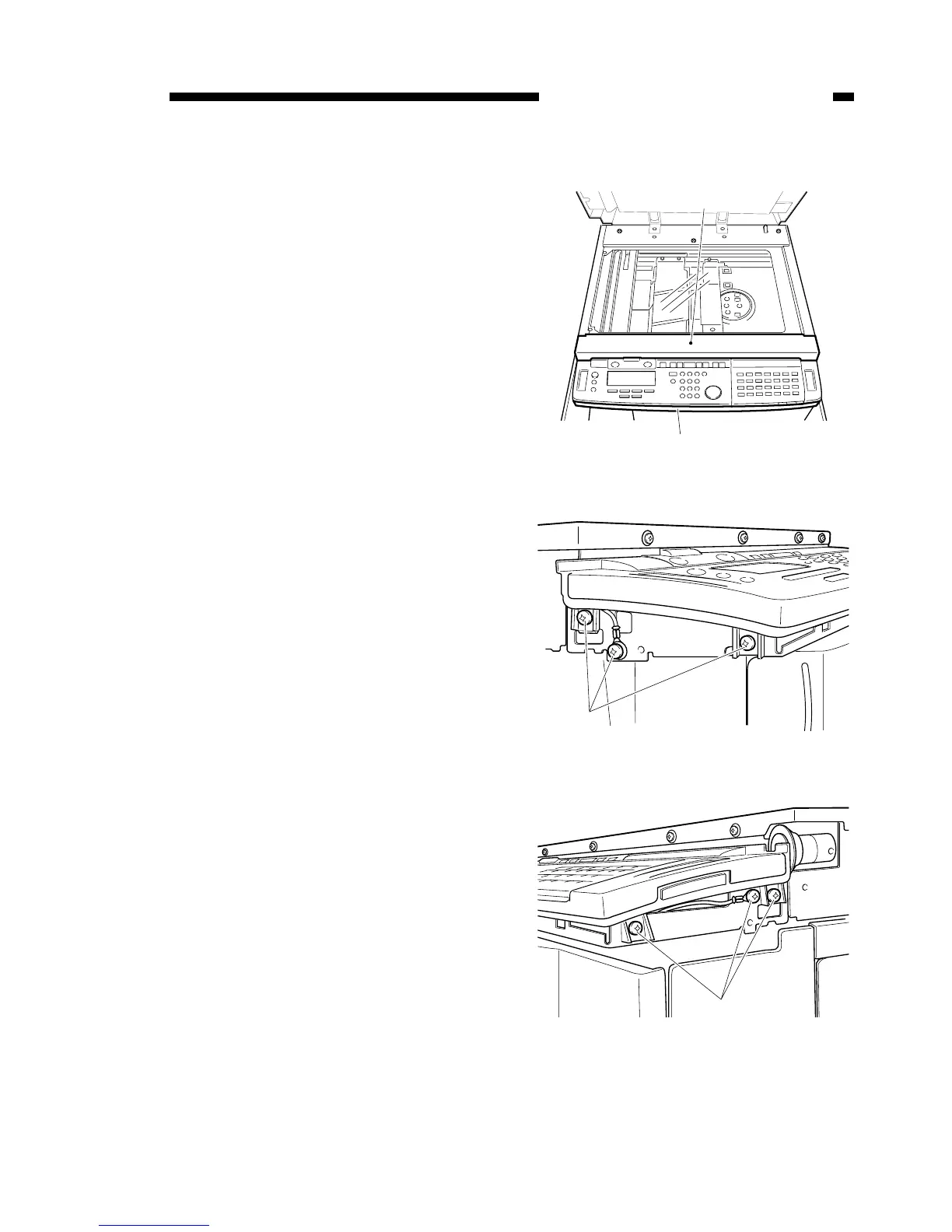
A. Control panel
1) Remove the 2 installation screws
from the left and the right sides, and
remove the front upper cover [1].
2) Remove the 2 installation screws
from the left and the right sides, and
remove the control panel lower cover
[2].
3) Remove the 6 installation screws [3]
from the left and right sides (two are
attached to the grounding cable).
Figure 9-501
Figure 9-502
Figure 9-503



 To Next Page