COPYRIGHT
©
1999 CANON INC. CANON GP160 REV.0 FEB. 1999 PRINTED IN JAPAN (IMPRIME AU JAPON)
CHAPTER 3 EXPOSURE SYSTEM
3-6
A. Scanning lamp
1) Remove the ADF or pressure plate
(Refer to P.3-1 of the ADF service
manual).
2) Remove the 2 installation screws,
and then remove the copyboard
glass stay.
3) Remove the copyboard glass.
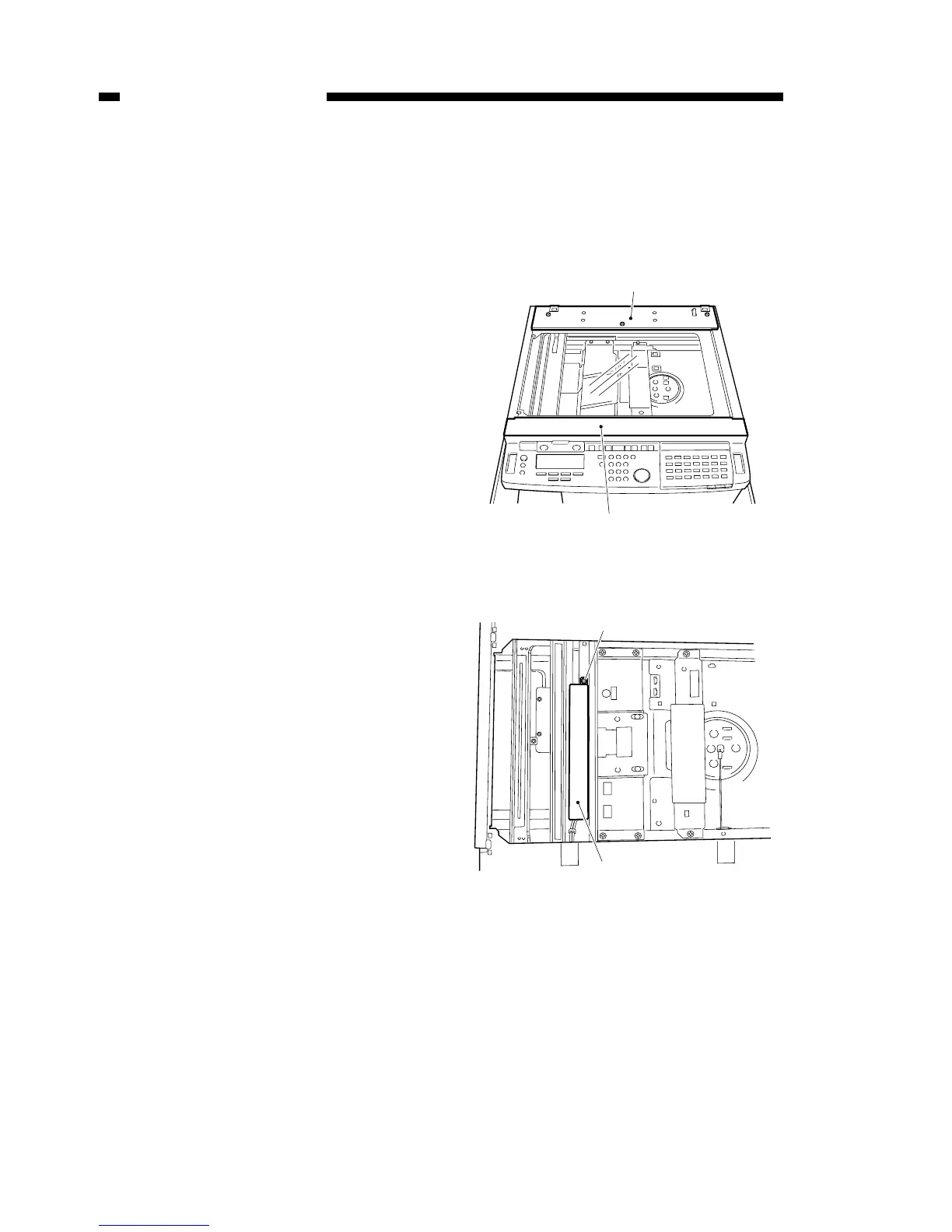
4) Remove 2 of each of the installation
screws, then remove the upper rear
cover [1] and the upper front cover
[2].
5) Slowly move the Mirror 1 mount
assembly from the home position
about 10cm to the right.
6) Remove the installation screw [3],
and then remove the inverter PCB
cover [4]
Figure 3-301
Figure 3-302



 To Next Page