CHAPTER 1 MAINTENANCE AND SERVICING
1-6
c. Handling
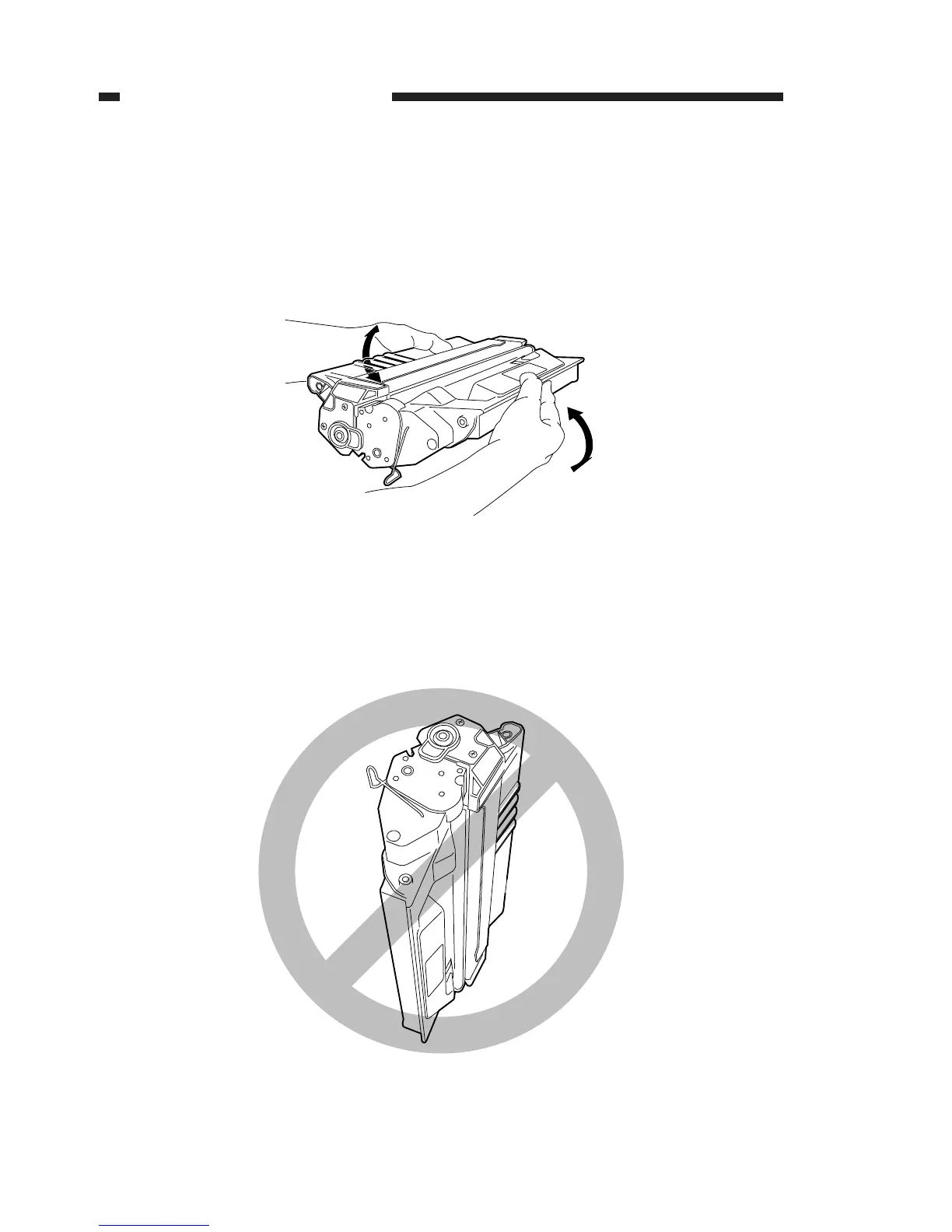
a) When setting the cartridge in the copier, or when blank areas occur in the copy
image because toner runs out during copying, hold the cartridge level, as shown in
figure 1-1, and shake it several times at about 90Þ in both directions. After the toner
inside the cartridge has been leveled evenly, set the cartridge in the copier. If the
cartridge is shaken in a manner other than that described above, there is the danger
that toner may leak from the developing assembly and cleaning assembly.
Figure 1-1
In order to completely prevent output image stains due to toner leakage, be sure to
make 3-5 test copies after setting the cartridge in the copier.
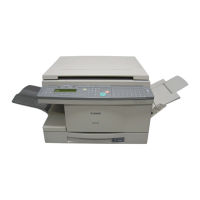
b) As shown in Figure 1-2, do not hold the cartridge vertically or upside down. Also, do
not wave it about.
Figure 1-2


 To Next Page