CHAPTER 2 STANDARDS AND ADJUSTMENTS
2-4
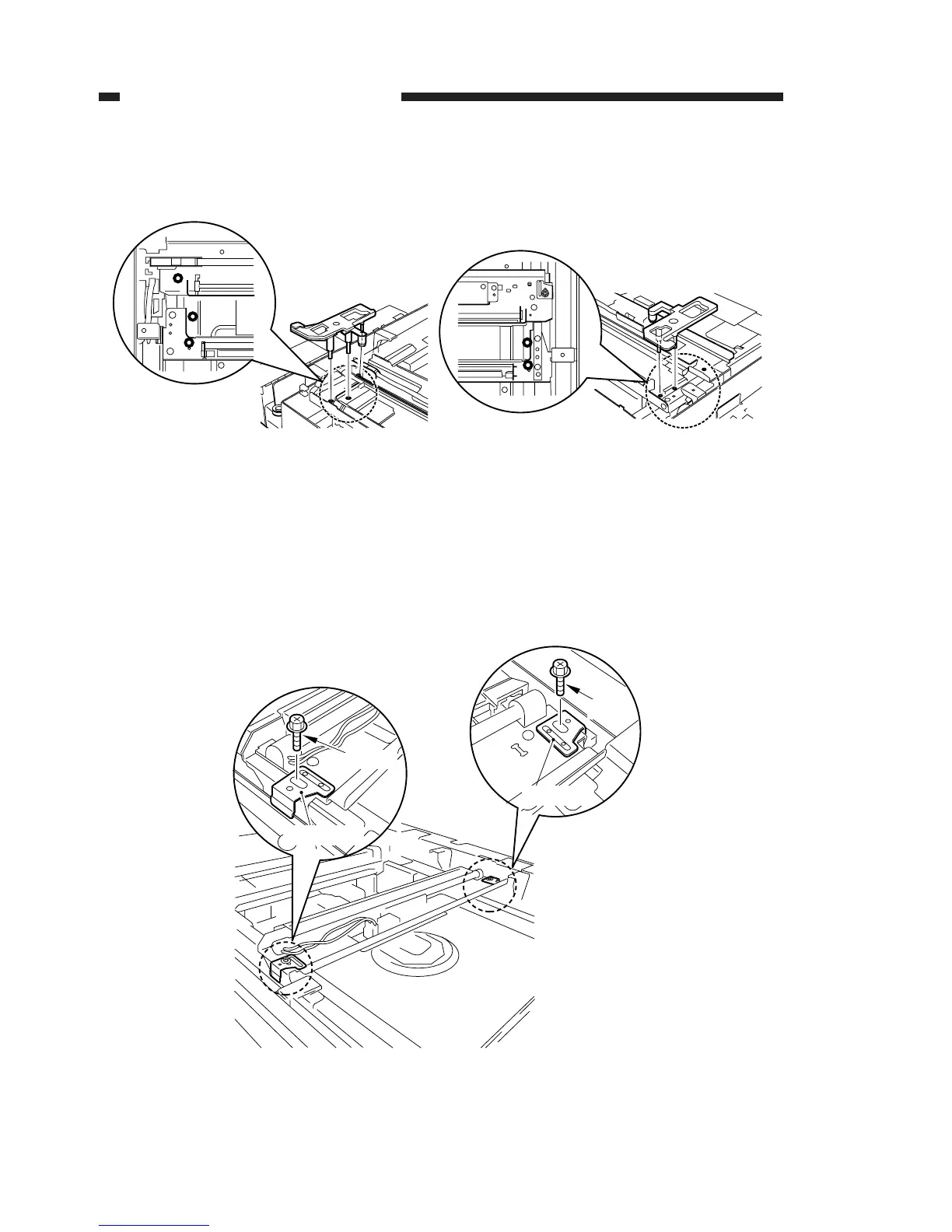
With the mirror positioning tool fitted in the holes shown below, tighten the optical
unit wire pulley’s hexagonal fixing nut.
Figure 2-6
b) Adjustment of distance between No. 1 and No. 2 mirror mounts
With the optical system wire fixing tool for No. 1 mirror mount loosened, follow the
procedures described below to adjust the distance between No. 1 and No. 2 mirror
mounts, and then tighten the fixing tool.
This adjustment should be performed after the operation to adjust the position of No.
2 mirror mount, as described above.
Figure 2-7



 To Next Page